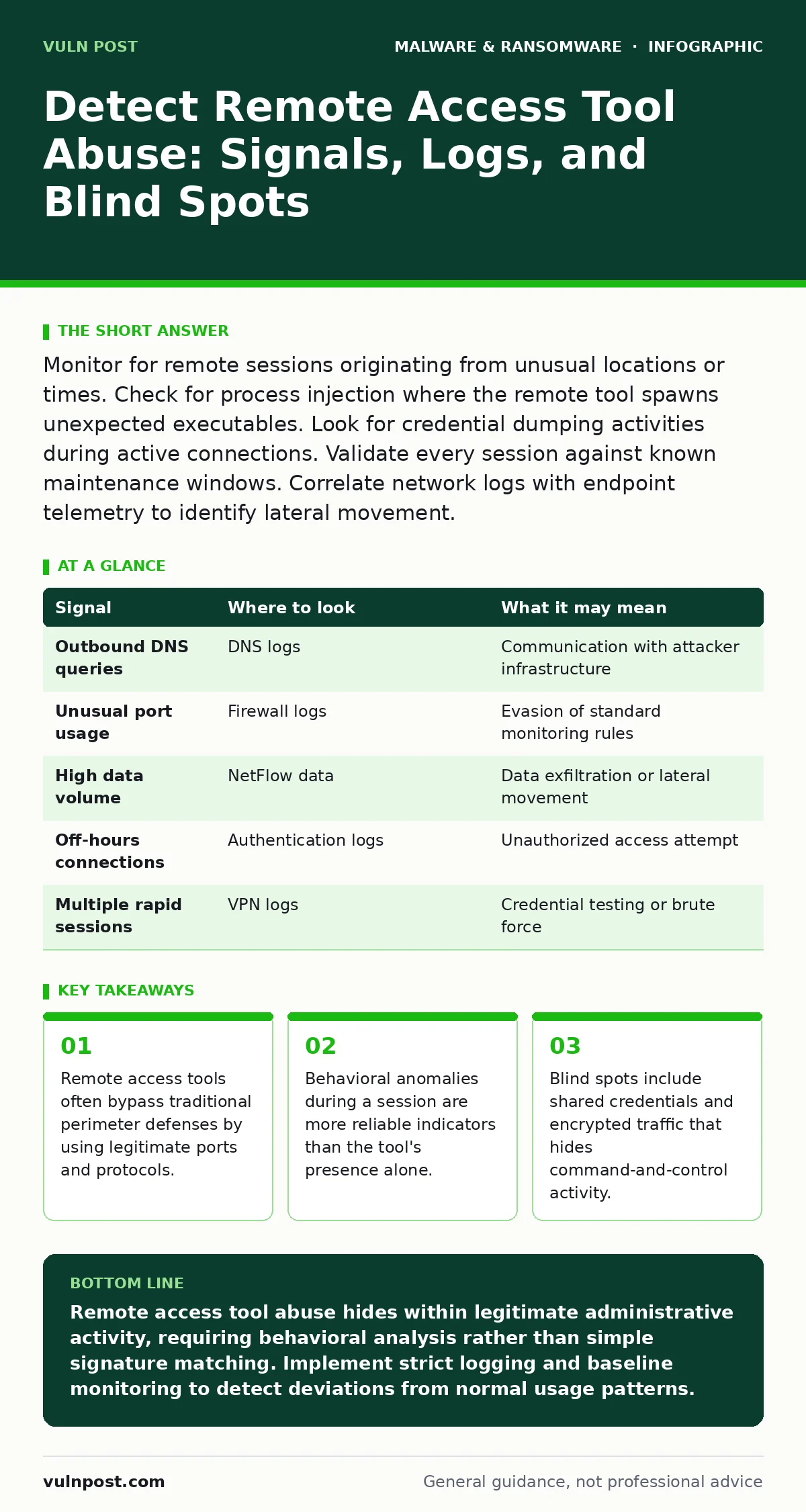
Monitor for remote sessions originating from unusual locations or times. Check for process injection where the remote tool spawns unexpected executables. Look for credential dumping activities during active connections. Validate every session against known maintenance windows. Correlate network logs with endpoint telemetry to identify lateral movement.
Remote Access Tool Fundamentals
Remote access tools provide legitimate administrative control over distant systems. Attackers abuse these same tools to establish persistent access without triggering perimeter alerts. The tool itself is not malware. It is a standard utility for IT support. The abuse occurs when an attacker gains control of the credentials or the client software. You must distinguish between authorized maintenance and unauthorized intrusion. This distinction relies on context rather than binary detection.
Network Level Indicators
Network logs reveal the initial connection and data transfer patterns. Look for connections to known remote access tool command-and-control servers. These servers often change domains or IP addresses frequently. Check for outbound connections on non-standard ports. Legitimate tools usually operate on specific ports. Deviations suggest tunneling or evasion techniques. Monitor for large data exfiltration events during active sessions. Normal administrative tasks rarely transfer gigabytes of data.
| Signal | Where to look | What it may mean |
|---|---|---|
| Outbound DNS queries | DNS logs | Communication with attacker infrastructure |
| Unusual port usage | Firewall logs | Evasion of standard monitoring rules |
| High data volume | NetFlow data | Data exfiltration or lateral movement |
| Off-hours connections | Authentication logs | Unauthorized access attempt |
| Multiple rapid sessions | VPN logs | Credential testing or brute force |
Endpoint Process Behavior
Endpoint detection tools monitor running processes and their relationships. Legitimate remote tools run as specific services or executables. Attackers often inject their code into these legitimate processes. This technique hides malicious activity within trusted binaries. Look for child processes spawned by the remote tool. If a remote access tool spawns a command shell or a scripting engine, flag it. This indicates active command execution. Check for process hollowing or injection. These techniques replace legitimate code with malicious payloads.
Authentication and Session Logs
Authentication logs record who connects and when. Analyze the source IP address of each connection. Connections from unexpected geographic locations require immediate verification. Check the time of day. Maintenance windows are usually defined. Activity outside these windows is suspicious. Look for failed login attempts followed by success. This pattern suggests credential stuffing or brute force attacks. Monitor for multiple concurrent sessions from a single account. Legitimate users rarely maintain many simultaneous remote connections.
File System and Registry Changes
Remote access tools often modify system settings to maintain persistence. Check the file system for new or modified executables. Look for changes in scheduled tasks or services. Attackers add these to ensure their tool restarts after reboots. Registry keys related to auto-start locations are common targets. Monitor for changes to firewall rules. Attackers disable logging or open ports for easier access. Compare current system states against known good baselines. Deviations indicate potential compromise.
See also: Detect Data Scraping: Log Analysis and Behavioral Signals · Detect Privilege Escalation Attacks: Log Signals and Blind Spots
User Behavior Analytics
User behavior analytics track deviations from normal patterns. Establish a baseline for each user's remote access habits. Note the typical times, locations, and targets. Alert on significant deviations. A user who normally accesses servers during business hours accessing them at midnight is suspicious. Look for access to sensitive data repositories. Administrative accounts should not browse general file shares. Monitor for privilege escalation attempts. Users requesting higher privileges than usual may be compromised.
Common Blind Spots in Detection
Several areas often escape standard monitoring. Shared credentials make attribution difficult. If multiple admins use one account, you cannot identify the specific user. Encrypted traffic hides command-and-control communication. Without endpoint visibility, network logs show only encrypted blobs. Mobile devices are often excluded from strict monitoring. Employees using personal devices for remote access create unmonitored entry points. Legacy systems may not support modern telemetry. These gaps allow attackers to operate undetected.
Integration with Broader Defense
Remote access tool abuse rarely occurs in isolation. It is often part of a larger attack chain. Attackers may use malicious documents to deliver initial access. They might exploit vulnerabilities in software to escalate privileges. Understanding the broader context improves detection. Review your software restriction policies to limit executable code. Ensure your immutable backups are protected from remote access tools. These backups prevent data loss from ransomware. Consider the risk of firmware malware persisting across reboots.
Actionable Detection Steps
Implement a structured approach to detection. First, inventory all remote access tools in your environment. Remove any that are not strictly necessary. Second, enable detailed logging on all remaining tools. Ensure logs are sent to a central security information and event management system. Third, define baseline behaviors for each tool and user. Create alerts for deviations from these baselines. Fourth, regularly review and update your detection rules. Attackers adapt their techniques over time.
- Inventory all remote access tools.
- Enable detailed logging and central collection.
- Define baseline behaviors for users and tools.
- Create alerts for anomalous activity.
- Regularly review and update detection rules.
Key takeaways
- Remote access tools often bypass traditional perimeter defenses by using legitimate ports and protocols.
- Behavioral anomalies during a session are more reliable indicators than the tool's presence alone.
- Blind spots include shared credentials and encrypted traffic that hides command-and-control activity.
Remote access tool abuse hides within legitimate administrative activity, requiring behavioral analysis rather than simple signature matching. Implement strict logging and baseline monitoring to detect deviations from normal usage patterns.
Frequently asked questions
How do I distinguish between a legitimate admin and an attacker using the same tool?
Analyze the behavior within the session. Legitimate admins perform specific maintenance tasks. Attackers often explore the system, dump credentials, or move laterally. Time and location data also help differentiate.
Can I prevent remote access tool abuse completely?
No prevention method is foolproof. You can reduce risk by limiting tool usage, enforcing multi-factor authentication, and monitoring behavior. Assume breach and prepare to detect and respond.
What is the role of endpoint detection in this context?
Endpoint detection monitors processes, files, and registry changes on the host. It provides visibility into actions taken during a remote session. This visibility is critical for detecting process injection and persistence mechanisms.
How do I handle shared credentials for remote access?
Shared credentials obscure user attribution. Move to individual accounts with unique credentials. Use privileged access management solutions to manage and monitor access. This improves accountability and detection accuracy.
How this guide was produced: written by the Vuln Post editorial team with AI assistance, checked against the public references listed below, and reviewed when the facts change. See our editorial policy or report an error.