
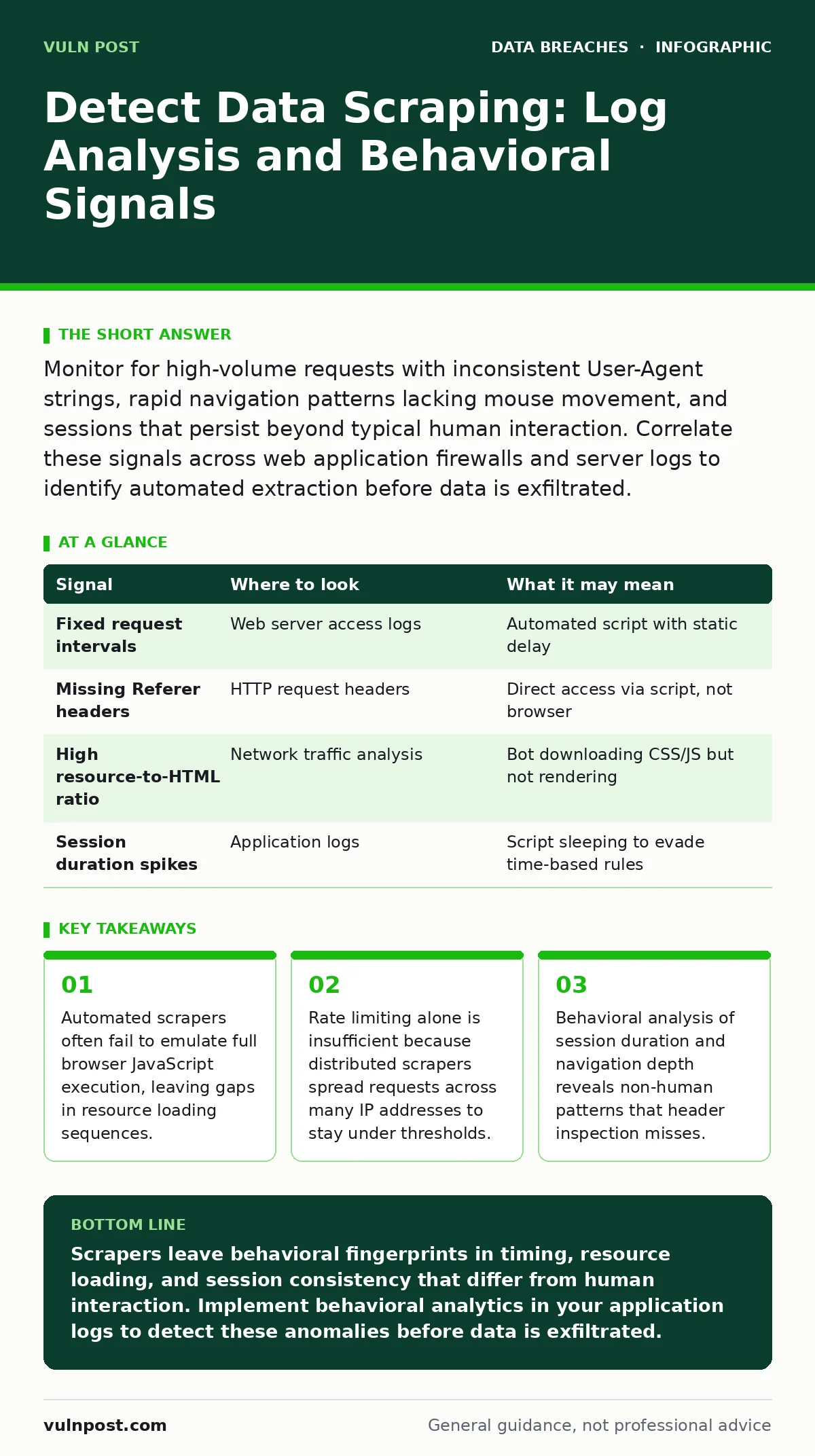
Monitor for high-volume requests with inconsistent User-Agent strings, rapid navigation patterns lacking mouse movement, and sessions that persist beyond typical human interaction. Correlate these signals across web application firewalls and server logs to identify automated extraction before data is exfiltrated.
The Anatomy of Automated Extraction
Data scraping involves automated scripts that harvest information from websites or APIs. Unlike a simple Distributed Denial of Service attack, which aims to disrupt service, scraping aims to copy data quietly. The attacker wants to remain undetected for as long as possible. This goal creates a distinct set of behavioral artifacts in your systems. You must look beyond simple traffic volume. The sophistication of the scraper determines where the evidence hides.
Basic scripts send HTTP requests directly to your server. Advanced tools use headless browsers to render pages like a real user. Both approaches leave traces, but the traces differ significantly. Understanding this difference dictates your detection strategy. You are not just looking for bad traffic. You are looking for traffic that lacks the chaotic, inefficient nature of human interaction.
HTTP Header Anomalies
The first line of evidence appears in the HTTP headers sent with each request. Browsers automatically include a set of headers that identify the client software. Scrapers often omit these or send inconsistent values. Look for requests missing the Referer header, which indicates the page that linked to the current request. Human navigation rarely jumps from a landing page directly to a deep database query without intermediate steps.
The User-Agent string is another common vector. While many scrapers spoof this string to look like Chrome or Firefox, they often fail to match the specific version details or accompanying Accept-Language headers. A mismatch between the claimed browser version and the actual JavaScript capabilities exposed in the request is a strong indicator. You can detect this by sending a small JavaScript payload that reports back specific browser features. If the response does not match the User-Agent claim, flag the session.
Behavioral Timing and Navigation
Human users do not navigate at constant intervals. They pause, read, scroll, and click with variable timing. Scrapers often use fixed delays between requests to avoid triggering rate limits. This regularity is a statistical outlier in aggregate traffic data. Analyze the time delta between sequential requests from the same session. A standard deviation near zero suggests automation.
Navigation depth provides another clue. Humans rarely visit every page on a site in a linear sequence. They jump, backtrack, and stop. Scrapers often iterate through URLs in a predictable pattern, such as incrementing an ID parameter. If you see a single session accessing hundreds of resource pages in rapid succession without interacting with navigation menus, it is likely automated. This pattern is especially visible in e-commerce or listing sites where data is structured by ID.
| Signal | Where to look | What it may mean |
|---|---|---|
| Fixed request intervals | Web server access logs | Automated script with static delay |
| Missing Referer headers | HTTP request headers | Direct access via script, not browser |
| High resource-to-HTML ratio | Network traffic analysis | Bot downloading CSS/JS but not rendering |
| Session duration spikes | Application logs | Script sleeping to evade time-based rules |
Resource Loading Patterns
A critical insight for security teams is the difference between rendering and requesting. A human browser downloads HTML, then requests CSS, JavaScript, images, and fonts. A scraper often requests only the HTML to extract text. It may skip heavy assets to save bandwidth and time. Monitor the ratio of HTML requests to asset requests. A session that downloads ten pages of HTML but zero images is highly suspicious.
Headless browsers attempt to fix this by rendering the page. However, they often fail to execute complex JavaScript frameworks fully. If your application relies on client-side rendering to load data, a scraper may receive an empty shell. Detect this by checking for successful API calls that populate the page. If the initial HTML request is followed by no subsequent data-fetching API calls, the client is likely not a real browser. This gap is a reliable signal for modern Single Page Applications.
Distributed Attack Signatures
Sophisticated scrapers use residential proxy networks to distribute requests across many IP addresses. This defeats simple IP-based blocking. However, it introduces latency and inconsistency. Requests from different IPs may share the same session ID or cookie values. Correlate session tokens across IP addresses. If one session token appears on dozens of distinct IPs in a short timeframe, it is a distributed scraper.
Geographic consistency is another factor. A human user is unlikely to switch from a US IP to a German IP and back to a US IP within minutes. Map the geographic location of requests associated with a single session. Rapid geographic hopping indicates proxy usage. Combine this with the timing analysis from earlier sections. The combination of distributed IPs and rigid timing is a near-certain indicator of organized scraping.
See also: Detect Privilege Escalation Attacks: Log Signals and Blind Spots · How CRLF Injection Works: Step-by-Step Mechanics and Defense
Common Blind Spots in Detection
Many teams focus solely on web application firewalls. These tools are excellent at blocking known attack signatures but poor at detecting behavioral anomalies. They often allow legitimate-looking traffic through. You must supplement WAF logs with application-level logging. Record user actions, navigation paths, and session metadata within your application code. This data provides the context needed to identify subtle scraping attempts that pass network-level filters.
Another blind spot is API endpoints. Scrapers often bypass the frontend entirely and query APIs directly. If your APIs lack rate limiting or require only a static token, they are vulnerable. Ensure your API authentication requires dynamic tokens with short expiration times. Monitor for API endpoints that return bulk data. If a single token accesses more records than a human could reasonably view, trigger an alert. Refer to our guide on backup data exposure for insights on securing data at rest, as scraped data often ends up in unauthorized repositories.
Tools and Log Retention Strategies
Detecting scraping requires aggregating logs from multiple sources. You need web server logs, application logs, and firewall logs. Centralize these into a security information and event management system. Create alerts based on the behavioral signals described above. Look for correlations between high-volume requests, missing headers, and irregular navigation.
Log retention is critical. Scrapers may operate slowly over weeks or months. You need historical data to establish a baseline for normal user behavior. Short retention periods erase the context needed to detect slow, low-and-slow scraping campaigns. Ensure your logging infrastructure retains detailed access logs for a sufficient period to analyze trends. See our guide on log retention for best practices on storing and managing this data securely.
Mitigation Without Disruption
Blocking is not always the best response. For high-value data, consider serving degraded content to suspicious sessions. Return HTML with missing critical data or delay responses significantly. This increases the cost of scraping without affecting legitimate users. You can also fingerprint browsers using JavaScript to create a unique identifier for each client. If the fingerprint changes mid-session, terminate the connection.
Educate your development team on secure coding practices. Avoid exposing internal IDs or database structures in URLs. Use pagination limits to prevent bulk data extraction in a single request. Regularly review your public-facing APIs for excessive data exposure. Align these efforts with data encryption standards to ensure that any data that does leak remains unreadable without the proper keys.
Key takeaways
- Automated scrapers often fail to emulate full browser JavaScript execution, leaving gaps in resource loading sequences.
- Rate limiting alone is insufficient because distributed scrapers spread requests across many IP addresses to stay under thresholds.
- Behavioral analysis of session duration and navigation depth reveals non-human patterns that header inspection misses.
Scrapers leave behavioral fingerprints in timing, resource loading, and session consistency that differ from human interaction. Implement behavioral analytics in your application logs to detect these anomalies before data is exfiltrated.
Frequently asked questions
How do I distinguish between a search engine crawler and a malicious scraper?
Search engines identify themselves with specific User-Agent strings and follow robots.txt rules. Malicious scrapers often spoof these identifiers and ignore crawling directives. Verify the IP against known search engine ranges.
Should I block all automated traffic?
No. Legitimate automation includes monitoring tools and accessibility services. Block only traffic that exhibits malicious behavior patterns, such as rapid data extraction or ignoring robots.txt.
How this guide was produced: written by the Vuln Post editorial team with AI assistance, checked against the public references listed below, and reviewed when the facts change. See our editorial policy or report an error.