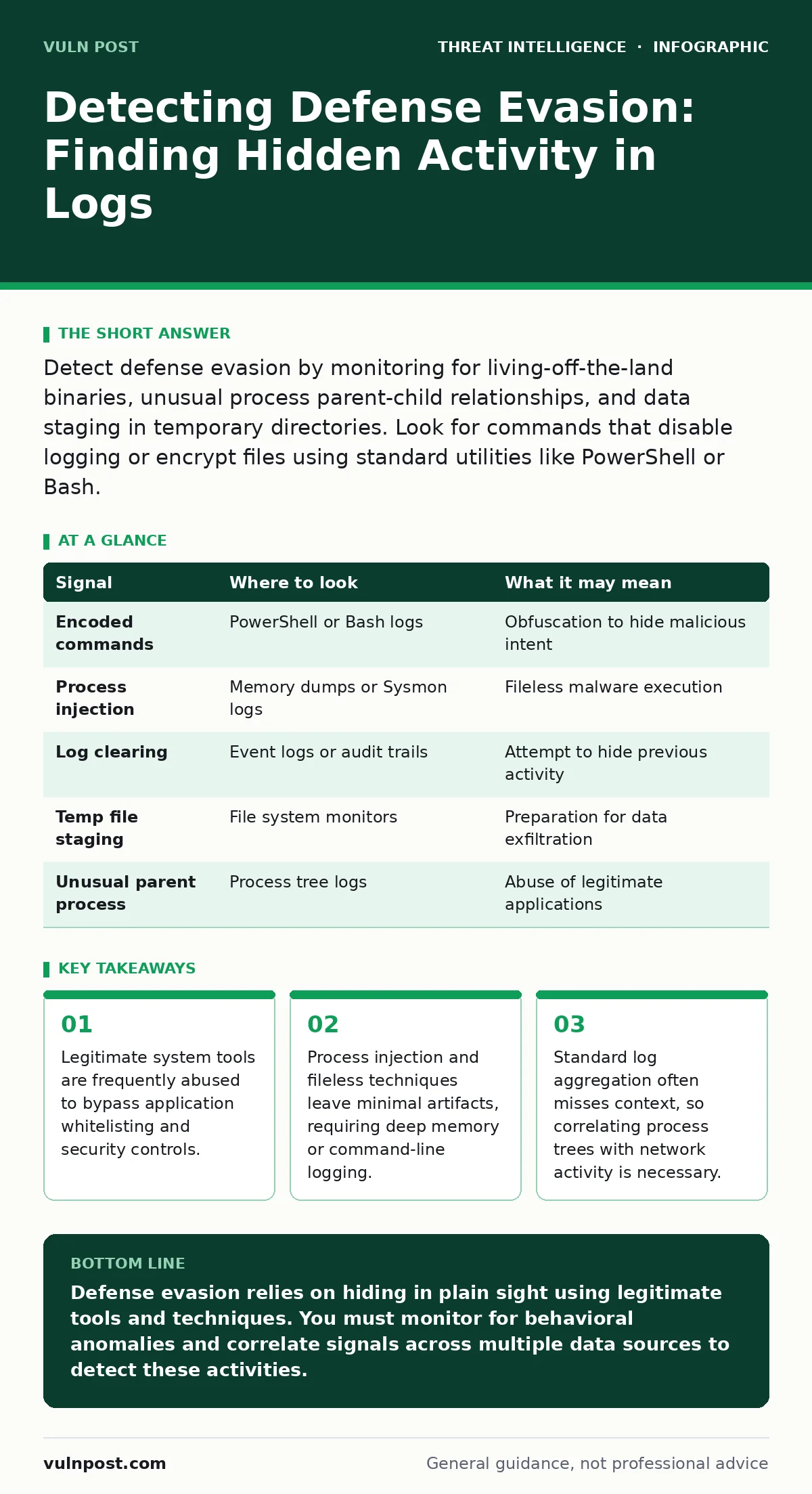
Detect defense evasion by monitoring for living-off-the-land binaries, unusual process parent-child relationships, and data staging in temporary directories. Look for commands that disable logging or encrypt files using standard utilities like PowerShell or Bash.
Process Injection and Memory Manipulation
Attackers often inject malicious code into legitimate processes to avoid detection by endpoint security solutions. This technique, known as process injection, allows malware to run within the memory space of a trusted application like a web browser or system service. The malicious code never touches the disk, leaving no executable file for traditional antivirus scanners to find.
You must monitor for unusual memory allocation patterns. Look for legitimate processes allocating large amounts of memory or executing code from regions marked as executable but not writable. Windows Event ID 10 for Sysmon logs process access, which reveals when one process opens another with write permissions. If a web browser process opens a system process with write access, this is a strong indicator of injection.
Suppose you see a word processor opening a command shell. This parent-child relationship is highly suspicious. Most office applications do not need to spawn command-line interfaces during normal operation. By tracking the full process tree, you can identify when a trusted application is being used as a cover for malicious activity.
Living-off-the-Land Binaries
Adversaries prefer using tools already present on the operating system to avoid downloading external malware. These living-off-the-land binaries include PowerShell, Bash, Python, and compiled scripts. Because these tools are signed by the operating system vendor, they are rarely flagged by security software.
You should focus on the command-line arguments used by these utilities. Standard usage of PowerShell involves running scripts for administration. Malicious usage often involves encoded commands or downloads from remote URLs. Monitor for the use of the -EncodedCommand parameter in PowerShell, which obscures the actual command being executed.
Linux systems face similar risks with Bash and Python. Attackers may use Python to create reverse shells or encode payloads in base64. Logging the full command line for these interpreters is necessary. Without this detail, you cannot distinguish between a routine administrative task and a malicious payload execution.
Log Tampering and Deletion
To maintain persistence, attackers often disable or delete logs to cover their tracks. This defense evasion technique removes the evidence of their initial access and lateral movement. On Windows systems, this might involve clearing the Event Log or modifying the Windows Registry to disable auditing.
On Linux, attackers may truncate log files or remove entries from /var/log/auth.log. They might also disable auditd, the Linux audit daemon, to stop recording system calls. You must monitor for changes to audit policies and log configurations. An alert should trigger when logging services are stopped or when log files are unexpectedly cleared.
Imagine an administrator account suddenly disabling remote command execution logging. This action is rare and risky for legitimate users. It suggests an attempt to hide future commands. By correlating configuration changes with subsequent activity, you can identify the intent behind log tampering.
Data Staging and Encoding
Before exfiltrating data, attackers often stage and compress it to reduce the size and speed up transfer. This process involves collecting sensitive files into a single location, such as a temporary directory, and then compressing them. They may also encrypt the data using standard tools like 7-Zip or GZip.
You should look for unusual file creation patterns in temporary directories. Legitimate applications rarely create large compressed archives in temp folders. Monitor for the execution of compression utilities followed by network connections. The timing between file creation and network activity is a key indicator.
Encoding data is another common step. Attackers may use base64 encoding to bypass simple content filters. While base64 itself is not malicious, seeing it used in unexpected contexts, such as in HTTP POST requests or email attachments, warrants investigation. Decoding the payload reveals the true nature of the data.
Detection Table
| Signal | Where to look | What it may mean |
|---|---|---|
| Encoded commands | PowerShell or Bash logs | Obfuscation to hide malicious intent |
| Process injection | Memory dumps or Sysmon logs | Fileless malware execution |
| Log clearing | Event logs or audit trails | Attempt to hide previous activity |
| Temp file staging | File system monitors | Preparation for data exfiltration |
| Unusual parent process | Process tree logs | Abuse of legitimate applications |
See also: Detect Data Scraping: Log Analysis and Behavioral Signals · Detect Privilege Escalation Attacks: Log Signals and Blind Spots
Common Blind Spots
Many security teams focus on network traffic and miss host-based indicators. Network logs show connections but not what happens on the endpoint. If an attacker uses process injection, the network traffic may look like normal web browsing. The malicious activity is hidden in the process memory.
Another blind spot is the assumption that signed binaries are safe. Because living-off-the-land binaries are signed by Microsoft or Linux distributors, they are often excluded from deep inspection. This trust model is exploited by attackers who use these tools for malicious purposes. You must verify the command-line arguments, not just the binary signature.
Privilege escalation attacks often precede defense evasion. Once an attacker gains higher privileges, they can access more sensitive data and modify system configurations. Monitoring for privilege changes helps identify the point where an attacker gains the ability to evade defenses.
Correlating Signals for Accuracy
Single indicators are often noisy and lead to false positives. A PowerShell script running an encoded command might be a legitimate administrative task. However, if that script is executed by a web browser process and followed by a connection to an unknown IP address, the likelihood of malicious activity increases.
You must correlate signals across different data sources. Combine process logs, file system changes, and network connections to build a complete picture. Security Information and Event Management (SIEM) systems are useful for this correlation. They allow you to create rules that trigger only when multiple suspicious events occur in sequence.
Beaconing is a common technique used for command and control. Attackers make regular connections to a remote server to receive instructions. While beaconing is covered in separate guides, it is often preceded by defense evasion. Detecting the initial evasion helps you identify the beaconing activity before significant damage occurs.
Improving Visibility and Response
To detect defense evasion, you need high-fidelity logging. Ensure that your endpoints are configured to log process creation, network connections, and file modifications. This data is the foundation for detecting malicious activity. Without detailed logs, you are blind to the actions of sophisticated attackers.
Regularly review your logging configuration. Attackers may disable logging to hide their tracks. Automated monitoring can alert you to changes in logging settings. This allows you to respond quickly to attempts to reduce visibility.
For deeper insights into how attackers move within a network, review guides on Active Directory attacks and privilege escalation attacks. These techniques often accompany defense evasion. Understanding the full attack chain helps you prioritize your detection efforts.
Key takeaways
- Legitimate system tools are frequently abused to bypass application whitelisting and security controls.
- Process injection and fileless techniques leave minimal artifacts, requiring deep memory or command-line logging.
- Standard log aggregation often misses context, so correlating process trees with network activity is necessary.
Defense evasion relies on hiding in plain sight using legitimate tools and techniques. You must monitor for behavioral anomalies and correlate signals across multiple data sources to detect these activities.
Frequently asked questions
How do I distinguish between legitimate and malicious PowerShell usage?
Look for encoded commands, unusual parent processes, and connections to unknown external IPs. Legitimate scripts are usually clear text and run from trusted locations.
What is the best way to detect process injection?
Monitor for unusual memory allocation and process access events. Tools like Sysmon can log when one process opens another with write permissions, indicating potential injection.
Why are living-off-the-land binaries dangerous?
They are pre-installed, signed by the OS vendor, and rarely flagged by security software. Attackers use them to avoid detection and bypass application whitelisting.
Can network logs alone detect defense evasion?
No. Network logs show connections but not the actions taken on the endpoint. Host-based logs are necessary to detect process injection and command execution.
How this guide was produced: written by the Vuln Post editorial team with AI assistance, checked against the public references listed below, and reviewed when the facts change. See our editorial policy or report an error.