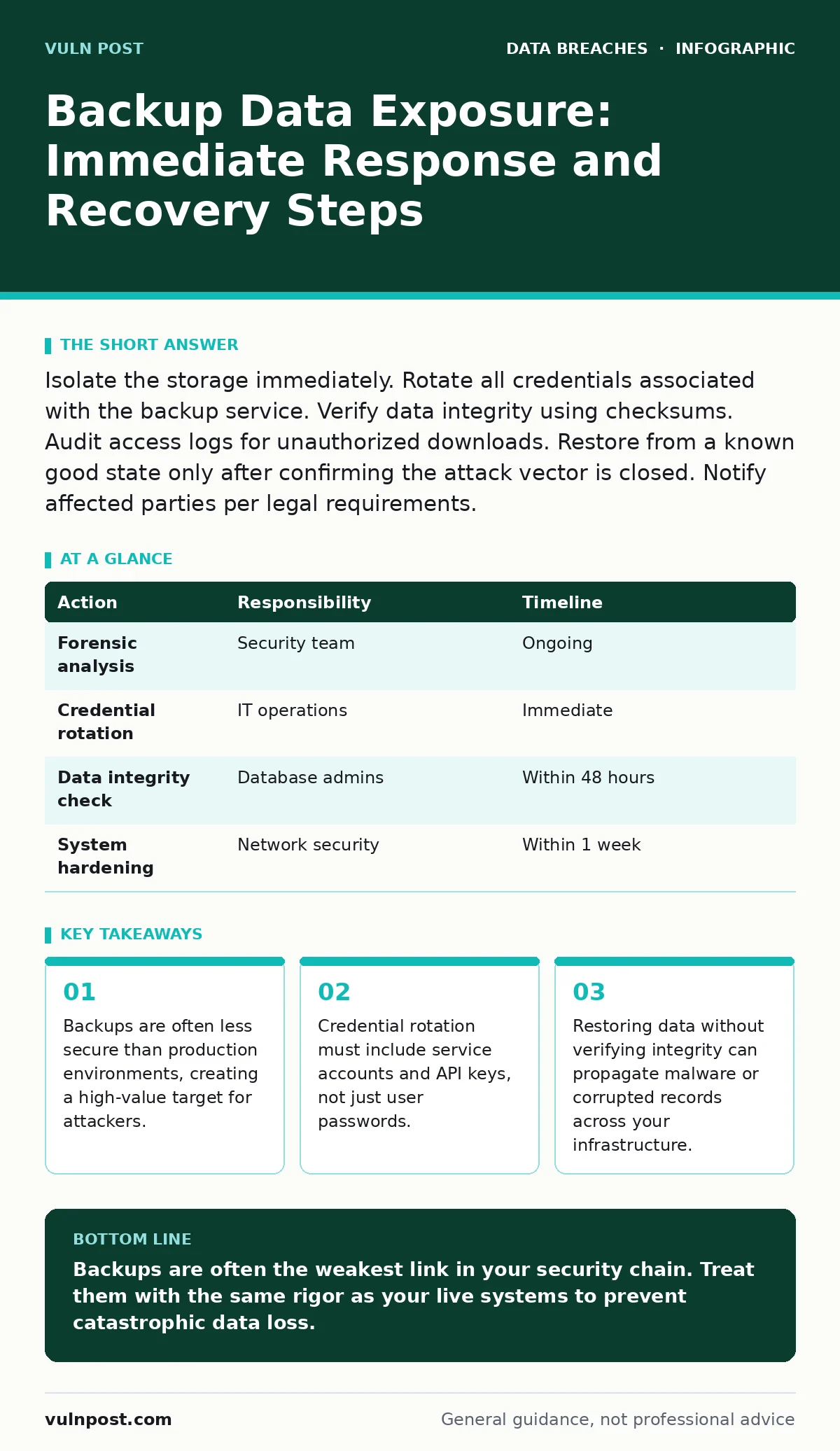
Isolate the storage immediately. Rotate all credentials associated with the backup service. Verify data integrity using checksums. Audit access logs for unauthorized downloads. Restore from a known good state only after confirming the attack vector is closed. Notify affected parties per legal requirements.
The Hidden Risk of Static Data
Live systems have active defenses like intrusion detection and real-time monitoring. Backups often sit in quiet storage, bypassing these controls. This silence creates a false sense of security. Attackers know that if they cannot breach the main server, they may find the back door through the archive.
Static data lacks the context of active sessions. It is easier to extract and exfiltrate. A compromised backup reveals historical states of your data. This includes records that have since been deleted or modified. You lose the ability to prove what the data looked like at any specific moment.
First hour
The first hour determines whether the exposure becomes a breach. Speed matters more than thoroughness at this stage. You must stop the bleeding before you understand the wound.
- Isolate the backup storage from the network immediately.
- Revoke access credentials for the backup service.
- Enable verbose logging on the storage gateway.
- Notify your internal incident response lead.
- Preserve current system states for forensic analysis.
Isolation prevents further data exfiltration. It does not mean powering off the hardware. Keep the systems running to capture ongoing malicious activity. Revoke credentials to stop any automated scripts or API connections. This includes service accounts that run the backup jobs.
First day
Once the immediate threat is contained, you assess the damage. Determine what data was accessible and for how long. Check the access logs for unusual patterns. Look for large data transfers or access from unknown IP addresses.
Compare the backup contents with your data classification policy. Identify if sensitive information like personally identifiable data or financial records are present. This classification drives your notification obligations. Do not assume that old data is harmless. Historical data can be as valuable as current data.
Consider the role of data encryption in your strategy. If your backups are encrypted, the attacker may have the files but not the keys. Verify that your encryption key management procedures were followed. If keys were stored with the data, the encryption provided no protection.
First week
Recovery is a careful process. You must restore data without reintroducing the threat. Clean the environment before restoring any files. Scan the backup source for malware. Attackers may have injected malicious code into the backup stream.
Use checksums to verify data integrity. This ensures the files have not been altered. Restore to a isolated environment first. Monitor this sandbox for suspicious activity. Only after confirming safety should you merge the data back into production.
| Action | Responsibility | Timeline |
|---|---|---|
| Forensic analysis | Security team | Ongoing |
| Credential rotation | IT operations | Immediate |
| Data integrity check | Database admins | Within 48 hours |
| System hardening | Network security | Within 1 week |
Hardening the backup infrastructure is critical. Review your password hygiene for all accounts with backup access. Ensure multi-factor authentication is enforced. Check that log retention policies capture sufficient detail for future investigations.
Who to tell
Communication follows a strict order. Internal stakeholders need to know first. Legal and compliance teams must assess regulatory obligations. They determine who else must be notified.
External notifications depend on the data type. If personal data was exposed, you may need to inform individuals. Provide clear information about what happened and what they can do. Do not speculate on the cause. Stick to verified facts.
Consider the impact on your customers. If you use secure file sharing for external data transfers, review those channels. Attackers may have pivoted from backups to active shares. Transparency builds trust, even in bad news.
See also: Railway Cyber Attack Response: Recovery Steps and Containment · Log Retention: How Long to Keep Records and Why It Matters
How to stop a repeat
Prevention requires changing how you treat backups. Stop viewing them as passive storage. Treat backup systems as critical infrastructure. Apply the same security controls as production systems.
Implement air-gapped backups for critical data. These are physically disconnected from the network. They provide a safe haven against remote attacks. Test these restores regularly. An untested backup is no backup at all.
Review your employee offboarding security procedures. Ensure former employees lose access to backup systems immediately. Delayed revocation is a common oversight. Attackers often exploit lingering access rights long after an employee leaves.
Be aware of data scraping techniques. Attackers may combine exposed data with public information. This enrichment makes the data more valuable. Minimize the data you back up. Only store what is necessary for recovery.
The Cost of Convenience
Many organizations prioritize ease of access for backups. This convenience often comes at the cost of security. Default configurations are rarely secure. You must harden every layer of the backup chain.
Regular audits are necessary. Check for misconfigurations. Look for unused accounts or permissions. These weak points accumulate over time. A single misconfigured setting can expose terabytes of data.
Remember that security is a process, not a product. There is no silver bullet. You must continuously adapt to new threats. The goal is not perfection. The goal is resilience.
Final Verification
Before closing the incident, verify all controls. Ensure no backdoors remain. Confirm that all credentials are rotated. Update your incident response plan based on lessons learned.
Document every step taken. This record is valuable for future incidents. It helps identify gaps in your procedures. Share these insights with your team. Knowledge transfer prevents repeated mistakes.
Key takeaways
- Backups are often less secure than production environments, creating a high-value target for attackers.
- Credential rotation must include service accounts and API keys, not just user passwords.
- Restoring data without verifying integrity can propagate malware or corrupted records across your infrastructure.
Backups are often the weakest link in your security chain. Treat them with the same rigor as your live systems to prevent catastrophic data loss.
Frequently asked questions
How do I know if my backups are encrypted?
Check your backup software settings and storage configuration. Look for encryption flags in the policy. If you are unsure, assume they are not encrypted and treat them as exposed.
Should I restore from a cloud backup if it was compromised?
Only after verifying the integrity of the cloud storage. Scan the backup for malware. Use checksums to ensure the data has not been altered. Restore to an isolated environment first.
What is the difference between a backup and an archive?
A backup is a copy for recovery. An archive is for long-term retention. Backups are more frequent and recent. Archives are less accessed and often have weaker security controls.
How often should I test my backups?
Test them regularly, at least quarterly. Simulate a real disaster scenario. Verify that you can restore data within your recovery time objective. Document the results of each test.
How this guide was produced: written by the Vuln Post editorial team with AI assistance, checked against the public references listed below, and reviewed when the facts change. See our editorial policy or report an error.