
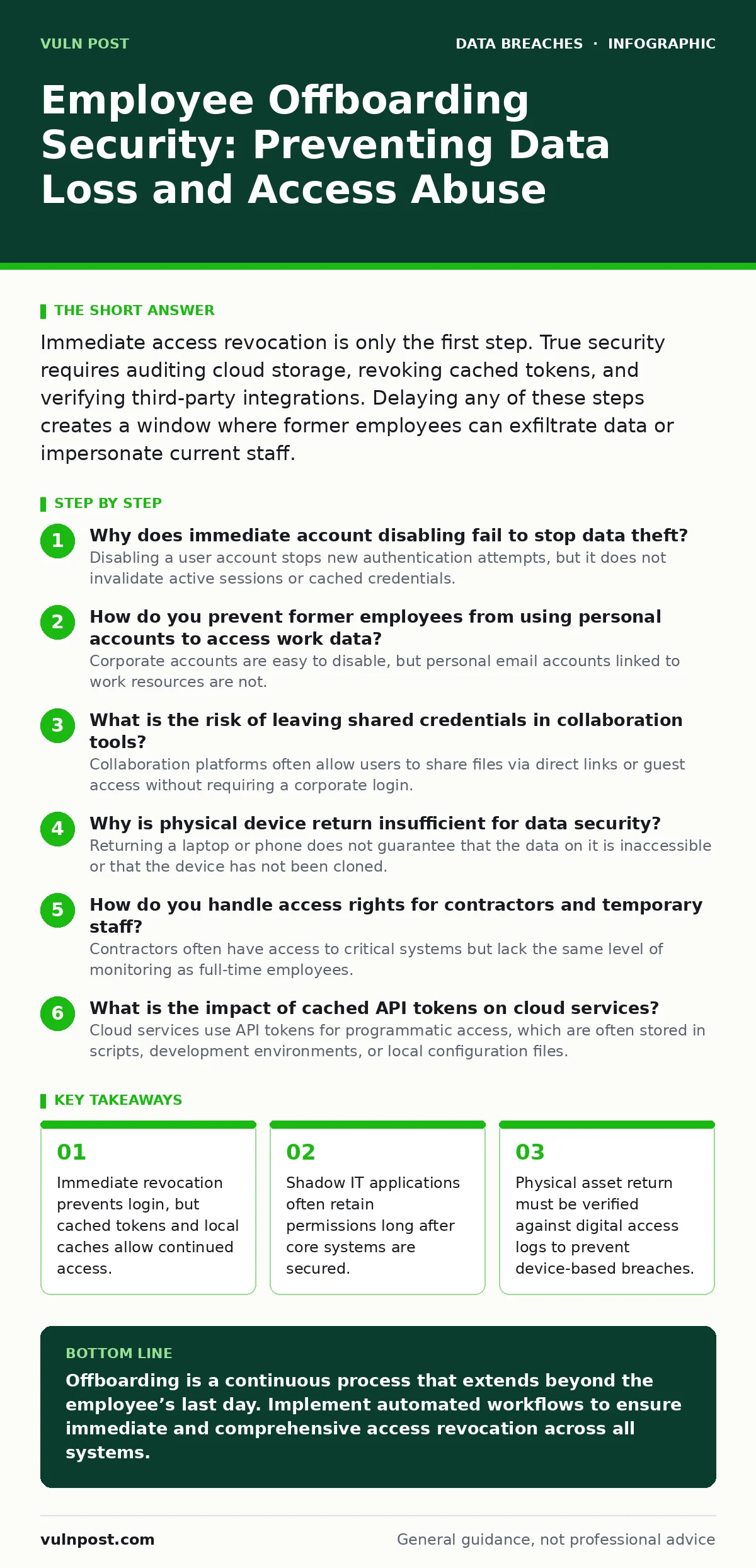
Immediate access revocation is only the first step. True security requires auditing cloud storage, revoking cached tokens, and verifying third-party integrations. Delaying any of these steps creates a window where former employees can exfiltrate data or impersonate current staff.
Why does immediate account disabling fail to stop data theft?
Disabling a user account stops new authentication attempts, but it does not invalidate active sessions or cached credentials. Many applications, including email clients and mobile devices, store local access tokens that remain valid for hours or days after the central account is disabled. If a former employee has these tokens cached, they can continue to read and send emails without needing to re-authenticate. You must force a global session invalidation or token revocation immediately after disabling the account to close this gap.
How do you prevent former employees from using personal accounts to access work data?
Corporate accounts are easy to disable, but personal email accounts linked to work resources are not. If an employee connected their personal Gmail or iCloud account to corporate tools, revoking the corporate account does not sever that external link. The personal account may still hold delegated access to shared drives or calendar invites. You must audit and remove all external account associations and delegated permissions from the identity provider before the employee’s final day.
What is the risk of leaving shared credentials in collaboration tools?
Collaboration platforms often allow users to share files via direct links or guest access without requiring a corporate login. A former employee who shared a sensitive document with a personal account or an external partner retains access to that link indefinitely. Even if their corporate identity is removed, the link remains active for anyone who possesses it. You must audit shared content for external sharing permissions and revoke specific file-level access for departing users.
Why is physical device return insufficient for data security?
Returning a laptop or phone does not guarantee that the data on it is inaccessible or that the device has not been cloned. An employee may have created a local backup of sensitive files before handing over the device. Furthermore, if the device was not fully wiped or encrypted, the data remains recoverable by anyone with physical access. You should verify that all corporate data has been remotely wiped and that the device is encrypted at rest before accepting it back. For deeper protection, refer to our guide on encryption at rest to ensure data is unreadable without the proper keys.
How do you handle access rights for contractors and temporary staff?
Contractors often have access to critical systems but lack the same level of monitoring as full-time employees. Their offboarding process is frequently rushed or overlooked because they are not in the main HR system. This creates a blind spot where access rights persist indefinitely. You must integrate contractor management into your identity lifecycle process, ensuring that their access expires automatically on the contract end date.
See also: Broken Access Control Prevention Checklist for Secure Applications
What is the impact of cached API tokens on cloud services?
Cloud services use API tokens for programmatic access, which are often stored in scripts, development environments, or local configuration files. These tokens do not expire when a user account is disabled; they remain valid until explicitly revoked by an administrator. A former developer could continue to pull data from a database or deploy changes using these cached tokens. You must identify and rotate all API keys and service accounts associated with the departing employee’s projects.
How do you detect unauthorized access after offboarding?
Monitoring for anomalous behavior is difficult because you cannot predict exactly what a departing employee might try to access. However, you can look for patterns such as bulk downloads, access to sensitive directories, or login attempts from unusual locations. Setting up alerts for these activities helps you catch breaches early. You should review access logs for the former employee’s account for a period of 30 to 90 days after departure to identify any suspicious activity that may have occurred before or during the offboarding window.
Why is social media monitoring part of offboarding security?
Former employees may use their professional networks to poach clients or share confidential information on social media platforms. While you cannot control what they post, you can monitor for mentions of your company or sensitive projects. This helps you identify potential reputational risks or data leaks early. You should assign a team member to monitor social media channels for any unauthorized disclosures related to the departing employee’s role.
| Asset Type | Action Required | Timing | Verification Method |
|---|---|---|---|
| Corporate Email | Disable and archive | Immediate | Login attempt failure |
| Cloud Storage | Revoke shared links | Within 1 hour | Link access test |
| Mobile Devices | Remote wipe | Before return | Wipe confirmation log |
| API Keys | Rotate and revoke | Within 24 hours | Token validity check |
| Physical Keys | Collect and reprogram | Day of exit | Access log audit |
How do you manage access for employees who leave without notice?
When an employee leaves without notice, you lose the opportunity to conduct a structured exit interview or collect devices. This increases the risk of data exfiltration and unauthorized access. You must have an emergency offboarding protocol that allows IT to disable access immediately upon notification from HR or management. This protocol should include immediate session invalidation, remote device wiping, and a thorough audit of shared resources.
What is the role of identity governance in offboarding?
Identity governance tools can automate the assignment and removal of access rights based on job role and status. These tools ensure that access is granted only when needed and removed immediately when an employee leaves. This reduces the risk of orphaned accounts and lingering permissions. You should implement an identity governance solution that integrates with your HR system to trigger offboarding workflows automatically.
How do you verify that all access has been revoked?
Verification is the final step in the offboarding process. You must audit all systems and applications to confirm that the former employee’s access has been completely removed. This includes checking for residual permissions in shared drives, collaboration tools, and third-party applications. You should generate a report of all access changes made during the offboarding process and review it for completeness.
Key takeaways
- Immediate revocation prevents login, but cached tokens and local caches allow continued access.
- Shadow IT applications often retain permissions long after core systems are secured.
- Physical asset return must be verified against digital access logs to prevent device-based breaches.
Offboarding is a continuous process that extends beyond the employee’s last day. Implement automated workflows to ensure immediate and comprehensive access revocation across all systems.
Frequently asked questions
How long should I keep a former employee’s email archived?
Keep emails archived for the duration required by your legal and compliance policies, typically several years. Ensure the archive is read-only and accessible only to authorized personnel.
Can I reuse a former employee’s username?
It is generally not recommended to reuse usernames due to potential confusion in audit logs and access controls. Create a new username for the new employee to maintain clear attribution.
What if a former employee claims they still need access?
Deny access requests from former employees. If they have a legitimate business reason, they must go through the standard vendor or contractor onboarding process.
How do I handle offboarding for remote employees?
The process is the same as for on-site employees, with an emphasis on remote device wiping and secure return of physical assets. Use secure courier services for device return.
How this guide was produced: written by the Vuln Post editorial team with AI assistance, checked against the public references listed below, and reviewed when the facts change. See our editorial policy or report an error.