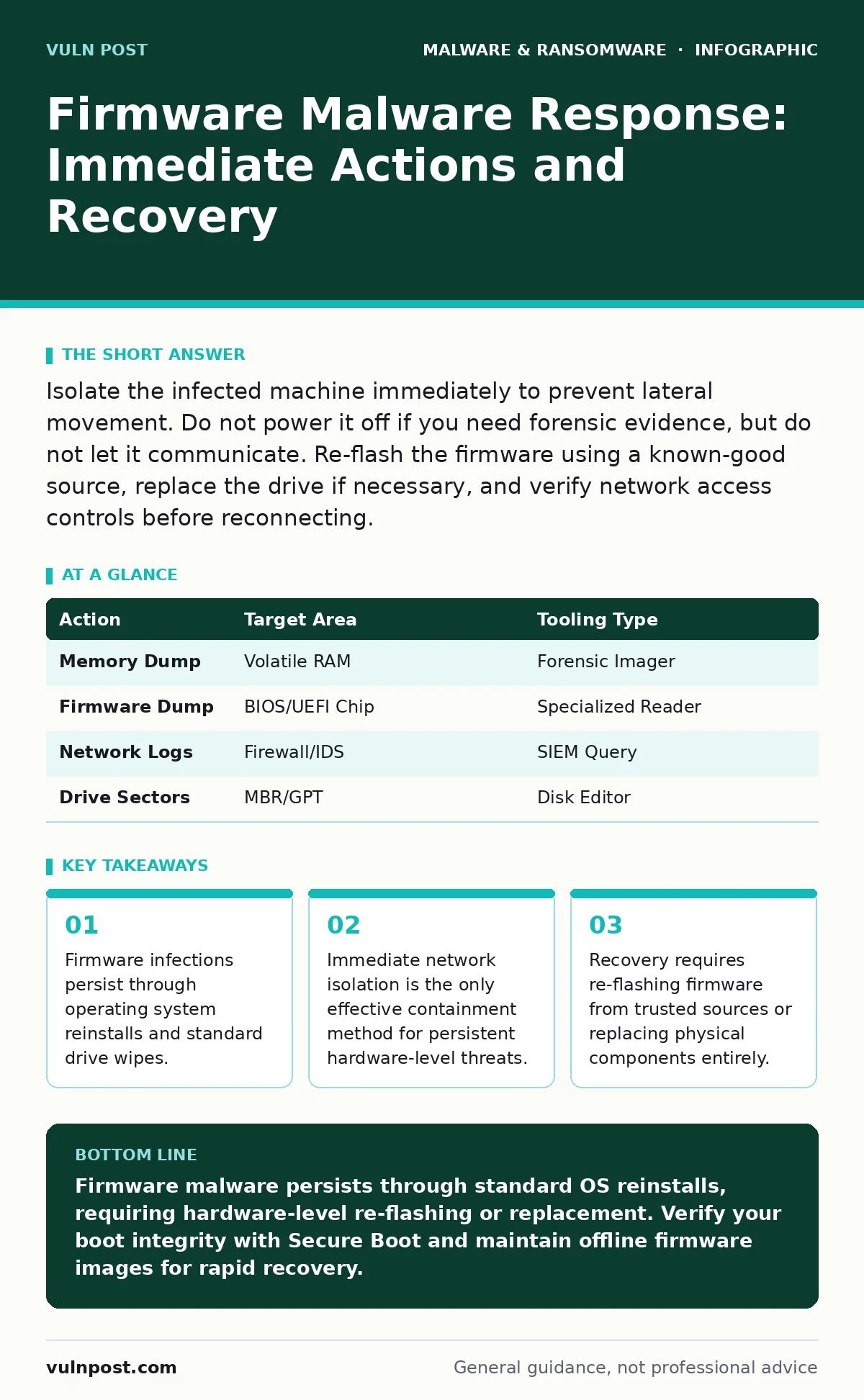
Isolate the infected machine immediately to prevent lateral movement. Do not power it off if you need forensic evidence, but do not let it communicate. Re-flash the firmware using a known-good source, replace the drive if necessary, and verify network access controls before reconnecting.
First hour
The moment you suspect firmware malware, your priority shifts from detection to containment. Firmware resides on chips like the BIOS, UEFI, or drive controllers, operating below the level of the operating system. This means standard security tools often cannot see or interact with the infection. You must assume the threat has root-level access and can survive a reboot or a drive format.
- Disconnect the machine from the network immediately. Unplug Ethernet cables and disable Wi-Fi.
- Do not shut down the machine if you plan to perform memory forensics. Keep it running to preserve volatile data.
- Document the exact time of detection and any unusual behavior observed prior to isolation.
- Identify other devices that shared the same network segment during the infection window.
Most teams make the mistake of assuming that a fresh OS install removes the threat. It does not. If the malware resides in the UEFI firmware, it will execute before the operating system loads. It can inject malicious code into the boot process, capturing credentials or installing backdoors every time the system starts. This persistence is why standard incident response playbooks often fail against firmware threats.
First day
Once the immediate containment is secure, you must determine the scope of the infection. Firmware malware often uses the compromised system as a foothold to move laterally. You need to check other endpoints that communicated with the infected host. Look for signs of abnormal hardware behavior, such as unexpected POST delays or strange device identifiers in the system logs.
Check for indicators of compromise in the system management base. This is a standardized interface for managing system hardware. Attackers often hide payloads here because it is rarely monitored by standard security agents. You may need to use specialized tools that can read raw firmware sectors to confirm the presence of malicious code. Standard antivirus quarantine procedures are ineffective here because the infection is not a file in the file system.
| Action | Target Area | Tooling Type |
|---|---|---|
| Memory Dump | Volatile RAM | Forensic Imager |
| Firmware Dump | BIOS/UEFI Chip | Specialized Reader |
| Network Logs | Firewall/IDS | SIEM Query |
| Drive Sectors | MBR/GPT | Disk Editor |
If you have implemented software restriction policies, verify that they are still enforcing code signing requirements. Firmware malware often disables these controls to allow unsigned code to run during the boot process. Reviewing these settings helps you understand how the attacker bypassed your initial defenses. This analysis is critical for closing the vulnerability that allowed the initial breach.
First week
Recovery from firmware malware is not a simple software update. You must restore the firmware to a known good state. This often involves re-flashing the BIOS or UEFI from a trusted vendor source. In severe cases, where the firmware chip is physically compromised or the corruption is extensive, you may need to replace the hardware component entirely. Do not rely on automated updates, as these can be intercepted or manipulated if the attacker has persistent access to your network.
Imagine you are restoring a server that was infected with a rootkit that hid in the drive controller. A standard disk wipe leaves the rootkit intact. You must flash the controller firmware from a verified binary. If you do not have a verified binary, you must replace the drive. This is the only way to guarantee the malicious code is removed. This process is time-consuming and requires careful verification at each step.
After re-flashing, you must rebuild the operating system from golden images. These are pre-configured, verified system images that ensure consistency and security. Using a golden image reduces the risk of reintroducing vulnerabilities or misconfigurations that could allow the malware to return. This step ensures that your system starts from a clean, known baseline.
Who to tell
Notification is a critical part of the response. You must inform your internal security team, IT operations, and management. External notification may be required depending on the data accessed and local regulations. If the malware accessed customer data, you may have legal obligations to notify affected individuals. Delaying notification can exacerbate the impact and lead to legal consequences.
Coordinate with your legal team to determine the scope of required disclosures. They will help you draft communications that are accurate and compliant with relevant laws. Transparency is key to maintaining trust, but you must balance this with the need to not disclose sensitive security details that could aid future attackers.
How to stop a repeat
Preventing recurrence requires a shift in how you manage firmware and boot processes. Enable Secure Boot, which ensures that only signed and trusted code is loaded during the boot process. This prevents unsigned malware from executing before the operating system starts. Regularly update firmware to patch known vulnerabilities, but verify the integrity of the update before applying it.
Implement immutable backups for your system configurations and firmware images. These backups cannot be altered or deleted, ensuring you always have a clean restore point. This is particularly important for critical infrastructure where downtime is costly. By combining Secure Boot, regular firmware updates, and immutable backups, you create multiple layers of defense against firmware-level threats.
Consider the limitations of your current monitoring tools. Most security agents run in user mode or kernel mode, which is above the firmware level. They cannot see activities that occur during the pre-boot phase. You need specialized monitoring that can detect anomalies in the boot process and firmware behavior. This includes monitoring for unexpected changes to the UEFI variables and the system management base.
See also: Log Retention: How Long to Keep Records and Why It Matters
Long-term resilience
Building resilience against firmware malware requires a proactive approach. Regularly audit your firmware versions and compare them against vendor release notes. Look for any anomalies or unexpected changes. Implement a strict change management process for firmware updates to ensure that only authorized changes are made. This reduces the risk of accidental misconfigurations or unauthorized modifications.
Train your staff to recognize the signs of firmware compromise. This includes unusual boot times, strange device behavior, and unexpected network traffic. Early detection is critical to minimizing the impact of an infection. By fostering a culture of security awareness and vigilance, you can improve your organization's ability to respond to firmware threats effectively.
Key takeaways
- Firmware infections persist through operating system reinstalls and standard drive wipes.
- Immediate network isolation is the only effective containment method for persistent hardware-level threats.
- Recovery requires re-flashing firmware from trusted sources or replacing physical components entirely.
Firmware malware persists through standard OS reinstalls, requiring hardware-level re-flashing or replacement. Verify your boot integrity with Secure Boot and maintain offline firmware images for rapid recovery.
Frequently asked questions
Can I remove firmware malware with a standard antivirus scan?
No, standard antivirus tools operate at the operating system level and cannot scan or remove infections embedded in the BIOS or UEFI firmware.
Does reinstalling the operating system fix firmware malware?
No, firmware malware resides below the operating system and will survive a reinstall, potentially reinfecting the new OS during boot.
How do I know if my firmware is infected?
Look for signs like unexpected boot delays, strange device identifiers, or anomalies in system management base logs, and use specialized firmware scanning tools.
Is replacing the hardware always necessary?
Not always, but if the firmware chip is physically corrupted or you cannot verify a clean re-flash, replacing the hardware component is the safest option.
How this guide was produced: written by the Vuln Post editorial team with AI assistance, checked against the public references listed below, and reviewed when the facts change. See our editorial policy or report an error.