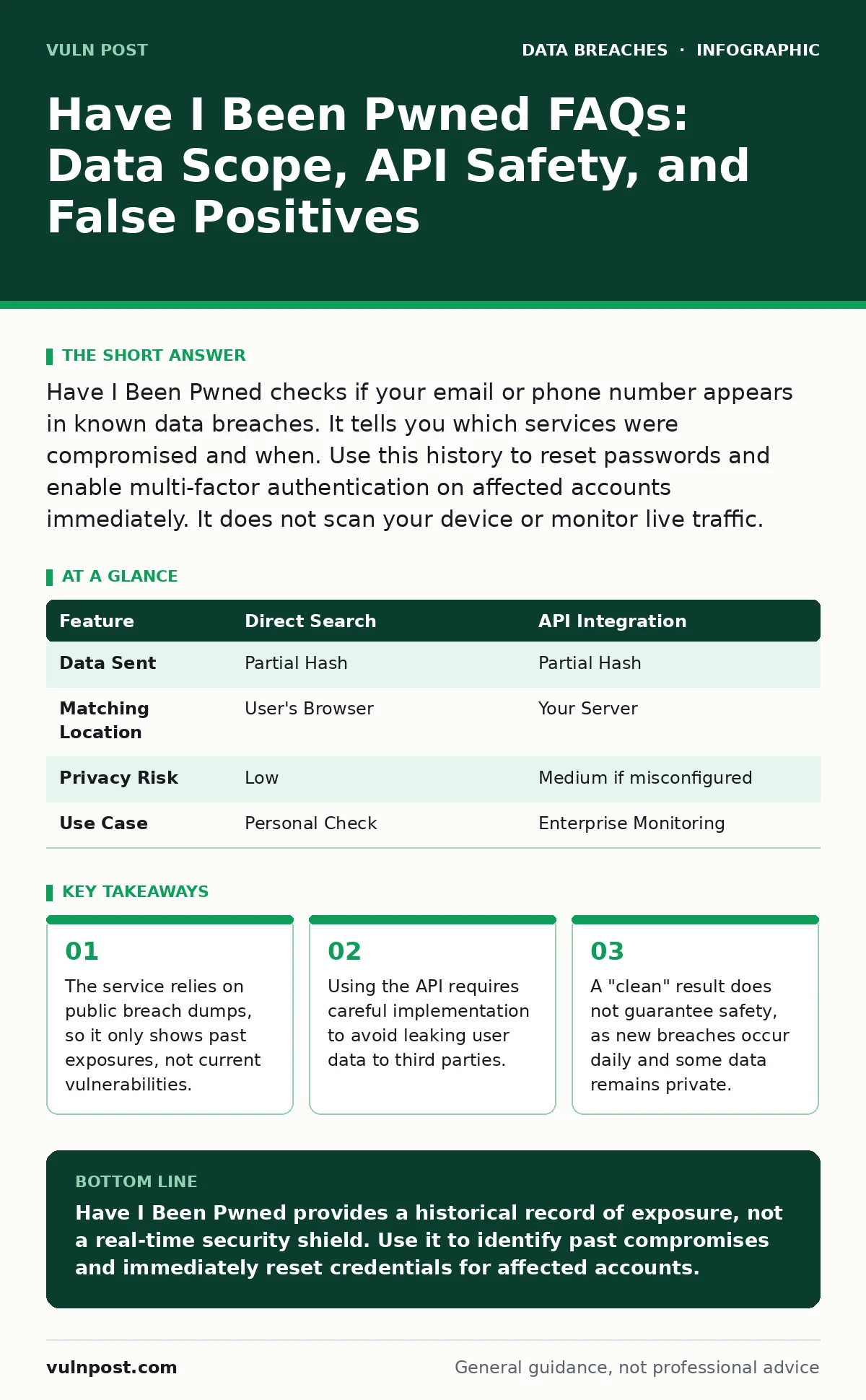
Have I Been Pwned checks if your email or phone number appears in known data breaches. It tells you which services were compromised and when. Use this history to reset passwords and enable multi-factor authentication on affected accounts immediately. It does not scan your device or monitor live traffic.
What data does Have I Been Pwned actually track?
The service tracks email addresses, phone numbers, and usernames that have appeared in publicly disclosed data breaches. It aggregates information from breach dumps shared by security researchers and law enforcement. This means it shows historical exposure, not a real-time scan of your current accounts. You will see which services were compromised and the general date of the breach.
How does the search mechanism protect my privacy?
The website uses a k-anonymity model to protect your privacy during searches. When you search for an email, the system does not send the full address to the server. Instead, it sends a partial hash, a shortened cryptographic fingerprint of your email. The server returns all hashes starting with that prefix. Your browser then matches the full hash locally. This ensures the server never sees your complete email address unless it is in the database.
Why does my email show up in a breach I never used?
You might see a breach listing for a service you never signed up for due to data aggregation or credential stuffing. Attackers often combine data from multiple small breaches to create larger datasets. Alternatively, someone may have used your email address to create a fraudulent account. This is a form of synthetic identity fraud, where bad actors mix real and fake data to bypass verification systems.
Can I trust the accuracy of the breach data?
The data is generally accurate because it comes from verified breach dumps, but it is not perfect. Some breaches are mislabeled or contain outdated information from older incidents. The service relies on researchers to submit and verify new data, which introduces a delay. You should treat the results as a strong indicator of exposure rather than an absolute fact. Always assume your credentials are compromised if they appear in a large breach.
How do I integrate this into my own application securely?
Integrating the API requires using the k-anonymity model to avoid sending user data to third parties. You must hash the user's email or password on your server before sending the prefix to the API. Your application must then perform the final match locally. This prevents your server from logging sensitive user data while still providing breach checks. Failure to implement this correctly can expose your users' data to the API provider.
| Feature | Direct Search | API Integration |
|---|---|---|
| Data Sent | Partial Hash | Partial Hash |
| Matching Location | User's Browser | Your Server |
| Privacy Risk | Low | Medium if misconfigured |
| Use Case | Personal Check | Enterprise Monitoring |
See also: Third-Party Data Breach Prevention Checklist for Secure Supply Chains · SOC 2 Report: What It Is, Why It Matters, and How to Pass
Why doesn't it show every breach on the internet?
The service only includes breaches that have been made public or shared with the community. Private breaches, those handled internally by companies without disclosure, do not appear. Additionally, some breaches involve data that is not easily searchable, such as unstructured documents. The absence of a breach here does not mean your data is safe. It only means the data has not been indexed by this specific database.
What should I do if I find a breach?
You must change the password for the affected service immediately. If you reused that password on other sites, change those passwords too. Enable multi-factor authentication on the account to add an extra layer of security. This is a core part of password hygiene, ensuring that a single compromise does not cascade across your digital life. Do not just change the password; review the account for unauthorized changes.
Does a clean result mean I am safe?
A clean result only means your email has not appeared in the breaches indexed so far. It does not protect you from future breaches, phishing attacks, or malware. It also does not scan your device for infections. You must maintain other security practices, such as secure file sharing and regular software updates. Relying solely on this check creates a false sense of security.
How often is the database updated?
The database updates continuously as new breach data is verified and added. There is no fixed schedule for updates. New breaches can appear days or weeks after the incident occurs. The delay allows time for verification to ensure the data is legitimate. You should check periodically, but not rely on a single check for long-term security.
Can I remove my data from the database?
You cannot remove your data from the database because it is a historical record of public breaches. The data exists in many places, and removing it from one source does not erase it elsewhere. However, you can hide your breaches from public view on the website. This prevents others from seeing your exposure history, but it does not change the fact that your data was compromised.
What about data scraping and social media?
The service focuses on data breaches, not data scraping from social media. Publicly available information on social networks is not considered a breach in this context. However, scraped data can be combined with breach data to create detailed profiles. This is why synthetic identity fraud is a growing concern. Attackers use scraped public data to build fake identities that look real to verification systems.
How does this relate to log retention?
While this service helps you identify past breaches, it does not help you monitor your own systems. You need proper log retention to detect active attacks on your infrastructure. Logs provide evidence of unauthorized access and help you understand the scope of an incident. Without logs, you cannot verify if a breach occurred internally. This service is an external check; logs are an internal control.
Is this enough for employee offboarding security?
No, this service does not help with employee offboarding security. When an employee leaves, you must revoke their access to all systems immediately. Checking if their email was in a breach is irrelevant to the offboarding process. You need to disable accounts, recover devices, and audit access logs. This service is for personal or general awareness, not for managing internal access controls.
Can I use this for data encryption verification?
This service does not verify if your data is encrypted. It only tells you if your identifiers were exposed in a breach. To ensure your data is safe, you must implement data encryption and encryption at rest. These measures protect your data even if it is stolen. This service is a detection tool, not a protection mechanism.
Key takeaways
- The service relies on public breach dumps, so it only shows past exposures, not current vulnerabilities.
- Using the API requires careful implementation to avoid leaking user data to third parties.
- A "clean" result does not guarantee safety, as new breaches occur daily and some data remains private.
Have I Been Pwned provides a historical record of exposure, not a real-time security shield. Use it to identify past compromises and immediately reset credentials for affected accounts.
Frequently asked questions
Does Have I Been Pwned scan my computer for viruses?
No, it only checks if your email or phone number appears in known data breaches. It does not scan your device or network.
Can I see the actual stolen data?
No, the service only lists the sources and types of breaches. It does not display the actual stolen passwords or personal information.
Why is my password listed as "pwned"?
Your password appeared in a breach dump. This means the password is no longer secure and should be changed immediately on all accounts.
Is the API free for commercial use?
The API has different tiers. Some use is free, but commercial applications may need to pay for higher volume access. Check their pricing page for details.
How this guide was produced: written by the Vuln Post editorial team with AI assistance, checked against the public references listed below, and reviewed when the facts change. See our editorial policy or report an error.