
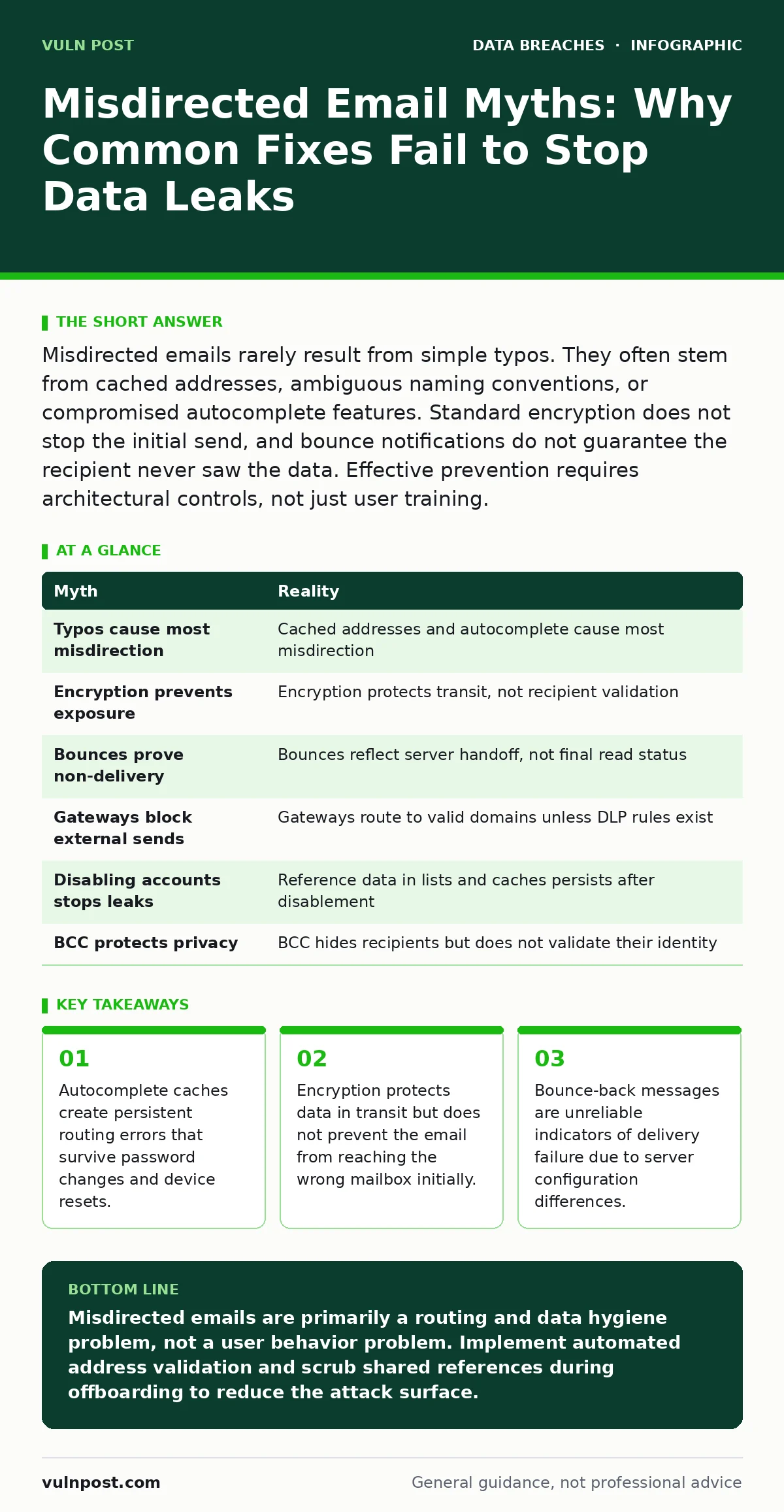
Misdirected emails rarely result from simple typos. They often stem from cached addresses, ambiguous naming conventions, or compromised autocomplete features. Standard encryption does not stop the initial send, and bounce notifications do not guarantee the recipient never saw the data. Effective prevention requires architectural controls, not just user training.
Myth: Typographical errors are the primary cause of misdirected emails
Reality: Human error in typing full email addresses accounts for a small fraction of misdirection incidents. The dominant cause is the reliance on cached address data within email clients and webmail interfaces. When a user selects a name from an autocomplete dropdown, the system uses the last known address associated with that name. If that address was valid for a former employee or a vendor who has since left the organization, the message routes to the wrong destination without any manual typing error by the sender.
Security teams often focus on training users to double-check characters. This approach ignores the mechanical reality of how modern mail clients function. The convenience of autocomplete overrides the cognitive load of verification. Imagine a scenario where a finance team sends payroll data to "hr-director". The client suggests the old address of the previous director because it was used most recently in the last 6 months. The sender clicks the suggestion, trusting the system. The message leaves the organization immediately.
Myth: End-to-end encryption prevents data exposure if an email is misdirected
Reality: Encryption algorithms protect data while it travels across networks. They do not control who receives the message at the destination. When you encrypt an email, you ensure that interceptors cannot read the content during transit. You do not ensure that the recipient is the intended person. If the routing information points to a competitor or an external party, the encrypted payload lands in their mailbox. They can then request the decryption key or use automated tools to process the attachment if the key is embedded or shared separately.
Many organizations treat encryption as a final safeguard against leakage. This creates a false sense of security. The encryption layer is separate from the access control layer. Without verifying the recipient’s identity before the send event, encryption only delays the exposure rather than preventing it. The data still exits the secure perimeter. The recipient possesses the package, even if they need a key to open it. In many corporate environments, keys are stored in the same cloud infrastructure as the email, creating a single point of failure for both access and decryption.
Myth: A bounce-back message confirms the email was never delivered
Reality: Bounce notifications are generated by mail transfer agents, not by the final recipient’s device. A bounce indicates a failure in the handoff process, not necessarily that the content was unread. Some mail servers accept a message for processing, log it, and then reject it due to size limits, content filters, or local policy restrictions. In these cases, the sender receives a bounce, but the content may have already been archived, scanned, or briefly visible in the recipient’s processing queue.
Other servers are configured to accept all mail to prevent spam accusations and then silently discard unwanted messages. The sender receives no feedback. Conversely, some systems forward bounced messages to an alternative address or archive them before rejection. Relying on the absence of a bounce as proof of safety is a critical logic flaw. The sender assumes silence means success, while the receiver’s server may have handled the message in a way that bypassed the user’s inbox but still retained the data.
Myth: Internal email gateways block messages to external domains automatically
Reality: Most email systems treat internal and external mail differently, but they rarely block outbound traffic to external addresses based on content sensitivity alone. Gateways inspect incoming mail for malware and spam. Outbound inspection is often lighter to avoid disrupting legitimate business communications. Unless you implement specific Data Loss Prevention (DLP) rules that scan outbound content for sensitive patterns, the system will route messages to any valid external address.
Many organizations assume that because an email address is outside their domain, it is inherently "external" and thus blocked. This is incorrect. The gateway sees the destination domain as a valid recipient. It does not know that the individual user is a former employee or a competitor. The routing decision is based on domain validity, not user entitlement. Without granular DLP policies that map sensitive data types to restricted recipient lists, the gateway acts as a postman, not a guard. It delivers the package to the address provided.
Myth: Removing a user’s account immediately stops all email misdirection
Reality: Offboarding an employee involves more than disabling their primary login. Misdirection often occurs because reference data persists in other systems. Shared mailboxes, distribution lists, and calendar invites often retain the former employee’s address. When a current employee replies to an old thread or invites someone to a meeting, the system uses the cached reference. If the offboarding process does not scrub these secondary references, the address remains active in the collective memory of the email ecosystem.
This persistence creates a lag between the security event (termination) and the operational risk (misdirection). The user’s account is disabled, so they cannot log in. However, the address still exists as a valid routing target in the global address book and in local client caches. Messages sent to this address may be delivered to a generic catch-all mailbox, a former manager’s inbox, or an external forwarding address if it was not removed. See the guide on employee offboarding security for detailed steps on scrubbing these residual references.
See also: Logging Library Vulnerabilities: Hidden Risks and Mitigation Strategies · Mobile Device Management for Small Business: Control Without Chaos
Myth: Using "Undisclosed Recipients" protects the privacy of group emails
Reality: The "Undisclosed Recipients" field hides the list of recipients from other recipients. It does not hide the fact that the email was sent to multiple people. More importantly, it does not prevent the sender from accidentally including an external address in the blind copy (BCC) field. If a user copies and pastes a list of names from a contact manager, they may inadvertently include an external contact in the BCC line. The recipient sees only their own name, but the external party receives the full content.
This method relies entirely on the sender’s precision in managing the recipient list. It provides no technical barrier against inclusion errors. The email client does not validate whether a BCC address belongs to the organization. It simply routes the message. This creates a hidden vector for data leakage where the sender believes they are protecting privacy, but they are actually obscuring the scope of the leak. The lack of visibility means no other recipient can flag the error.
| Myth | Reality |
|---|---|
| Typos cause most misdirection | Cached addresses and autocomplete cause most misdirection |
| Encryption prevents exposure | Encryption protects transit, not recipient validation |
| Bounces prove non-delivery | Bounces reflect server handoff, not final read status |
| Gateways block external sends | Gateways route to valid domains unless DLP rules exist |
| Disabling accounts stops leaks | Reference data in lists and caches persists after disablement |
| BCC protects privacy | BCC hides recipients but does not validate their identity |
Key takeaways
- Autocomplete caches create persistent routing errors that survive password changes and device resets.
- Encryption protects data in transit but does not prevent the email from reaching the wrong mailbox initially.
- Bounce-back messages are unreliable indicators of delivery failure due to server configuration differences.
Misdirected emails are primarily a routing and data hygiene problem, not a user behavior problem. Implement automated address validation and scrub shared references during offboarding to reduce the attack surface.
Frequently asked questions
How can I tell if an email was misdirected after it was sent?
You cannot reliably determine this from the sender's side. Bounce messages are inconsistent, and read receipts are often disabled or ignored by recipients. The only definitive way is to monitor outbound logs for unusual routing patterns or recipient domains.
Does using a secure file sharing service prevent misdirected email leaks?
Secure file sharing reduces risk by moving data out of the email body. However, if the sharing link is sent via a misdirected email, the data is still exposed. The transport mechanism changes, but the routing error remains a vulnerability.
Can I configure my email client to warn me about external recipients?
Many modern email clients offer external recipient warnings. These features flag addresses outside your domain with a visual indicator. This adds a friction point that encourages verification, but it does not block the send action automatically.
Why do distribution lists cause misdirection even when updated?
Distribution lists often contain nested groups or cached aliases. If a nested group includes a former employee’s address, the main list update may not propagate to that layer. Regular auditing of nested group membership is required to ensure completeness.
How this guide was produced: written by the Vuln Post editorial team with AI assistance, checked against the public references listed below, and reviewed when the facts change. See our editorial policy or report an error.