
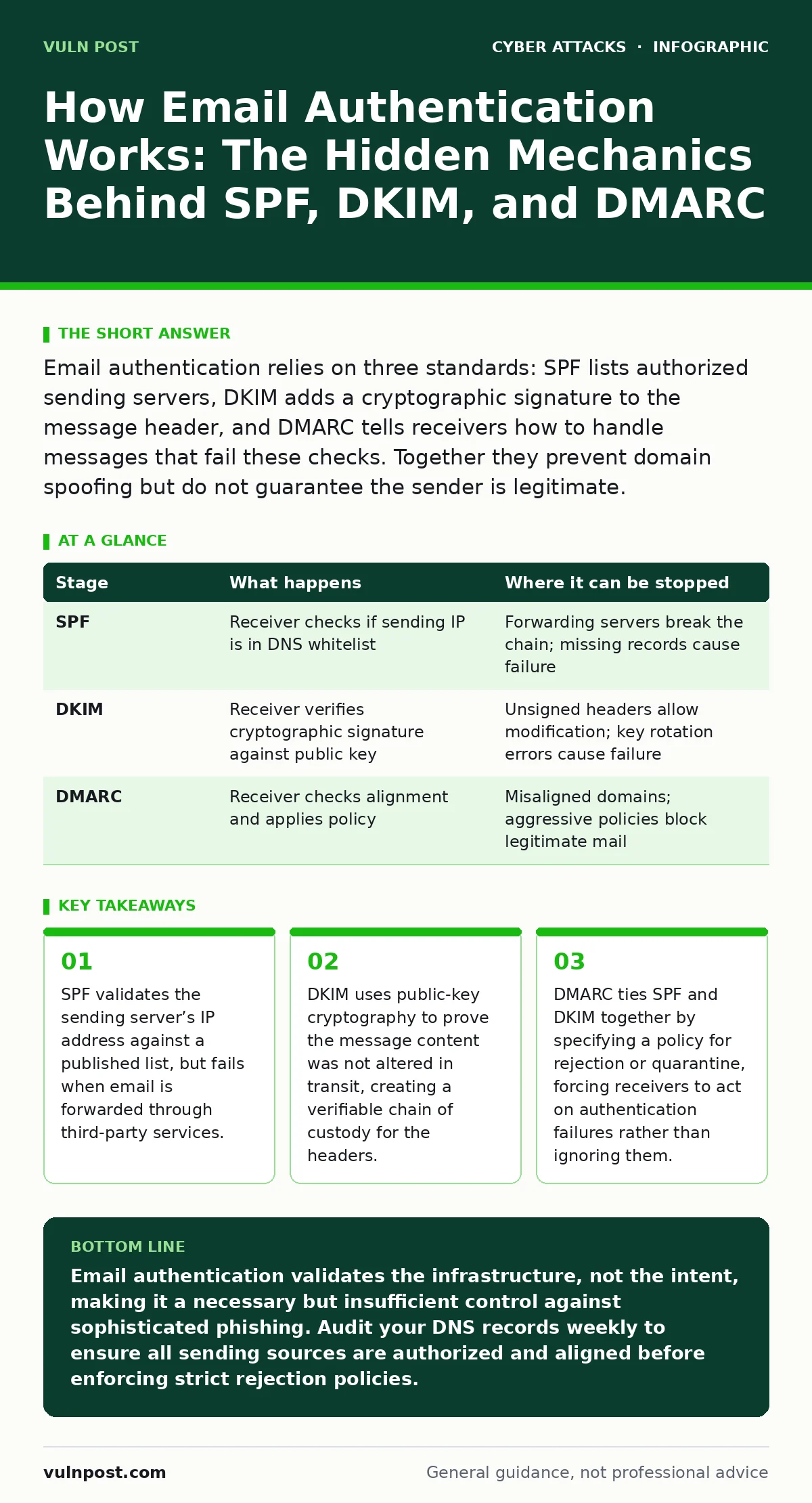
Email authentication relies on three standards: SPF lists authorized sending servers, DKIM adds a cryptographic signature to the message header, and DMARC tells receivers how to handle messages that fail these checks. Together they prevent domain spoofing but do not guarantee the sender is legitimate.
The Baseline Problem of Trust
Email protocols were designed for flexibility, not security. The Simple Mail Transfer Protocol allows any server to claim it is sending mail on behalf of any domain. There is no inherent verification step in the original design. This openness enables attackers to forge the "From" address with ease. You can send an email that appears to come from a CEO or a bank, even if you have no relationship with those entities. Authentication standards exist to close this gap by adding verifiable data to the transmission process. They do not change the core protocol but layer checks on top of it.
Stage One: Publishing Authorization Records
Before a single email is sent, the domain owner must publish specific records in the Domain Name System. These records are public and readable by any server on the internet. The first record is Sender Policy Framework, or SPF. It lists the IP addresses or hostnames authorized to send email for that domain. This is a whitelist approach. If a server is not on the list, it is implicitly unauthorized. The record lives in the DNS as a text string. It is static until the administrator changes it. This step is purely declarative. It tells the world who is allowed to speak, but it does not actively stop anyone from trying.
Stage 1.1: SPF Limitations and Forwarding
SPF checks the envelope sender, not the display name. This distinction matters when email is forwarded. Suppose you receive an email and forward it to a colleague. The forwarding server becomes the new sender. If that server is not in the original domain’s SPF record, the forwarded email will fail SPF. This is a common point of failure for legitimate business communication. The mechanism cannot distinguish between a malicious forgery and a benign forward. It only sees an unauthorized IP address sending on behalf of the domain. This creates a hidden cost for organizations that rely heavily on email archiving or forwarding services.
Stage Two: Signing the Message
DomainKeys Identified Mail, or DKIM, addresses the integrity of the message itself. When an organization sends an email, their outbound mail server signs specific parts of the email header and body. This signature is created using a private key held by the sending server. The resulting hash is added to the email headers. The corresponding public key is published in the domain’s DNS records. The receiving server retrieves this public key and recalculates the hash. If the calculated hash matches the one in the header, the message has not been altered. This proves the content arrived exactly as the sender released it. It does not prove the sender is trustworthy, only that the message is intact.
Stage 2.1: The Granularity of Signing
Not all headers are signed. DKIM allows the sender to choose which headers are included in the signature. If a gateway modifies an unsigned header, the signature remains valid. This flexibility is necessary because email passes through many systems. However, it also means an attacker could potentially modify unsigned headers without breaking the signature. Security teams must ensure that critical headers, such as the "From" address, are included in the signed portion. If the "From" address is not signed, DKIM cannot verify that the sender identity matches the signature source. This creates a blind spot where the message is intact, but the claimed sender is unverified.
Stage Three: Aligning Identity
Domain-based Message Authentication, Reporting, and Conformance, or DMARC, ties SPF and DKIM together. It introduces the concept of alignment. For SPF, the domain in the envelope sender must match the domain in the "From" header. For DKIM, the domain that signed the message must match the "From" header domain.
If either check fails, or if the domains do not align, the message is considered unauthenticated. DMARC also provides a policy. The domain owner specifies what the receiver should do with unauthenticated mail. The options are none, quarantine, or reject. "None" means log the failure but deliver the email. "Quarantine" sends it to spam. "Reject" blocks it entirely. This policy is published in DNS.
Stage 3.1: The Reporting Feedback Loop
DMARC includes a reporting mechanism. Receivers send aggregate reports back to the domain owner. This data is critical for identifying unauthorized senders. It might reveal a marketing platform that was not added to the SPF record. It might show a legacy server still sending mail. Without these reports, administrators are flying blind. They cannot know if their authentication records are working correctly. The reports are sent in XML format to a specified email address. They require parsing and analysis to be useful. This adds operational overhead but provides visibility into the email ecosystem.
| Stage | What happens | Where it can be stopped |
|---|---|---|
| SPF | Receiver checks if sending IP is in DNS whitelist | Forwarding servers break the chain; missing records cause failure |
| DKIM | Receiver verifies cryptographic signature against public key | Unsigned headers allow modification; key rotation errors cause failure |
| DMARC | Receiver checks alignment and applies policy | Misaligned domains; aggressive policies block legitimate mail |
Stage Four: The Receiver’s Decision
The receiving server performs all checks in parallel. It looks up the SPF record, verifies the DKIM signature, and checks the DMARC policy. It then evaluates the results. If SPF passes and is aligned, DMARC passes. If DKIM passes and is aligned, DMARC passes. If both fail, DMARC fails. The receiver then applies the policy defined in the DMARC record. This decision happens before the email reaches the user’s inbox. It is an automated process. There is no human review at this stage. The receiver trusts the public DNS records. This trust is fundamental. If the DNS records are incorrect, the receiver will make the wrong decision.
Stage 4.1: The False Sense of Security
Passing authentication does not mean the email is safe. It only means it came from an authorized server and was not altered. The content can still be malicious. Phishing emails often pass SPF and DKIM because they are sent from compromised legitimate accounts. The attacker uses a real user’s credentials. The email originates from the legitimate server. It is signed correctly. DMARC passes.
The receiver delivers it. This is why authentication is not a silver bullet. It prevents domain spoofing, but it does not prevent account takeover. You must combine authentication with other controls. See our guide on human factor in security to understand how social engineering bypasses technical controls. Also, consider brand impersonation tactics that use look-alike domains to evade these checks.
The Limits of the Framework
Email authentication has structural limits. It relies on DNS, which is distributed and can be slow to update. Changes to SPF or DKIM records can take hours to propagate. During this time, emails may fail authentication. It also relies on the honesty of the domain owner. If a domain is compromised, the attacker can update the records to include their own servers. The authentication will pass. The receiver will trust the malicious server. This is why monitoring is continuous. You cannot set and forget these records. They require active management.
Furthermore, authentication does not protect the recipient’s identity. It only validates the sender’s infrastructure. It does not encrypt the body of the email. It does not prevent interception. For those concerns, you need transport layer security. This is a different mechanism entirely. Authentication and encryption solve different problems. Confusing them leads to gaps in defense.
Operational Realities for Teams
Implementing these standards requires coordination. You must inventory all sources of email. This includes transactional systems, marketing platforms, HR portals, and legacy applications. Each source needs to be added to SPF. Each needs to be configured for DKIM. This is often a multi-month process. Rushing it leads to broken email flow. You must test changes in a controlled environment. Use the reporting data to verify that legitimate mail is passing. Monitor for spikes in failures. These indicate misconfigurations or unauthorized use.
The cost of failure is high. If you block legitimate mail, you disrupt business. If you allow spoofed mail, you risk reputation and fraud. The balance is delicate. You need a clear process for adding and removing senders. You need a way to respond to reports quickly. This is not a one-time project. It is an ongoing operational discipline.
Key takeaways
- SPF validates the sending server’s IP address against a published list, but fails when email is forwarded through third-party services.
- DKIM uses public-key cryptography to prove the message content was not altered in transit, creating a verifiable chain of custody for the headers.
- DMARC ties SPF and DKIM together by specifying a policy for rejection or quarantine, forcing receivers to act on authentication failures rather than ignoring them.
Email authentication validates the infrastructure, not the intent, making it a necessary but insufficient control against sophisticated phishing. Audit your DNS records weekly to ensure all sending sources are authorized and aligned before enforcing strict rejection policies.
Frequently asked questions
Can an attacker bypass SPF and DKIM?
Yes, by compromising a legitimate account or using a domain that looks similar but is different, such as a typo-squatted domain, which has its own authentication records.
Does DMARC encrypt my emails?
No, DMARC only tells receivers how to handle unauthenticated emails. It does not provide encryption. You need TLS for transport encryption and PGP or S/MIME for end-to-end encryption.
Why do my forwarded emails fail SPF?
Forwarding changes the sending server. If the forwarding server is not in the original domain’s SPF record, the check fails. Use DKIM alignment or specialized forwarding services that preserve authentication.
How long does it take to implement DMARC?
It depends on your email ecosystem complexity. Simple setups may take days. Large organizations with many third-party senders may take months to inventory and configure all sources correctly.
How this guide was produced: written by the Vuln Post editorial team with AI assistance, checked against the public references listed below, and reviewed when the facts change. See our editorial policy or report an error.