
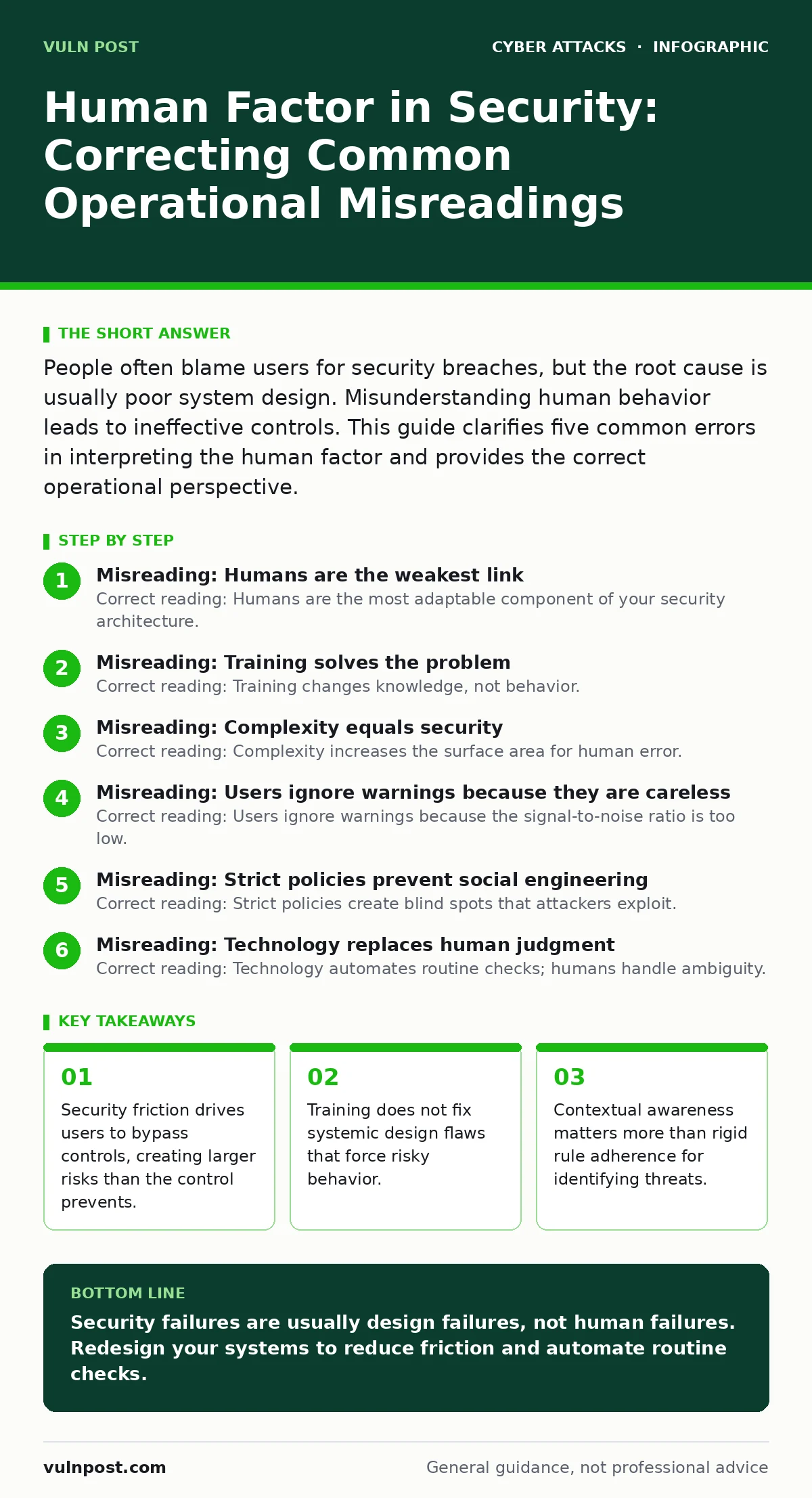
People often blame users for security breaches, but the root cause is usually poor system design. Misunderstanding human behavior leads to ineffective controls. This guide clarifies five common errors in interpreting the human factor and provides the correct operational perspective.
Misreading: Humans are the weakest link
Correct reading: Humans are the most adaptable component of your security architecture.
The "weakest link" metaphor suggests that people are a defect to be eliminated. This view is incorrect. Machines execute code exactly as written. They cannot adapt to new, unscripted attack vectors. Humans can recognize anomalies that automated systems miss. When you treat people as a liability, you build rigid controls that break under pressure. When you treat them as a sensor, you gain a dynamic defense layer.
Consider how QR code phishing works. A machine reads the code and redirects. A human notices the physical context is wrong, such as a payment request appearing in a parking lot. The human element provides contextual verification that technology alone cannot replicate. You need systems that empower this judgment, not suppress it.
Misreading: Training solves the problem
Correct reading: Training changes knowledge, not behavior. Design changes behavior.
Security awareness training teaches users what a phishing email looks like. It does not change the underlying pressure to act quickly. If your business processes require immediate action on unverified requests, training will not stop the user from clicking. The cognitive load of verifying every request creates friction. Users will find the path of least resistance.
Imagine a system that forces a multi-step verification for every standard transaction. Users will memorize patterns to bypass the check. This is known as alert fatigue. The system fails because it ignores human cognitive limits. Instead of more training, you need to reduce the number of decisions a user must make. Automate the safe defaults. Let humans handle the exceptions.
Misreading: Complexity equals security
Correct reading: Complexity increases the surface area for human error.
Adding more steps to a login process seems secure. It is not. Each additional step introduces a point of failure. If a user forgets a password, they might write it down. If a multi-factor authentication device is lost, they might call support and bypass controls. Complex systems rely on perfect human execution. Perfect execution does not exist.
This is why email authentication protocols like SPF and DKIM are effective. They operate in the background. The user does not need to check headers manually. The system handles the verification. When security relies on user input, error rates rise. When security relies on protocol enforcement, error rates drop. Design for the average user, not the expert.
Misreading: Users ignore warnings because they are careless
Correct reading: Users ignore warnings because the signal-to-noise ratio is too low.
If every action triggers a warning, no warning matters. This is the boy who cried wolf effect. When a browser warns about an insecure connection for every internal tool, the user learns to dismiss the warning. They are not being careless. They are optimizing for workflow efficiency. The system has trained them to ignore security signals.
This dynamic is visible in API abuse scenarios. Developers often ignore security linters because they flag too many false positives. The cost of fixing each warning outweighs the perceived benefit. Over time, the security tool becomes noise. You must calibrate alerts. Only flag high-confidence threats. Silence the rest. A rare, loud alarm is effective. A constant chirp is ignored.
Misreading: Strict policies prevent social engineering
Correct reading: Strict policies create blind spots that attackers exploit.
Rigid policies assume a static world. Attackers adapt. If your policy forbids sharing credentials, attackers will not ask for credentials. They will ask for screen sharing access. They will ask for IT support. They will exploit the gap between the policy and the user's desire to be helpful. Human empathy is a feature, not a bug. Attackers weaponize it.
This is central to SIM swapping attacks. The attacker does not break into the phone. They convince the carrier employee to transfer the number. The employee follows their own internal process for helping a customer. The policy was followed. The security failed. You cannot police every interaction. You must verify identity through out-of-band channels. Trust but verify, using methods the attacker cannot replicate.
Misreading: Technology replaces human judgment
Correct reading: Technology automates routine checks; humans handle ambiguity.
Automated systems are excellent at known patterns. They struggle with novelty. A new type of brand impersonation might use a slightly different domain name. The filter might not catch it. A human recognizes the tone and context as wrong. Relying solely on technology leaves you vulnerable to zero-day social engineering.
Imagine a cyber incident response team relying only on logs. They see the technical breach. They miss the narrative. Who was targeted? Why? What was the goal? Humans provide the narrative context. Technology provides the data. You need both. Do not automate away the investigator. Automate the data collection. Let humans connect the dots.
Checking Your Understanding
Correct reading: Audit your friction points, not just your compliance rates.
To verify your approach, look at your help desk tickets. Are users asking for help with security tools? If yes, the tools are too complex. Look at your bypass logs. Are users disabling security features? If yes, the features are blocking work. These are signs of design failure, not user failure.
You should also review your botnet attacks defenses. Are they relying on user reports? If so, you are depending on human vigilance for automated threats. This is a mismatch. Automated threats require automated defenses. Use humans for the nuanced, contextual decisions. Use machines for the high-volume, pattern-based checks. Align the tool with the threat.
Key takeaways
- Security friction drives users to bypass controls, creating larger risks than the control prevents.
- Training does not fix systemic design flaws that force risky behavior.
- Contextual awareness matters more than rigid rule adherence for identifying threats.
Security failures are usually design failures, not human failures. Redesign your systems to reduce friction and automate routine checks.
Frequently asked questions
How do I measure the human factor in security?
Track the ratio of security alerts to actual incidents. A high ratio indicates poor signal quality. Track user bypass rates. High bypass rates indicate poor usability.
Should I stop security awareness training?
No. Training provides a shared vocabulary. It helps users understand why controls exist. But do not expect training to fix broken processes.
What is the role of automation in human-centric security?
Automation handles the predictable. It reduces the cognitive load on users. This allows humans to focus on the unpredictable and novel threats.
How do I handle users who bypass security controls?
Investigate why they bypassed the control. Was it too slow? Too complex? Fix the control. Punishing the user does not fix the underlying design flaw.
How this guide was produced: written by the Vuln Post editorial team with AI assistance, checked against the public references listed below, and reviewed when the facts change. See our editorial policy or report an error.