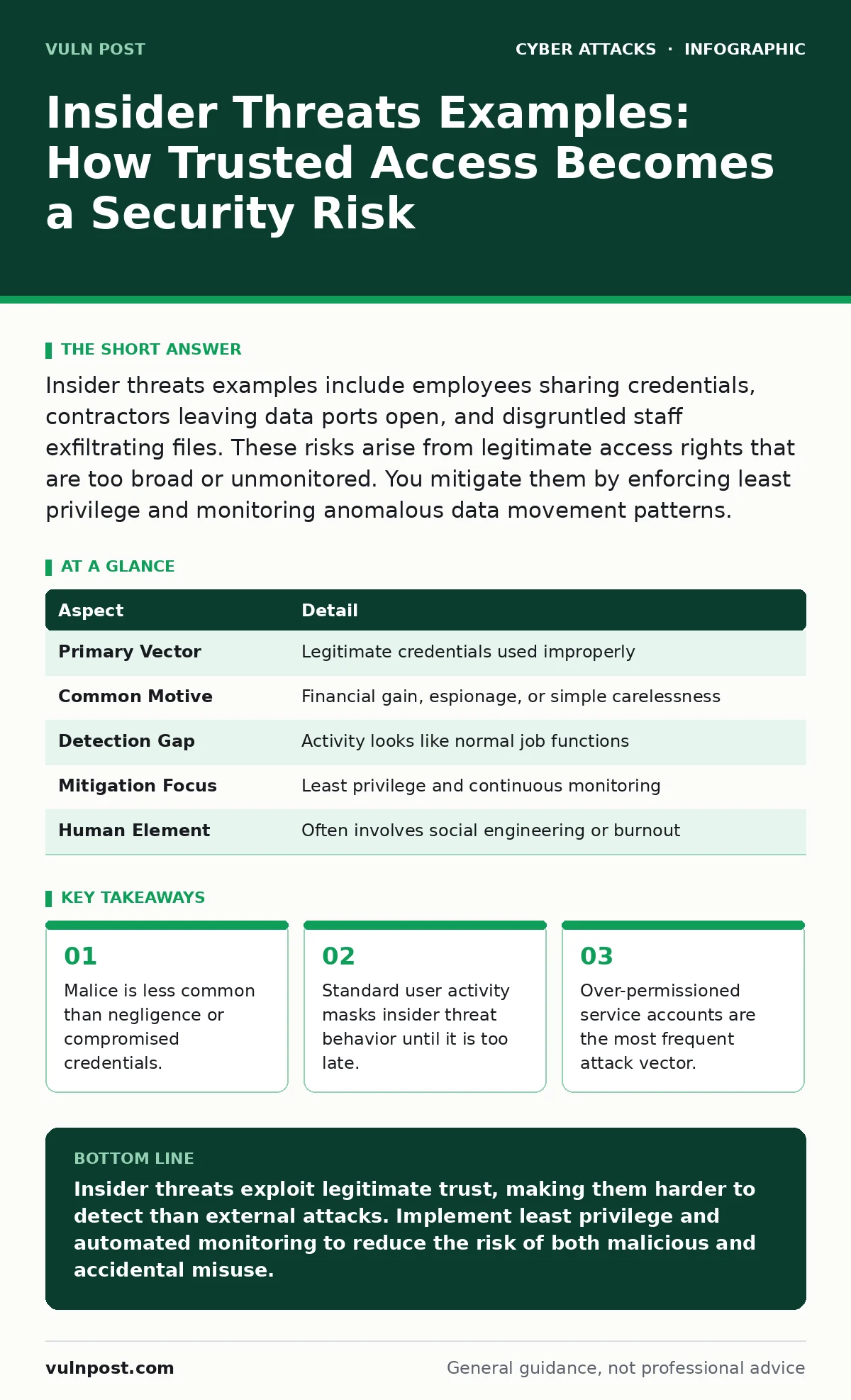
Insider threats examples include employees sharing credentials, contractors leaving data ports open, and disgruntled staff exfiltrating files. These risks arise from legitimate access rights that are too broad or unmonitored. You mitigate them by enforcing least privilege and monitoring anomalous data movement patterns.
Understanding the Insider Threat Mechanism
An insider threat is any individual with legitimate access to an organization's systems who uses that access to cause harm, either intentionally or accidentally. This definition excludes external hackers who break in; it focuses on those who are already inside the digital perimeter. The core mechanism relies on trust. Security systems grant permissions based on job roles, assuming the user will act within expected bounds. When that assumption fails, the damage bypasses traditional perimeter defenses.
The threat manifests through three primary channels. A malicious insider deliberately steals data or disrupts operations. A negligent insider makes careless mistakes, such as clicking a phishing link or misconfiguring a cloud storage bucket. A compromised insider has their credentials stolen by an external attacker, who then acts as a trusted user. Distinguishing between these types requires behavioral analysis, not just signature-based detection.
| Aspect | Detail |
|---|---|
| Primary Vector | Legitimate credentials used improperly |
| Common Motive | Financial gain, espionage, or simple carelessness |
| Detection Gap | Activity looks like normal job functions |
| Mitigation Focus | Least privilege and continuous monitoring |
| Human Element | Often involves social engineering or burnout |
Typical Insider Threats Examples
People searching for insider threats examples often expect tales of spy rings. Reality is usually more mundane and harder to detect. Imagine a mid-level engineer who needs access to a shared drive to complete a project. That drive contains sensitive customer data unrelated to their task. If they copy that data to a personal device, it is an insider threat. Whether they intend to sell it or just forget to delete it later, the breach is complete.
Another common example involves shared credentials. Suppose a development team uses a single "admin" account to deploy code. When one team member leaves, the others still use that account. The departing employee may not steal data, but their former access remains active and untraceable to a specific individual. This creates a blind spot where any action taken by the group is indistinguishable from legitimate work.
A third example is the misconfigured cloud resource. An administrator sets up a new database for testing and accidentally leaves it publicly accessible. They do not intend to expose data, but their error allows external scanners to harvest information. This is an accidental insider threat driven by a lack of automated validation checks. These examples show that intent does not always correlate with impact.
The Hidden Cost of Over-Permissioning
Security teams often focus on stopping bad actors from entering. They spend less effort on why existing users have so much access. This is a critical oversight. Every permission granted is a potential attack surface. If a marketing analyst can read financial records, they do not need to hack the finance server. They already have the keys.
The hidden cost is the complexity of auditing. When everyone has broad access, you cannot trace who did what. You see that a file was deleted, but you do not know if it was the intern, the manager, or a compromised service account. This ambiguity delays incident response. It also makes compliance audits difficult, as you cannot prove that only authorized personnel accessed sensitive data.
Reducing permissions requires a shift in culture. Users resist losing access they feel they need. Administrators resist the effort of reconfiguring systems. This friction leads to "permission creep," where access accumulates over time and is rarely removed. You must automate the review of permissions. Regularly ask: does this user still need this specific access to do their job? If the answer is no, remove it immediately.
What People Usually Get Wrong
Most organizations treat insider threats as a people problem. They assume better training will fix the issue. Training helps, but it does not stop a determined attacker or a tired employee from making a mistake. The real issue is a process problem. You cannot train away the risk of a compromised password. You must enforce technical controls that limit damage regardless of human behavior.
Another common mistake is focusing only on employees. Contractors, vendors, and partners often have deeper access than staff. They may use temporary accounts that are never properly audited. When their contract ends, their access may linger for months. This extended window of opportunity is a frequent source of data leaks. You must treat third-party access with the same rigor as internal staff.
Detecting the Anomaly in Noise
Detection requires distinguishing between normal work and suspicious activity. This is difficult because insiders know how the system works. They can mask their actions to look routine. You must establish a baseline of normal behavior for each role. A developer downloading code is normal. A developer downloading the entire customer database is not.
Use data loss prevention tools to monitor outbound traffic. Look for large transfers to personal cloud storage or unusual file types. Combine this with user and entity behavior analytics. These tools use machine learning to spot deviations from the baseline. They do not look for specific signatures but for changes in pattern. This approach catches both malicious insiders and compromised accounts.
See also: Broken Access Control Prevention Checklist for Secure Applications
Mitigation Strategies That Actually Work
Start with the principle of least privilege. Grant users only the access they need to perform their current tasks. Review this access regularly. Implement just-in-time access, where privileges are granted temporarily and expire automatically. This reduces the window of opportunity for misuse.
Separate duties so that no single person can complete a high-risk action alone. For example, one person should request a change, and another should approve it. This prevents a malicious insider from acting without oversight. It also catches accidental errors before they cause damage.
Monitor service accounts closely. These accounts often have high privileges and are used by scripts and applications. They are frequent targets for attackers who want to move laterally. Disable unused service accounts. Rotate their credentials frequently. Ensure they are not used for interactive logins.
Integrating Broader Security Practices
Insider threats do not exist in isolation. They interact with other security domains. For instance, a weak human factor in security can lead to credential sharing, which amplifies insider risk. You must address the root cause of why users share passwords. Often, it is because multi-factor authentication is too cumbersome. Improve the user experience of security controls to reduce workarounds.
Similarly, API abuse can be an insider threat if an employee misconfigures an application programming interface that exposes data. You must validate all API endpoints for proper authentication and authorization. Check related guides on API abuse for detailed configuration checks.
Security operations centers play a key role in correlating alerts. They must be trained to recognize insider threat indicators. This requires a different mindset than hunting for external malware. Focus on data movement and privilege escalation. Refer to resources on security operations centers for best practices in log management and incident response.
The Role of Identity and Access Management
Identity and access management is the backbone of insider threat mitigation. It ensures that the right people have the right access at the right time. Implement strong identity verification. Use multi-factor authentication for all privileged accounts. This adds a layer of defense even if credentials are stolen.
Regularly audit access rights. Remove access for employees who have left or changed roles. Automate this process where possible. Manual revocation is prone to error and delay. Ensure that your identity provider integrates with your other security tools. This allows for real-time synchronization of user status and permissions.
Key takeaways
- Malice is less common than negligence or compromised credentials.
- Standard user activity masks insider threat behavior until it is too late.
- Over-permissioned service accounts are the most frequent attack vector.
Insider threats exploit legitimate trust, making them harder to detect than external attacks. Implement least privilege and automated monitoring to reduce the risk of both malicious and accidental misuse.
Frequently asked questions
How do I distinguish between a malicious and accidental insider threat?
Malicious threats often involve deliberate data exfiltration or system disruption. Accidental threats involve misconfigurations or phishing clicks. Behavioral analytics can help identify the intent behind the action.
Can service accounts cause insider threats?
Yes, service accounts with excessive privileges are a major risk. If compromised, they allow attackers to move laterally without triggering user-based alerts. Treat them with strict access controls.
Should I monitor all employee activity?
Monitor activity based on risk. Focus on users with access to sensitive data or privileged systems. Mass monitoring of all users is impractical and raises privacy concerns. Target your efforts where the risk is highest.
How often should I review user permissions?
Review permissions at least quarterly. Trigger immediate reviews when employees change roles or leave. Automation can help ensure that reviews happen consistently and without delay.
How this guide was produced: written by the Vuln Post editorial team with AI assistance, checked against the public references listed below, and reviewed when the facts change. See our editorial policy or report an error.