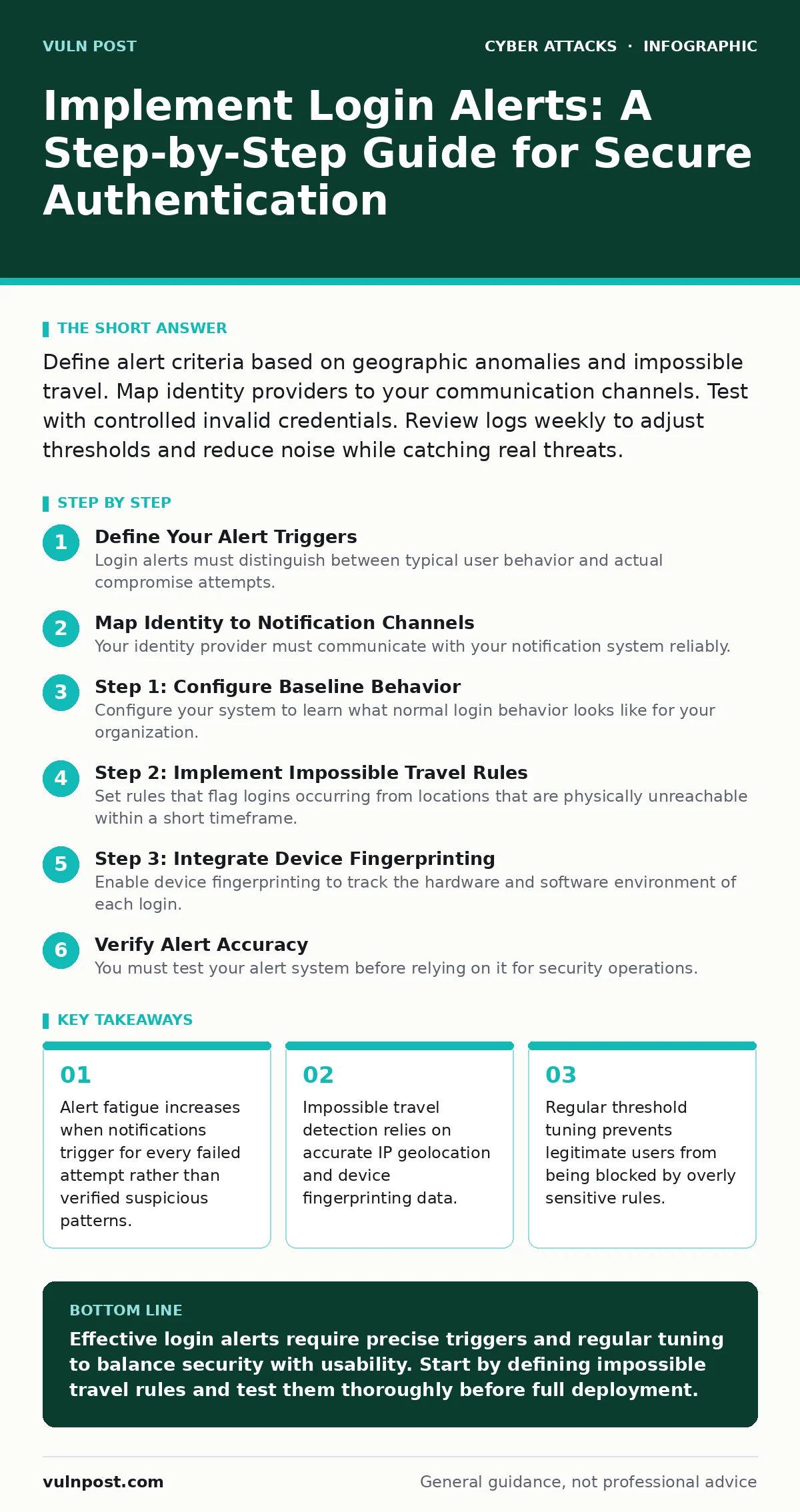
Define alert criteria based on geographic anomalies and impossible travel. Map identity providers to your communication channels. Test with controlled invalid credentials. Review logs weekly to adjust thresholds and reduce noise while catching real threats.
Define Your Alert Triggers
Login alerts must distinguish between typical user behavior and actual compromise attempts. You need specific triggers that indicate malicious activity rather than simple password errors. Base your triggers on impossible travel, where a user logs in from two distant locations within an impossible timeframe. This requires precise geolocation data from your identity provider.
You must also track device fingerprinting, which creates a unique profile for each browser or application instance. If a known user suddenly logs in from an unknown device with different characteristics, that signals a potential breach. Consider the human factor in security, as users often share devices or travel unexpectedly. Your triggers must account for these legitimate variations to avoid false positives. Without this distinction, your team will ignore alerts during a real incident.
Map Identity to Notification Channels
Your identity provider must communicate with your notification system reliably. You need to map user attributes to specific alert destinations. Administrators might receive alerts via secure mobile applications, while standard users get email notifications. Ensure your notification channels are resilient against common attacks. For example, attackers often target email accounts to bypass multi-factor authentication.
This relates directly to the risks of SIM swapping, where criminals take over phone numbers to intercept codes. If your alerts rely solely on SMS, you leave a significant gap. Use out-of-band communication methods that do not depend on the same infrastructure as the login itself. Verify that your email authentication protocols are strong to prevent spoofed alert emails from deceiving users.
Step 1: Configure Baseline Behavior
Step 1: Establish Normal Activity Patterns
Configure your system to learn what normal login behavior looks like for your organization. This baseline includes typical login times, common geographic locations, and standard device types. Your identity provider should collect this data over a period of several weeks. You must exclude temporary anomalies, such as major holidays or company-wide events, from this baseline. The goal is to create a statistical model of expected behavior. Any login that deviates significantly from this model should trigger a review. This step reduces noise by ignoring expected variations. You can tell this worked when the system stops alerting on routine remote work patterns.
Step 2: Implement Impossible Travel Rules
Step 2: Define Geographic and Temporal Limits
Set rules that flag logins occurring from locations that are physically unreachable within a short timeframe. Suppose a user logs in from New York and then five minutes later from London. This is impossible travel and should trigger an immediate alert. You must define the acceptable time window based on your user base. For local teams, this window might be thirty minutes. For global organizations, it might be several hours. The rule must check the IP geolocation accuracy, as some proxies can misreport locations. Verify this step by testing logins from two distant locations using the same account. The system should flag the second login as suspicious.
Step 3: Integrate Device Fingerprinting
Step 3: Flag Unknown Device Attributes
Enable device fingerprinting to track the hardware and software environment of each login. This includes browser version, operating system, and screen resolution. When a user logs in from a device that does not match their historical profile, trigger an alert. This helps catch initial access attempts where attackers use compromised credentials on new machines. You must allow users to register new devices easily to avoid blocking legitimate activity. Verify this by logging in from a virtual machine or a different browser. The alert should trigger, and the user should be able to approve the device.
Verify Alert Accuracy
You must test your alert system before relying on it for security operations. Create a controlled testing environment with dummy accounts. Perform logins that should trigger alerts, such as impossible travel and unknown devices. Perform logins that should not trigger alerts, such as routine access from known devices. Check that the correct notifications were sent to the correct channels. Use this verification checklist to ensure completeness:
- Alerts trigger for impossible travel scenarios.
- Alerts trigger for unknown device fingerprints.
- No alerts trigger for routine logins from known devices.
- Notifications reach the intended recipients within acceptable timeframes.
- Users can approve new devices without assistance.
Maintain and Tune Thresholds
Alert systems degrade over time as user behavior changes. You must review alert logs regularly to adjust thresholds. If users complain about false positives, widen the acceptable parameters for geographic location or device changes. If you miss actual incidents, tighten the parameters. This tuning process is continuous. You should also monitor for API abuse, where attackers use automated tools to trigger alerts deliberately to exhaust your resources. Adjust rate limiting to prevent this. Keep your contact information for alert recipients up to date. Stale email addresses or phone numbers will cause missed alerts.
Handle Alert Fatigue
Too many alerts cause security teams to ignore them. You must prioritize alerts based on risk severity. High-risk alerts, such as impossible travel, should require immediate action. Lower-risk alerts, such as minor device changes, can be batched. Provide clear guidance on what action to take for each alert type. If a user receives an alert, they should know whether to change their password, approve the device, or ignore it. This clarity reduces confusion and speeds up response times. Consider the lessons from botnet attacks, where volume is used to overwhelm defenses. Your alert system must be resilient to high volumes of low-risk events.
Document and Train Users
Your users must understand why they receive login alerts and how to respond. Create clear documentation that explains the triggers and the expected actions. Train users to recognize legitimate alerts versus phishing attempts. Attackers often send fake login alerts to trick users into clicking malicious links. This is a form of spear phishing that targets the trust users place in security notifications. Teach users to verify the source of the alert before taking any action. Regular training reinforces this behavior and reduces the risk of social engineering.
Key takeaways
- Alert fatigue increases when notifications trigger for every failed attempt rather than verified suspicious patterns.
- Impossible travel detection relies on accurate IP geolocation and device fingerprinting data.
- Regular threshold tuning prevents legitimate users from being blocked by overly sensitive rules.
Effective login alerts require precise triggers and regular tuning to balance security with usability. Start by defining impossible travel rules and test them thoroughly before full deployment.
Frequently asked questions
How do I prevent alert fatigue for my security team?
Prioritize alerts by risk level and batch lower-risk notifications. Provide clear action items for each alert type to reduce decision time.
What is impossible travel detection?
It flags logins from locations that are physically unreachable within a short timeframe, indicating potential credential theft.
Should I alert on every failed login attempt?
No. Alert on patterns of failed attempts or specific high-risk scenarios. Alerting on every failure creates excessive noise.
How often should I review alert thresholds?
Review thresholds monthly or after significant changes in user behavior or security incidents. Adjust based on false positive rates.
How this guide was produced: written by the Vuln Post editorial team with AI assistance, checked against the public references listed below, and reviewed when the facts change. See our editorial policy or report an error.