
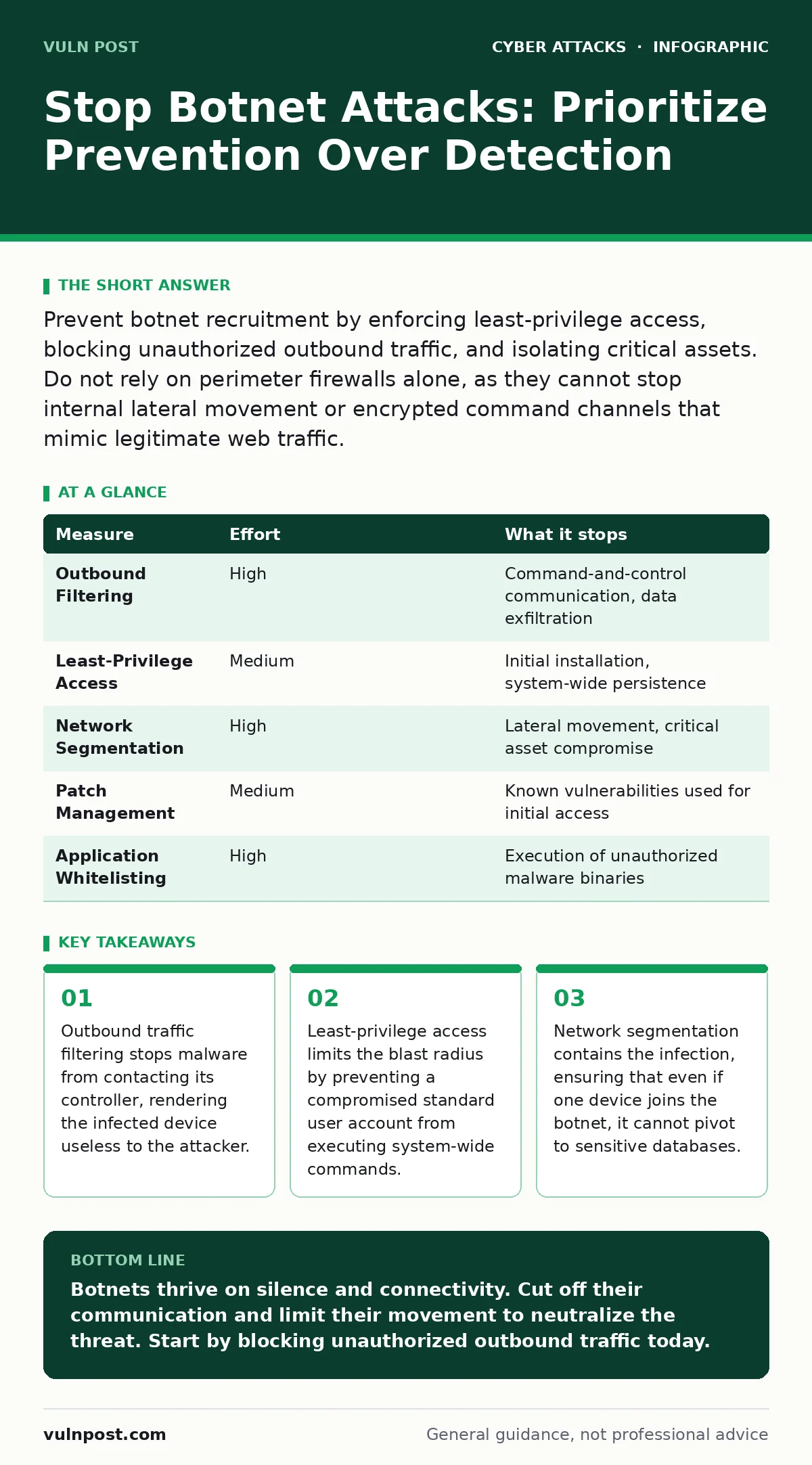
Prevent botnet recruitment by enforcing least-privilege access, blocking unauthorized outbound traffic, and isolating critical assets. Do not rely on perimeter firewalls alone, as they cannot stop internal lateral movement or encrypted command channels that mimic legitimate web traffic.
The Silent Recruitment Mechanism
Botnets do not announce their presence. They operate by silently installing a lightweight agent on your devices, turning them into remote-controlled nodes. This agent waits for instructions from a central command-and-control server. The danger lies in the delay. An attacker may recruit hundreds of devices over weeks before issuing any malicious command. By the time you notice increased bandwidth usage or CPU load, the network is already compromised.
You must shift your mindset from detecting attacks to preventing recruitment. Once a device is part of a botnet, the attacker holds the keys. You cannot un-invite a guest who has already entered your house. You must secure the door before they knock. This requires understanding how these agents communicate and move.
Blocking Outbound Communication
The most effective defense against a botnet is cutting off its lifeline. The infected device needs to receive instructions. If it cannot talk to the internet, it is just a slow computer, not a weapon. Most security tools focus heavily on inbound traffic, blocking hackers from entering. This is a mistake. You must prioritize outbound filtering.
Implement strict egress filtering. Allow only known, necessary services to leave your network. Block all other outbound connections. This stops the malware from phoning home. It also prevents data exfiltration. If a device tries to send sensitive files to an unknown IP address, the firewall drops the packet. This measure is high-effort to configure correctly but removes the majority of botnet utility.
Enforcing Least-Privilege Access
Attackers need permissions to install their agents and maintain persistence. If every user has administrator rights, a single click on a malicious link installs the botnet agent system-wide. This is the path of least resistance for the attacker. You must restrict these privileges. Standard users should not be able to install software or modify system settings.
When an attacker gains access to a standard account, they are trapped. They cannot modify the registry to survive a reboot. They cannot install kernel-level drivers. They can only operate within the confines of that user profile. This limits the blast radius of the infection. It forces the attacker to spend more time and resources to escalate privileges, increasing their chance of detection.
Isolating Critical Assets
Even with strong access controls, breaches happen. You must assume that some devices will be compromised. Network segmentation is your safety net. Divide your network into smaller, isolated zones. Place critical servers, databases, and intellectual property in a separate zone with strict access rules. A compromised workstation should never have direct access to the database server.
If a device in the office network joins a botnet, it can scan and attack other devices in the same zone. It cannot reach the finance servers. This containment strategy prevents a single infection from becoming a catastrophic failure. It buys your cyber incident response team time to identify and remove the threat. Without segmentation, the botnet spreads laterally until it controls the entire environment.
| Measure | Effort | What it stops |
|---|---|---|
| Outbound Filtering | High | Command-and-control communication, data exfiltration |
| Least-Privilege Access | Medium | Initial installation, system-wide persistence |
| Network Segmentation | High | Lateral movement, critical asset compromise |
| Patch Management | Medium | Known vulnerabilities used for initial access |
| Application Whitelisting | High | Execution of unauthorized malware binaries |
The Myth of Signature Detection
You must use behavior-based detection instead. Look for anomalies. A printer suddenly sending outbound traffic to a foreign IP is suspicious. A database server initiating a connection to a web server is abnormal. These behaviors indicate compromise, regardless of the file signature. Signature detection is a rear-view mirror. You need a dashboard that shows what is happening now.
See also: Pass-the-Hash Attacks Explained: How Stolen Credentials Bypass Passwords · DDoS Protection: 8 FAQs on Mitigation and Architecture
Reducing the Attack Surface
Attackers need a door to enter. Every open port, every unused service, and every outdated application is a potential entry point. You must minimize these opportunities. Disable remote desktop protocol on devices that do not need it. Turn off file sharing on public Wi-Fi. Remove unused accounts. Each reduction in surface area reduces the probability of successful recruitment.
This also applies to your software supply chain. Attackers often compromise legitimate software updates to distribute botnet agents. This is a form of supply chain attacks that bypasses perimeter defenses. Verify the integrity of all software before installation. Use hash checking to ensure the file has not been tampered with. Do not trust the source blindly. Verify the content.
Maintaining System Integrity
Keeping your systems updated is not just about fixing bugs. It is about closing the doors that attackers use. Vulnerabilities in operating systems and applications allow remote code execution. This is how many botnets spread. They exploit a known flaw to install their agent without user interaction.
You must prioritize patching for critical vulnerabilities. Do not wait for the next scheduled maintenance window. If a critical flaw is disclosed, patch immediately. This is the only way to stop automated scanning tools from finding an open door. Combine this with DNS spoofing protection to ensure your systems resolve to the correct addresses. Misconfigured DNS can redirect traffic to malicious servers that host the botnet payload.
Daily Operational Checklist
Prevention is a continuous process. You cannot set it and forget it. Incorporate these checks into your daily routine. They are quick but effective.
- Review outbound traffic logs for new, unauthorized destinations.
- Verify that all critical systems are patched against known vulnerabilities.
- Audit user privileges to ensure no standard users have admin rights.
These three actions address the most common failure points. They stop communication, close entry points, and limit damage. Consistency is key. A single missed patch or overlooked log entry can be the entry point for a botnet.
Key takeaways
- Outbound traffic filtering stops malware from contacting its controller, rendering the infected device useless to the attacker.
- Least-privilege access limits the blast radius by preventing a compromised standard user account from executing system-wide commands.
- Network segmentation contains the infection, ensuring that even if one device joins the botnet, it cannot pivot to sensitive databases.
Botnets thrive on silence and connectivity. Cut off their communication and limit their movement to neutralize the threat. Start by blocking unauthorized outbound traffic today.
Frequently asked questions
Can a home router stop a botnet?
A basic home router cannot stop a botnet. It lacks the ability to inspect outbound traffic for anomalies or enforce strict application-level filtering. It only provides basic NAT and firewalling.
How do I know if my device is in a botnet?
Look for unexpected outbound connections, high CPU usage, or network traffic spikes. Check your process list for unknown applications. If you see traffic to unknown IP addresses, investigate immediately.
Does using a VPN prevent botnet infection?
No. A VPN encrypts your traffic but does not stop malware from installing or communicating. It may even hide malicious traffic from your local network monitoring tools, making detection harder.
What is the difference between a botnet and a DDoS attack?
A botnet is the network of infected devices. A DDoS attack is one of the many actions a botnet can perform. The botnet is the weapon; the DDoS is the shot. You must stop the weapon, not just the shot.
How this guide was produced: written by the Vuln Post editorial team with AI assistance, checked against the public references listed below, and reviewed when the facts change. See our editorial policy or report an error.