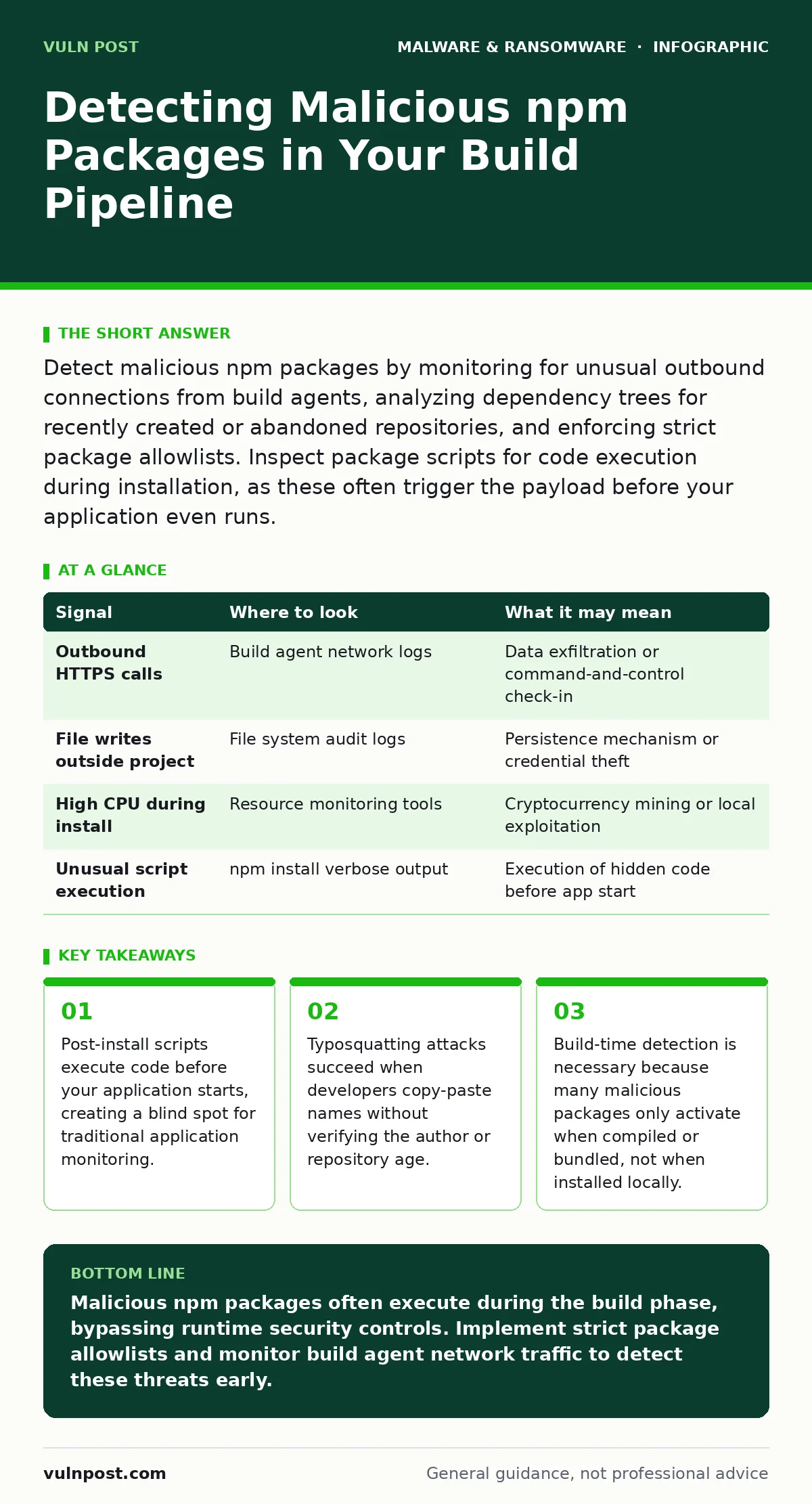
Detect malicious npm packages by monitoring for unusual outbound connections from build agents, analyzing dependency trees for recently created or abandoned repositories, and enforcing strict package allowlists. Inspect package scripts for code execution during installation, as these often trigger the payload before your application even runs.
The Hidden Cost of Trusting the Registry
The npm registry operates on a model of minimal friction, allowing anyone to publish packages after a basic review. This openness accelerates development but introduces supply chain risks. Attackers exploit this by publishing packages with names similar to popular libraries. When you install a package, the system downloads the code and executes any defined lifecycle scripts. These scripts run with the same permissions as your build process. If the script contains malicious code, it executes before your application logic begins.
Signal Detection in Build Logs
Build logs are the primary source of truth for package installation. Normal installations display a summary of added modules. Malicious activity often reveals itself through verbose output or unexpected network calls. Look for packages that initiate outbound connections to unknown domains during the install phase. These connections often exfiltrate environment variables or machine identifiers. The package may also attempt to write files outside the project directory. This behavior indicates an attempt to persist on the build agent or steal credentials stored in the environment.
| Signal | Where to look | What it may mean |
|---|---|---|
| Outbound HTTPS calls | Build agent network logs | Data exfiltration or command-and-control check-in |
| File writes outside project | File system audit logs | Persistence mechanism or credential theft |
| High CPU during install | Resource monitoring tools | Cryptocurrency mining or local exploitation |
| Unusual script execution | npm install verbose output | Execution of hidden code before app start |
Analyzing Dependency Trees for Anomalies
Your project depends on direct packages and their transitive dependencies. A malicious package rarely appears as a direct dependency. It usually sits several layers deep in the tree. Attackers often target low-traffic packages that maintainers neglect. They gain access to these repositories and inject malicious code into new versions. You must analyze the entire dependency tree, not just the top-level packages. Check the age of the package and the activity of the maintainer. A package created recently with few downloads is a higher risk than one maintained for years.
Identifying Typosquatting and Name Conflicts
Typosquatting involves registering a package name that closely resembles a popular library. A single character difference can trick a developer into installing the wrong package. For example, a package named "expresss" instead of "express" might look identical in a quick glance. This attack relies on human error during the copy-paste process. You can mitigate this by enforcing strict package naming conventions in your CI/CD pipeline. Reject any package that does not match an allowlist of approved libraries. This prevents accidental installation of look-alike packages.
The Danger of Post-Install Scripts
The npm package format allows authors to define scripts that run at specific lifecycle events. The post-install script is the most dangerous. It runs immediately after the package files are extracted. This script can execute arbitrary code. If the code downloads additional payloads or modifies system files, it does so before your application is even ready to run. Traditional antivirus solutions often miss these scripts because they are small and obfuscated. You must inspect these scripts manually or use a static analysis tool that flags code execution in lifecycle hooks.
See also: Removing Windows Malware: 6 Common Misunderstandings and Fixes
Blinding Spots in Security Monitoring
Many security teams focus on production environments. They assume that development and build environments are safe. This is a critical blind spot. Malicious npm packages often target build agents because they have access to secrets and credentials. The payload may not affect the final application binary. Instead, it steals tokens from the build environment. This theft allows attackers to access your cloud infrastructure or source code repositories. You must treat build agents with the same rigor as production servers. Monitor their network traffic and file system changes closely.
Tools for Static and Dynamic Analysis
Static analysis tools examine the code without executing it. They look for suspicious patterns in the package scripts and dependencies. Dynamic analysis involves running the package in a sandboxed environment. This allows you to observe its behavior in real-time. You can see what files it accesses and what network connections it makes. Combining both approaches provides a more complete picture. Static analysis catches known patterns, while dynamic analysis catches novel behaviors. Integrate these tools into your CI/CD pipeline to block malicious packages before they enter your build process.
Enforcing Supply Chain Hygiene
Prevention requires a disciplined approach to package management. Pin your dependencies to specific versions rather than using ranges. This prevents automatic updates that might introduce malicious code. Use a lock file to ensure reproducible builds. Regularly audit your dependencies for new vulnerabilities. Remove unused packages to reduce your attack surface. Educate your team on the risks of typosquatting and social engineering. Encourage them to verify package sources before installation. This cultural shift reduces the likelihood of human error leading to a breach.
Integrating with Existing Security Controls
Malicious npm packages are part of a broader supply chain risk. They often work in conjunction with other threats. For example, a compromised package might install a remote access tool abuse vector on the build agent. It might also modify configuration files to bypass software restriction policies. Understanding these connections helps you design a layered defense. Ensure your immutable backups are protected from build agent compromise. Review your point-of-sale malware defenses if your application processes payments. This holistic approach ensures that a breach in one area does not cascade into others.
Continuous Monitoring and Response
Detection is only the first step. You must have a response plan in place. When a malicious package is detected, isolate the affected build agent immediately. Revoke any credentials that were exposed. Scan other build agents for signs of compromise. Update your allowlists to block the malicious package and its variants. Investigate the root cause to prevent recurrence. Did a developer bypass the allowlist? Was the package introduced through a transitive dependency? Addressing these questions strengthens your security posture over time.
Final Thoughts on Package Security
Securing your npm packages requires a combination of technical controls and procedural discipline. You cannot rely on a single tool or process. You must monitor build logs, analyze dependency trees, and enforce strict naming conventions. You must also address the blind spots in your security monitoring. By treating build environments with the same care as production, you reduce the risk of supply chain attacks. This approach ensures that your applications remain secure from the moment the code is written.
Key takeaways
- Post-install scripts execute code before your application starts, creating a blind spot for traditional application monitoring.
- Typosquatting attacks succeed when developers copy-paste names without verifying the author or repository age.
- Build-time detection is necessary because many malicious packages only activate when compiled or bundled, not when installed locally.
Malicious npm packages often execute during the build phase, bypassing runtime security controls. Implement strict package allowlists and monitor build agent network traffic to detect these threats early.
Frequently asked questions
How do I know if an npm package is malicious?
Check for unusual outbound connections, file writes outside the project directory, and code execution in post-install scripts. Also verify the package age and maintainer activity.
Can antivirus detect malicious npm packages?
Traditional antivirus may miss these packages because they are often small, obfuscated, and execute in short-lived build environments. Specialized static and dynamic analysis tools are more effective.
What is typosquatting in npm?
Typosquatting is registering a package name that closely resembles a popular library to trick developers into installing it. This often leads to the installation of malicious code.
Should I block all post-install scripts?
Blocking all post-install scripts may break legitimate packages that require them. Instead, inspect these scripts manually or use a tool that flags suspicious behavior.
How this guide was produced: written by the Vuln Post editorial team with AI assistance, checked against the public references listed below, and reviewed when the facts change. See our editorial policy or report an error.