
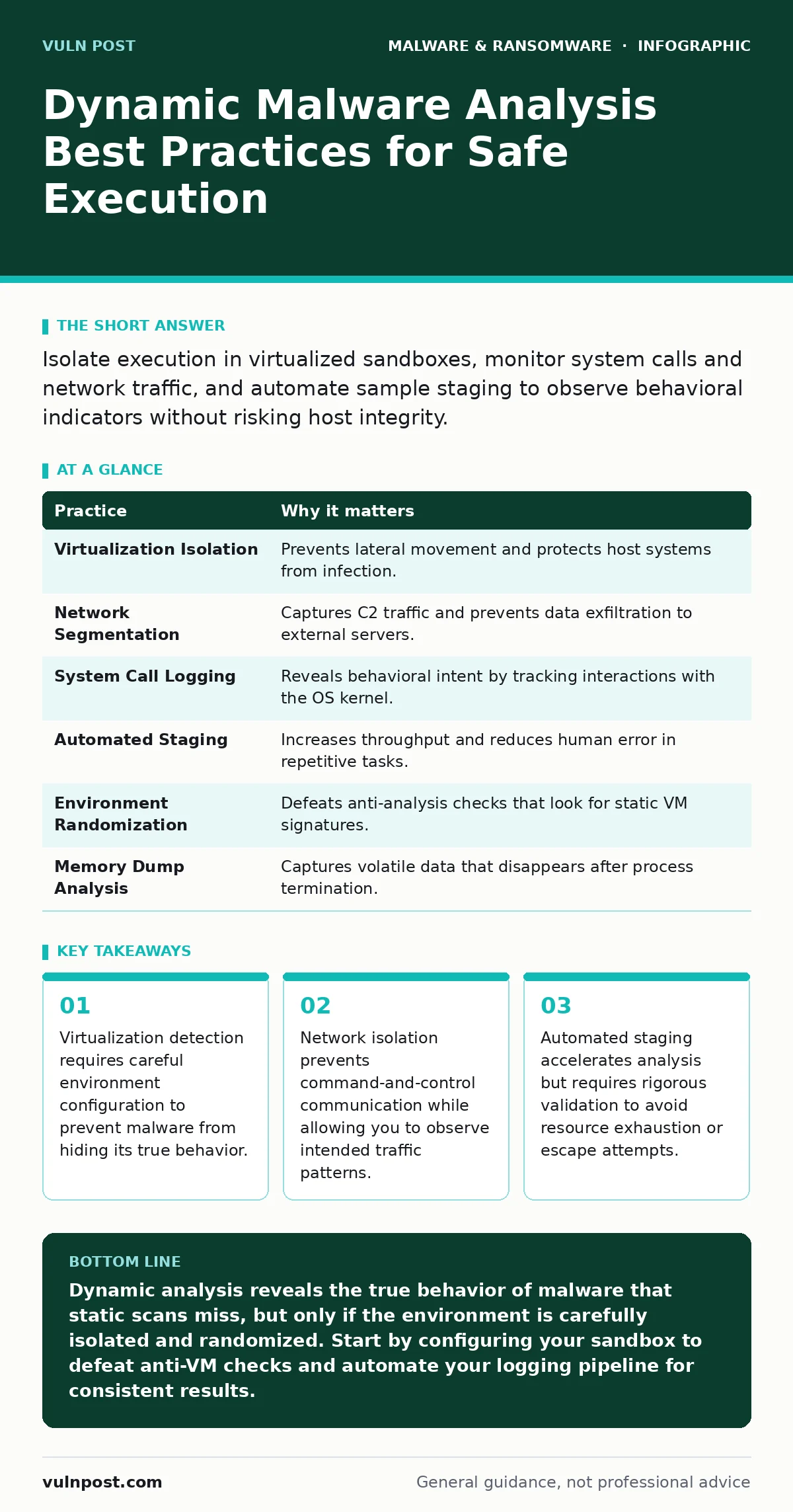
Isolate execution in virtualized sandboxes, monitor system calls and network traffic, and automate sample staging to observe behavioral indicators without risking host integrity.
Containment Through Virtualization
Running malicious code on a production host is never an option. You must execute samples in an isolated environment that mirrors your production stack but remains disconnected from critical assets. Virtual machines (VMs) provide this isolation, allowing you to snapshot, revert, and inspect state changes.
The goal is to create a sandbox that behaves like a real system. If the malware detects it is running in a virtual environment, it may remain dormant. This phenomenon is known as anti-sandbox evasion. You must configure your virtualization settings to appear as physical hardware. Disable default virtualization drivers and inject realistic hardware identifiers.
Network Traffic Monitoring
Malware often relies on external communication to receive instructions or exfiltrate data. You need to capture this traffic to understand the threat’s operational scope. Place your analysis environment on a segmented network that blocks outbound connections to known malicious infrastructure while logging all attempts.
Use packet capture tools to record DNS queries and HTTP requests. Analyze the payloads for encoded commands or data structures. This helps you identify command-and-control (C2) servers and the protocols used. Note that some malware uses domain generation algorithms (DGAs) to create random domains, making static blacklisting ineffective.
System Call Interception
Behavioral analysis hinges on observing what the malware requests from the operating system. System calls are the interface between software and the kernel. By intercepting these calls, you can see which files, registry keys, or processes the malware attempts to access.
Tools that hook into system calls provide a detailed log of activities. Look for patterns such as rapid process creation, encryption of specific file types, or modification of security settings. This data reveals the malware’s intent more clearly than static code review. However, some malware checks for the presence of debugging tools or hooking libraries to evade detection.
Automation of Sample Staging
Manual analysis is time-consuming and prone to human error. Automating the staging and execution of samples allows you to process large volumes of threats efficiently. Scripts can copy samples to the sandbox, trigger execution, collect logs, and reset the environment.
Ensure your automation pipeline includes validation steps. Not all samples are safe to execute immediately. Some may trigger immediate system-wide actions or consume excessive resources. Implement timeouts and resource limits to prevent a single sample from disrupting your analysis infrastructure. This approach supports the principles of software restriction policies by ensuring only vetted processes run in the analysis environment.
| Practice | Why it matters |
|---|---|
| Virtualization Isolation | Prevents lateral movement and protects host systems from infection. |
| Network Segmentation | Captures C2 traffic and prevents data exfiltration to external servers. |
| System Call Logging | Reveals behavioral intent by tracking interactions with the OS kernel. |
| Automated Staging | Increases throughput and reduces human error in repetitive tasks. |
| Environment Randomization | Defeats anti-analysis checks that look for static VM signatures. |
| Memory Dump Analysis | Captures volatile data that disappears after process termination. |
Defeating Anti-Analysis Techniques
Malware authors know you are watching. They implement checks to detect virtualization, debugging, and sandboxing. Common checks include looking for specific hardware IDs, timing delays, and the presence of known analysis tools. If detected, the malware may exit gracefully or execute decoy code.
You must randomize your environment. Change MAC addresses, serial numbers, and user profiles between runs. This prevents the malware from identifying consistent patterns associated with your sandbox. Additionally, use timing obfuscation to make the execution speed appear natural. This ensures the malware proceeds with its primary payload rather than hiding its behavior.
See also: Malicious Documents: The Step-by-Step Execution Chain · Detect Remote Access Tool Abuse: Signals, Logs, and Blind Spots
Memory Forensics
Disk-based artifacts can be cleaned or encrypted by sophisticated malware. Memory, however, holds the active state of the process. Volatile memory contains decrypted strings, API calls, and network configurations that are not present on disk. Taking memory dumps of the sandbox after execution allows you to analyze these transient artifacts.
Use forensic tools to scan memory images for indicators of compromise. Look for injected code, hidden processes, and decrypted payloads. This technique is particularly effective against firmware malware that may leave minimal traces on the disk but leaves evidence in the system’s volatile memory during execution.
Integrating with Threat Intelligence
Isolated analysis provides context, but it lacks the broader picture. Integrate your findings with external threat intelligence feeds. Correlate indicators such as IP addresses, file hashes, and domain names with known threat campaigns. This helps you prioritize responses and understand the attacker’s motivations.
Automate the enrichment of your analysis data. When a new sample is analyzed, automatically query intelligence platforms for related indicators. This reduces the time between detection and response. It also helps you identify if the malware is part of a larger campaign targeting specific industries or technologies, such as point-of-sale malware targeting retail infrastructure.
Validating with Static Analysis
Dynamic analysis shows what the malware does, but static analysis shows how it does it. Combining both methods provides a complete understanding. Static analysis involves examining the code without executing it. This can reveal obfuscation techniques, embedded strings, and potential vulnerabilities.
Use static analysis to confirm findings from dynamic tests. If the dynamic behavior suggests encryption, static analysis can identify the cryptographic libraries used. This dual approach ensures you are not misled by decoy code or partial execution. It also supports the use of next-generation antivirus solutions that rely on behavioral signatures derived from such comprehensive analysis.
Key takeaways
- Virtualization detection requires careful environment configuration to prevent malware from hiding its true behavior.
- Network isolation prevents command-and-control communication while allowing you to observe intended traffic patterns.
- Automated staging accelerates analysis but requires rigorous validation to avoid resource exhaustion or escape attempts.
Dynamic analysis reveals the true behavior of malware that static scans miss, but only if the environment is carefully isolated and randomized. Start by configuring your sandbox to defeat anti-VM checks and automate your logging pipeline for consistent results.
Frequently asked questions
How do I prevent malware from escaping the sandbox?
Use network segmentation to block all outbound traffic except for controlled logging endpoints, and disable clipboard sharing and drag-and-drop features between host and guest.
What is the difference between dynamic and static analysis?
Static analysis examines the code without running it, while dynamic analysis observes the malware’s behavior in a live environment to capture runtime actions and network interactions.
Can dynamic analysis detect fileless malware?
Yes, because fileless malware operates in memory and may not leave traditional file artifacts, making behavioral observation and memory dumping critical for detection.
How often should I update my sandbox environment?
Update regularly to patch vulnerabilities that could be exploited by malware to escape, and randomize configurations frequently to defeat anti-analysis checks.
How this guide was produced: written by the Vuln Post editorial team with AI assistance, checked against the public references listed below, and reviewed when the facts change. See our editorial policy or report an error.