
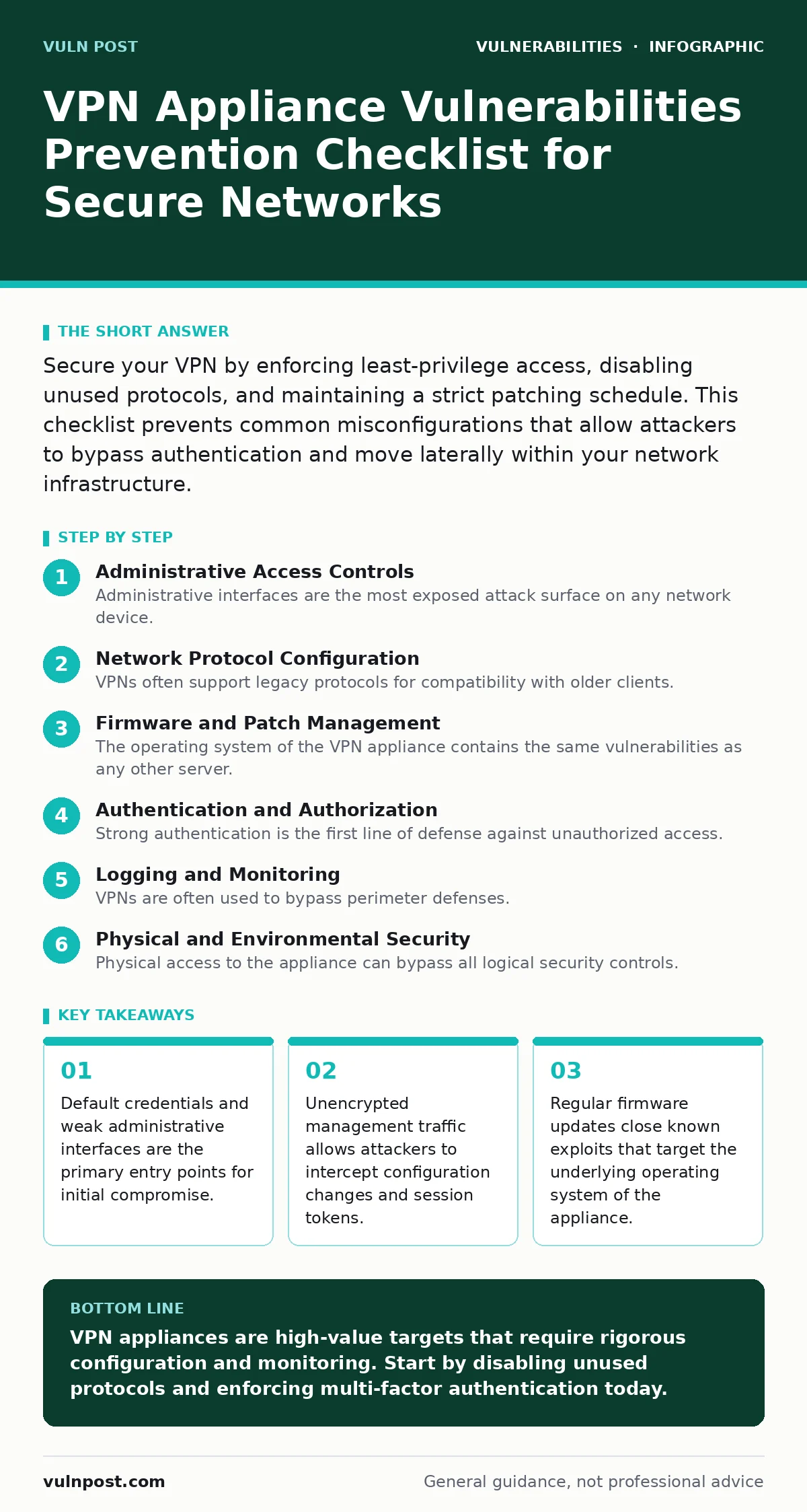
Secure your VPN by enforcing least-privilege access, disabling unused protocols, and maintaining a strict patching schedule. This checklist prevents common misconfigurations that allow attackers to bypass authentication and move laterally within your network infrastructure.
Administrative Access Controls
Administrative interfaces are the most exposed attack surface on any network device. Attackers target these ports to gain control of the entire appliance. You must restrict who can access these controls and how they verify their identity.
- Disable default administrative accounts: Default names are known to every attacker and cannot be changed on many older firmware versions.
- Enforce complex password policies: Simple passwords allow brute-force attacks that guess credentials within minutes.
- Implement multi-factor authentication: Passwords alone cannot protect against credential theft or phishing attacks.
- Restrict admin access to specific IPs: Limiting source addresses prevents attackers from scanning for open management ports.
- Use SSH over Telnet: Telnet transmits data in plain text, allowing interception of credentials and commands.
Network Protocol Configuration
VPNs often support legacy protocols for compatibility with older clients. These protocols lack modern encryption standards and contain known vulnerabilities. You must disable any protocol that is not strictly required for business operations.
- Disable PPTP: Point-to-Point Tunneling Protocol uses weak encryption that is easily broken with current computing power.
- Disable L2TP without IPSec: Layer 2 Tunneling Protocol provides no encryption on its own and is vulnerable to replay attacks.
- Enforce strong cipher suites: Weak ciphers allow attackers to decrypt traffic even if they cannot break the authentication.
- Disable unused ports: Open ports provide additional surface area for scanning and exploitation attempts.
- Segment VPN traffic: Isolating VPN users prevents lateral movement if one client is compromised.
Firmware and Patch Management
The operating system of the VPN appliance contains the same vulnerabilities as any other server. Attackers exploit these flaws to execute arbitrary code or bypass authentication. You must maintain a rigorous update schedule to close these gaps.
- Subscribe to security advisories: Vendor notifications alert you to critical flaws before widespread exploitation occurs.
- Test patches in staging: Applying updates directly to production can break connectivity if the patch is flawed.
- Document firmware versions: Tracking versions helps you identify which appliances are vulnerable during a new CVE announcement.
- Automate patch deployment: Manual updates are often delayed, leaving systems exposed for extended periods.
- Verify patch integrity: Ensure updates are signed by the vendor to prevent supply chain attacks.
Authentication and Authorization
Strong authentication is the first line of defense against unauthorized access. Weak authentication mechanisms allow attackers to impersonate legitimate users. You must configure your VPN to enforce strict identity verification.
- Integrate with identity providers: Centralized authentication allows you to revoke access immediately when an employee leaves.
- Enforce session timeouts: Long-lived sessions increase the window of opportunity for session hijacking attacks.
- Disable certificate pinning for admins: Pinning prevents administrators from updating certificates without reconfiguring the appliance.
- Use unique certificates per user: Shared certificates make it impossible to trace malicious activity to a specific individual.
- Monitor failed login attempts: Spikes in failed logins indicate brute-force or credential stuffing attacks.
Logging and Monitoring
VPNs are often used to bypass perimeter defenses. Attackers use them to establish persistent access and exfiltrate data. You must monitor VPN traffic for anomalies that indicate compromise.
- Enable detailed logging: Logs provide the evidence needed to reconstruct an attack after it occurs.
- Forward logs to a SIEM: Centralized analysis allows you to correlate VPN events with other security alerts.
- Monitor for unusual traffic patterns: Large data transfers at odd hours may indicate data exfiltration.
- Alert on concurrent logins: A user logging in from two locations simultaneously suggests credential sharing or theft.
- Review logs weekly: Regular review ensures that anomalies are detected before they escalate into major incidents.
Physical and Environmental Security
Physical access to the appliance can bypass all logical security controls. Attackers can reset passwords, install keyloggers, or remove drives. You must secure the physical location of your VPN hardware.
- Lock server rooms: Physical access allows an attacker to bypass network security controls entirely.
- Disable USB ports: USB devices can be used to install malware or extract data from the appliance.
- Use tamper-evident seals: Seals provide visual evidence if someone has physically accessed the device.
- Control environmental access: Extreme temperatures or humidity can damage hardware and cause unexpected failures.
- Document physical location: Knowing where devices are helps you respond to physical security breaches.
Configuration Hardening Best Practices
Default configurations prioritize ease of setup over security. These defaults often leave unnecessary services running and ports open. You must harden your configuration to reduce the attack surface.
- Remove default content: Default pages and test files can reveal version information to attackers.
- Disable unnecessary services: Each service is a potential vulnerability that can be exploited.
- Implement input validation: Proper validation prevents injection attacks that can compromise the appliance.
- Use configuration management tools: Automated tools ensure consistent configuration across all appliances.
- Conduct regular audits: Audits identify drift from the hardened baseline over time.
For deeper technical details, see the guide on configuration hardening. Understanding how to validate input is critical; read the input validation guide for specific techniques. If you suspect your router is compromised, consult the router vulnerabilities guide. For context on how these flaws are tracked, see CVE identifiers. Related web-based risks are covered in cross-site WebSocket hijacking and clickjacking guides. If authentication fails, check authentication bypass vulnerabilities. Regular vulnerability scanning helps identify exposed services.
Key takeaways
- Default credentials and weak administrative interfaces are the primary entry points for initial compromise.
- Unencrypted management traffic allows attackers to intercept configuration changes and session tokens.
- Regular firmware updates close known exploits that target the underlying operating system of the appliance.
VPN appliances are high-value targets that require rigorous configuration and monitoring. Start by disabling unused protocols and enforcing multi-factor authentication today.
Frequently asked questions
How often should I update VPN firmware?
Update immediately when critical security patches are released. Schedule routine updates quarterly to address non-critical fixes.
Can I use a VPN for all internet traffic?
Routing all traffic through a VPN can create bottlenecks and increase latency. Use it only for sensitive remote access connections.
What is the risk of leaving default credentials?
Default credentials are publicly known. Attackers can gain full control of the appliance within minutes of it being online.
How do I detect a compromised VPN user?
Monitor for unusual login times, large data transfers, and access to sensitive resources that the user does not normally use.
How this guide was produced: written by the Vuln Post editorial team with AI assistance, checked against the public references listed below, and reviewed when the facts change. See our editorial policy or report an error.