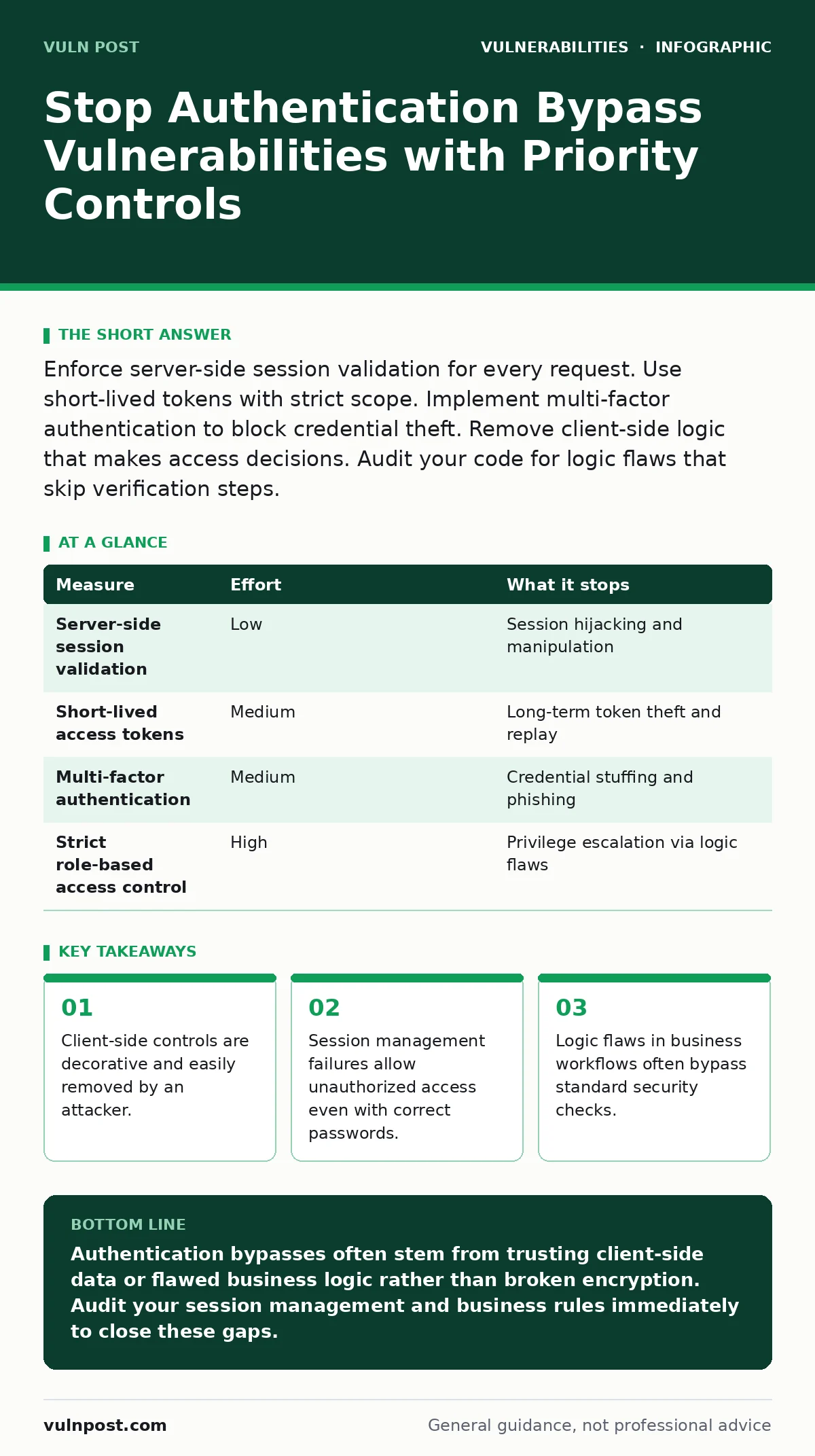
Enforce server-side session validation for every request. Use short-lived tokens with strict scope. Implement multi-factor authentication to block credential theft. Remove client-side logic that makes access decisions. Audit your code for logic flaws that skip verification steps.
Trust Nothing from the Network
The fundamental error in many applications is trusting data sent by the client. You might assume that if a user has a specific cookie or header, they are authorized. This assumption fails because an attacker can modify, replay, or fabricate these values. The server must treat every incoming request as untrusted.
Authentication confirms identity. Authorization confirms permission. These are distinct processes. A common mistake is conflating the two. An attacker might authenticate as a low-privilege user but then manipulate the request to access administrative functions. Your application must verify permissions for every action, not just at login.
Validate Session State Server-Side
Session management is the backbone of web security. When a user logs in, the server creates a session object. This object stores the user’s identity and privileges. The client receives a session identifier, usually a cookie. The server must check this identifier against its internal store for every request.
If you store sensitive data in client-side cookies or local storage, you create a risk. An attacker with access to the browser can read this data. They can also modify it to elevate privileges. Always store session state on the server. The client should only hold an opaque token that maps to the server-side record.
| Measure | Effort | What it stops |
|---|---|---|
| Server-side session validation | Low | Session hijacking and manipulation |
| Short-lived access tokens | Medium | Long-term token theft and replay |
| Multi-factor authentication | Medium | Credential stuffing and phishing |
| Strict role-based access control | High | Privilege escalation via logic flaws |
Enforce Strict Scope and Expiry
Tokens should have the smallest possible scope. If a token grants access to read data, it should not grant permission to write data. This principle of least privilege limits the damage if a token is stolen. You must also enforce short expiration times.
Long-lived tokens are a liability. If an attacker steals a token that never expires, they have permanent access. Short-lived tokens reduce the window of opportunity. Combine this with refresh tokens that are stored securely and rotated frequently. This adds friction for attackers while maintaining usability for legitimate users.
Patch Logic Flows in Business Rules
Many bypass vulnerabilities are not in the authentication code itself. They are in the business logic. Imagine a shopping cart system. The user adds an item, proceeds to checkout, and enters payment details. If the system checks the price at checkout but not at the database level, an attacker can modify the price in the request.
This is a business logic error. The authentication worked. The user is who they say they are. But the application failed to validate the data integrity of the transaction. You must review your workflows for steps where the server accepts user input to determine critical values. This includes prices, quantities, and destination addresses.
Implement Multi-Factor Authentication
Passwords alone are weak. They are reused across sites and often guessed. Multi-factor authentication requires a second form of verification. This could be a hardware token, a mobile app, or a biometric factor. This stops attackers who have stolen credentials.
However, multi-factor authentication is not a silver bullet. It can be bypassed if the implementation is flawed. For example, if the system does not enforce multi-factor authentication for administrative actions, an attacker with a stolen admin password can still gain access. Ensure that critical actions always require the second factor.
Harden Configuration and Dependencies
Your application runs on a foundation of libraries and frameworks. If these components have known vulnerabilities, your application is at risk. Regular updates are necessary. You must also configure these components securely. Default settings are often permissive to aid development, not security.
Refer to configuration hardening practices for your specific stack. This includes disabling unused features, restricting file permissions, and ensuring secure communication channels. Neglecting this layer allows attackers to exploit underlying weaknesses rather than your application logic. See also input validation strategies to prevent data injection that might bypass authentication checks.
Audit for Session Fixation Risks
Session fixation is an attack where the attacker sets the session identifier for the victim. If the server accepts this identifier after the victim logs in, the attacker gains access. This happens when the server does not generate a new session ID upon successful authentication.
You must regenerate session identifiers after login. This ensures that any previous identifier is invalid. This protects against session fixation and limits the impact of session hijacking. Review your session management library documentation to ensure this behavior is default. If it is not, implement it manually.
Monitor for Anomalous Behavior
Prevention is not enough. You need detection. Monitor for unusual login patterns. This includes logins from new locations, multiple failed attempts, or rapid succession of requests. While this does not stop the bypass, it allows you to respond quickly.
Combine this with side-channel attacks awareness. Some implementations leak information through timing differences. Ensure that your authentication responses take the same amount of time regardless of whether the username exists. This prevents attackers from enumerating valid users.
Checklist for Today
- Verify that session state is stored server-side, not in client cookies.
- Ensure session IDs are regenerated after every successful login.
- Check that administrative actions require multi-factor authentication.
Key takeaways
- Client-side controls are decorative and easily removed by an attacker.
- Session management failures allow unauthorized access even with correct passwords.
- Logic flaws in business workflows often bypass standard security checks.
Authentication bypasses often stem from trusting client-side data or flawed business logic rather than broken encryption. Audit your session management and business rules immediately to close these gaps.
Frequently asked questions
Does using OAuth 2.0 prevent authentication bypass?
OAuth 2.0 is a protocol for authorization, not authentication. It can help if implemented correctly, but it does not fix logic flaws in your application’s access control decisions.
Can a firewall stop authentication bypass attacks?
A firewall filters network traffic but cannot inspect the logic of your application. It will allow bypass attempts that use valid network protocols and ports.
Is HTTPS enough to secure authentication?
HTTPS protects data in transit from eavesdropping. It does not prevent logic flaws, session fixation, or client-side manipulation of request parameters.
How do I handle cross-site WebSocket hijacking?
Ensure WebSocket connections require the same authentication as HTTP requests. Validate the origin header and use secure cookies to prevent unauthorized connections.
How this guide was produced: written by the Vuln Post editorial team with AI assistance, checked against the public references listed below, and reviewed when the facts change. See our editorial policy or report an error.