
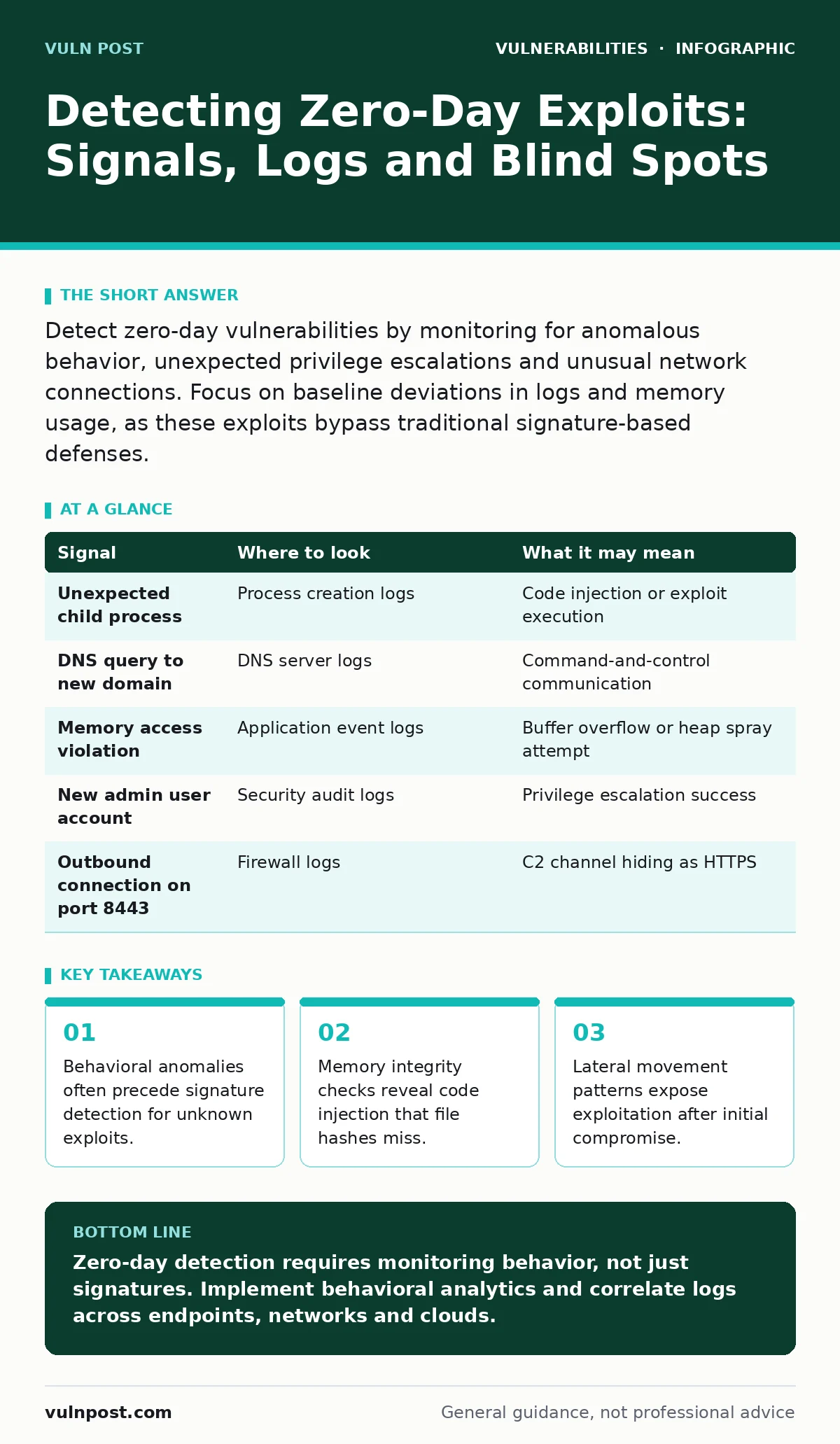
Detect zero-day vulnerabilities by monitoring for anomalous behavior, unexpected privilege escalations and unusual network connections. Focus on baseline deviations in logs and memory usage, as these exploits bypass traditional signature-based defenses.
Anomalous Process Behavior
Traditional antivirus software relies on signatures of known malware. A zero-day exploit has no signature because it is unknown to the vendor. You must look for processes that behave strangely rather than processes that are named strangely. Watch for a legitimate system process spawning a child process that it never spawns. For example, a web server process launching a command shell is highly suspicious.
Imagine a scenario where a background service starts consuming excessive CPU cycles. This might indicate a cryptominer or a proof-of-work attack embedded in the exploit. Check the parent-child relationship of processes. If a text editor launches a network socket, the intent is likely malicious. This deviation from standard operational procedure is your primary signal.
Memory Integrity Violations
File integrity monitoring tools check if files on disk have changed. They do not check what is running in RAM. Zero-day exploits often use in-memory techniques to avoid leaving traces on the hard drive. You need tools that monitor memory integrity. Look for code execution in non-executable memory regions. This is known as data execution prevention violations.
Suppose an application crashes repeatedly but restarts immediately. This could be a crash-loop exploit attempting to bypass security controls. Monitor for heap spraying or stack smashing attempts. These are techniques where an attacker overwrites memory to redirect execution. If your system logs show access violations in protected memory zones, investigate immediately. This indicates an attempt to execute arbitrary code.
Unexpected Network Connections
Firewalls block known malicious IP addresses. They do not block connections to new, unknown servers. A zero-day exploit often establishes a command-and-control channel to a fresh domain. Look for outbound connections to domains registered recently. Check for DNS queries to domains with high entropy names. These names look like random strings and are often generated by malware.
Imagine a server sending small, periodic packets to an external IP. This heartbeat signal maintains the connection to the attacker. Analyze the payload size and frequency. Legitimate software updates usually transfer large amounts of data. Small, consistent data transfers suggest a botnet or remote access tool. Monitor for connections on non-standard ports. Attackers often use port 80 or 443 to blend in with normal web traffic.
Privilege Escalation Artifacts
Exploits often start with low-level access and try to gain higher privileges. Look for sudden changes in user permissions. A standard service account suddenly gaining administrator rights is a red flag. Check audit logs for successful logons from unexpected sources. Look for the creation of new user accounts with high privileges.
Suppose a database service starts accessing files in the system directory. This suggests the service has escaped its sandbox. Monitor for changes to security policies. Attackers often disable logging or modify firewall rules to cover their tracks. If you see these changes, assume the system is compromised. The exploit likely succeeded in elevating privileges.
File System Anomalies
Attackers often drop tools or scripts to maintain access. Look for new files in temporary directories. Check for files with hidden attributes or unusual extensions. A text file with a double extension like .txt.exe is a common trick. Monitor for changes to system configuration files.
Imagine a scenario where a legitimate executable is replaced with a malicious one. This is known as binary planting. File integrity monitoring will catch this if configured correctly. However, attackers may use legitimate tools to execute their code. This is called living off the land. You must monitor the usage of standard tools for unusual commands.
See also: MITRE ATT&CK Navigator FAQ: Tactics, Techniques, and Matrix Usage · User and Entity Behavior Analytics: 6 Misunderstandings and Fixes
Signal Detection Table
| Signal | Where to look | What it may mean |
|---|---|---|
| Unexpected child process | Process creation logs | Code injection or exploit execution |
| DNS query to new domain | DNS server logs | Command-and-control communication |
| Memory access violation | Application event logs | Buffer overflow or heap spray attempt |
| New admin user account | Security audit logs | Privilege escalation success |
| Outbound connection on port 8443 | Firewall logs | C2 channel hiding as HTTPS |
Common Blind Spots
Many security teams focus on perimeter defenses. They miss attacks that originate from inside the network. Zero-day exploits often bypass perimeter controls. You must monitor internal traffic. Look for lateral movement between servers. An attacker who compromises one server will try to move to others.
Another blind spot is cloud environment logging. Many organizations do not enable detailed logging for cloud services. This leaves a gap in visibility. Ensure all API calls and administrative actions are logged. Also, consider side-channel attacks. These attacks exploit information gained from the physical implementation of a computer system. Timing variations or power consumption can leak secrets. Traditional tools do not detect these.
Tooling for Detection
You need tools that provide deep visibility. Endpoint detection and response platforms monitor behavior. They can stop processes that act maliciously. Network detection and response tools analyze traffic patterns. They can identify command-and-control communications. Security information and event management systems aggregate logs. They help you correlate events across your infrastructure.
Imagine using a sandbox to analyze suspicious files. Sandboxes execute code in a isolated environment. They can reveal malicious behavior without risking your production systems. However, advanced exploits may detect the sandbox and hide their behavior. You must use multiple layers of defense. No single tool provides complete protection.
Key takeaways
- Behavioral anomalies often precede signature detection for unknown exploits.
- Memory integrity checks reveal code injection that file hashes miss.
- Lateral movement patterns expose exploitation after initial compromise.
Zero-day detection requires monitoring behavior, not just signatures. Implement behavioral analytics and correlate logs across endpoints, networks and clouds.
Frequently asked questions
Can firewalls detect zero-day exploits?
Firewalls can block known malicious traffic but cannot detect unknown exploits unless they analyze application-layer behavior and anomalies.
How do I distinguish a false positive from a real zero-day?
Correlate multiple signals such as process behavior, network connections and privilege changes. A single anomaly is often benign; multiple correlated anomalies are likely malicious.
Do zero-day exploits leave no trace?
They leave behavioral traces such as unusual memory access, new network connections and privilege changes. These traces are visible if you monitor the right indicators.
Is patching enough to prevent zero-day exploitation?
Patching fixes known vulnerabilities. It does not protect against zero-days because the vulnerability is unknown. You need behavioral monitoring and defense-in-depth strategies.
How this guide was produced: written by the Vuln Post editorial team with AI assistance, checked against the public references listed below, and reviewed when the facts change. See our editorial policy or report an error.