The MITRE ATT&CK Navigator is a web-based tool that visualizes the ATT&CK matrix. It lets you select techniques, create layers, and share them. You use it to plan adversary emulation, assess detection gaps, and communicate risk. It turns static data into actionable security strategy.
What is the MITRE ATT&CK Navigator?
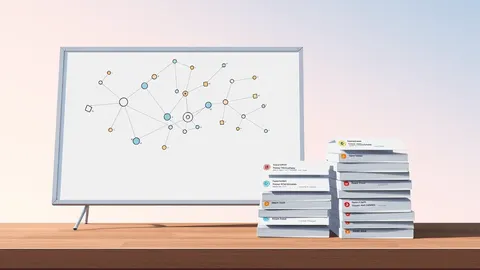
The MITRE ATT&CK Navigator is a free, open-source web application that visualizes the MITRE ATT&CK framework. It allows users to select specific tactics and techniques from the matrix to create custom views called layers. These layers highlight relevant threats for a specific environment or use case. The tool helps security teams move beyond the full matrix complexity. You can focus on the 10 techniques most likely to impact your infrastructure. This visualization aids in communication between technical analysts and management.
How do I create my first layer?
You create a layer by visiting the Navigator website and selecting "Create Layer" from the menu. The interface loads a blank matrix representing the current version of ATT&CK. You click on individual technique cells to highlight them in a chosen color. Each color can represent a different status, such as "detected," "tested," or "planned." You can add notes to each cell to document specific controls or gaps. Once finished, you save the layer as a JSON file. This file can be imported back into the Navigator or shared with colleagues.
What is the difference between a tactic and a technique?
A tactic represents the adversary's goal, such as gaining initial access or maintaining persistence. A technique is the specific method used to achieve that goal. For example, "Initial Access" is a tactic, while "Phishing" is a technique under that tactic. The Navigator organizes the matrix by tactics in columns and techniques in rows. Understanding this hierarchy is vital for accurate mapping. If you map only tactics, you miss the operational details. If you map only techniques, you lose the strategic context. Both levels are needed for a complete picture.
How do I use the Navigator for adversary emulation?
Adversary emulation involves simulating real-world attacks to test your defenses. The Navigator helps you select a specific adversary profile or create your own. You choose the techniques that match the threat actors targeting your industry. Then you map those techniques to your internal systems. This process identifies which simulations are necessary. You can track which techniques you have tested and which remain untested. This structured approach ensures you are testing the right scenarios. It prevents wasted effort on low-probability attack paths.
Imagine you are preparing for a red team exercise. You use the Navigator to highlight the techniques known to bypass your current endpoint detection. This focused list becomes the script for the testers. It ensures they challenge your specific weaknesses rather than generic vulnerabilities.
Can I share my layers with other teams?
You can share layers by exporting the JSON file or generating a shareable link. The link allows others to view the layer without editing it. This is useful for reporting to stakeholders who do not need to create their own maps. You can also import layers created by other organizations. This enables benchmarking against industry peers. However, you must verify the relevance of imported layers. A layer designed for a financial institution may not apply to a healthcare provider. Context matters when adopting external threat models.
See also: Domain Fronting Mistakes: 6 Ways Your Network Gets Bypassed · Why Malware Families Matter for Incident Response and Detection
How does the Navigator handle multiple matrix versions?
The ATT&CK framework updates regularly with new techniques and changes. The Navigator allows you to switch between different versions of the matrix. This is important for historical analysis and long-term tracking. If you created a layer last year, you can view it against the current matrix. This highlights new techniques that may now be relevant. It also shows if old techniques have been deprecated or merged. Keeping your layers updated ensures your strategy remains current. Outdated layers can give a false sense of security.
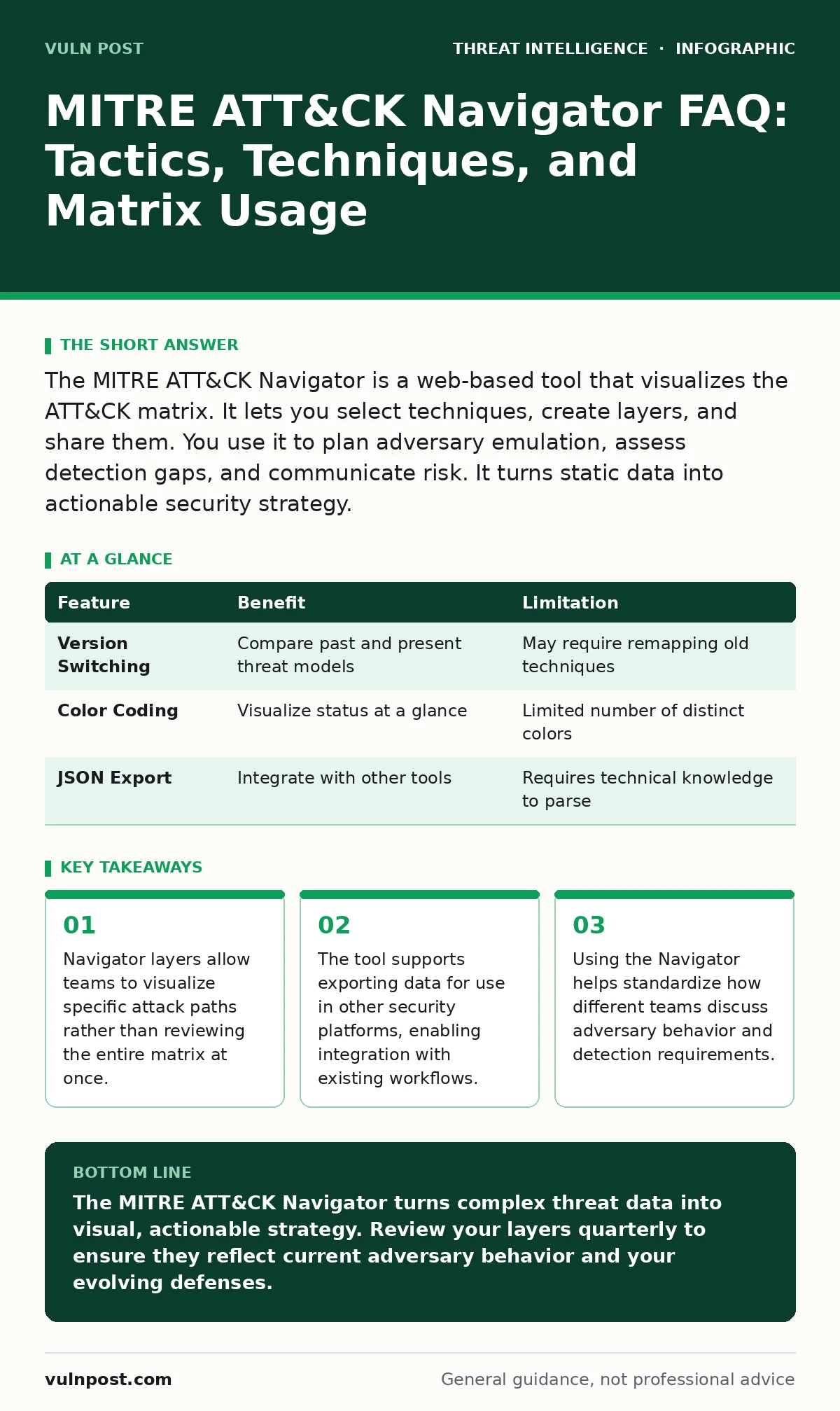
| Feature | Benefit | Limitation |
|---|---|---|
| Version Switching | Compare past and present threat models | May require remapping old techniques |
| Color Coding | Visualize status at a glance | Limited number of distinct colors |
| JSON Export | Integrate with other tools | Requires technical knowledge to parse |
What are the limitations of the Navigator?
The Navigator is a visualization tool, not a detection engine. It does not automatically detect attacks or block threats. It requires human input to define what is relevant. The accuracy of your layer depends on the quality of your data. If you miss a technique, the Navigator will not flag it. It also does not provide step-by-step instructions for mitigation. You must rely on other resources for that detail. The tool is only as good as the analyst using it. It simplifies complexity but does not solve it.
How do I integrate the Navigator with other tools?
Many security platforms support importing or exporting ATT&CK data. You can use the Navigator to create a layer and then export it to a SIEM or SOAR platform. This allows automated correlation of alerts with adversary behavior. Some tools allow you to push detection results back into the Navigator. This creates a feedback loop. As you detect more activity, your layers become more accurate. Integration reduces manual data entry. It ensures your threat intelligence remains dynamic and responsive.
What is the role of sub-techniques in mapping?
Sub-techniques provide granular detail within a main technique. For example, "Phishing" may have sub-techniques for "Spearphishing Link" and "Spearphishing Attachment." Mapping at the sub-technique level offers higher precision. It allows you to distinguish between different methods of the same tactic. This is useful for fine-tuning detection rules. However, it increases the complexity of your layer. You must balance detail with usability. Too much granularity can overwhelm the view. Start with main techniques and drill down as needed.
How do I ensure my layers remain accurate over time?
You must review and update your layers regularly. Threat actors change their methods, and your defenses evolve. A layer created six months ago may no longer reflect your risk profile. Schedule quarterly reviews to validate the selected techniques. Remove techniques that are no longer relevant. Add new techniques that have emerged. This maintenance ensures your strategy stays aligned with the current threat environment. Neglecting updates leads to stale intelligence. Stale intelligence fails to protect against modern attacks.
How does the Navigator help with compliance?
Many compliance frameworks require evidence of threat modeling and risk assessment. The Navigator provides a documented record of your analysis. You can export layers as proof of due diligence. This shows auditors that you have considered specific adversary behaviors. It demonstrates a proactive approach to security. The visual nature of the layers makes it easier to explain your strategy. It bridges the gap between technical controls and compliance requirements. This documentation supports your overall security posture.
Key takeaways
- Navigator layers allow teams to visualize specific attack paths rather than reviewing the entire matrix at once.
- The tool supports exporting data for use in other security platforms, enabling integration with existing workflows.
- Using the Navigator helps standardize how different teams discuss adversary behavior and detection requirements.
The MITRE ATT&CK Navigator turns complex threat data into visual, actionable strategy. Review your layers quarterly to ensure they reflect current adversary behavior and your evolving defenses.
Frequently asked questions
Is the MITRE ATT&CK Navigator free to use?
Yes, the Navigator is a free, open-source tool available to anyone. It does not require a license or subscription. You can use it for personal or commercial purposes without cost.
Can I use the Navigator for cloud environments?
Yes, the ATT&CK framework includes cloud-specific matrices for AWS, Azure, and GCP. The Navigator supports these matrices, allowing you to map cloud-specific techniques. This helps you assess risks in hybrid or cloud-only environments.
How do I learn more about a specific technique?
Clicking on a technique cell in the Navigator opens a link to the full ATT&CK website. There you can find detailed descriptions, mitigation strategies, and detection methods. This external resource provides the depth the Navigator does not display.
Can I customize the colors in my layers?
Yes, you can define custom colors for each layer. This allows you to create consistent visual standards across your organization. You can assign specific meanings to colors, such as red for high risk and green for mitigated.
How this guide was produced: written by the Vuln Post editorial team with AI assistance, checked against the public references listed below, and reviewed when the facts change. See our editorial policy or report an error.