Monitor HTTP response headers for internal IP addresses and unexpected version strings. Check for unauthorized proxy configurations in the web.config files. Verify that all server components match expected versions to detect silent upgrades or backdoors.
Early Indicators in HTTP Traffic
Exchange servers communicate using standard HTTP protocols, which means response headers are visible to anyone connecting to the service. Attackers often modify these headers to test connectivity or maintain access. You notice these signs first because they appear in every web request, not just in error logs.
Check the X-Powered-By and Server headers in outbound responses. These fields sometimes reveal the exact version of the underlying web server or IIS configuration. If the header shows a version different from your inventory, an attacker may have installed a custom module or backdoor. This mismatch is a strong indicator of compromise.
Hidden Proxy Configurations
The web.config file controls how IIS processes requests on Exchange servers. Attackers frequently insert proxy rules into this file to route traffic through their own servers. This allows them to intercept data without modifying the core Exchange binaries.
These rules are easy to miss because they do not generate authentication failures. The server behaves normally for legitimate users. However, the traffic flow changes subtly. You detect this by reviewing the system.webServer/proxy section of the configuration file. Look for destinations that are not part of your authorized infrastructure.
Silent Component Drift
Exchange consists of multiple roles and components. Each component has a specific build number. Attackers often replace specific DLLs or executables with modified versions that include backdoors. This creates a state where the server reports one version but runs different code.
You identify this drift by comparing file hashes against the official Microsoft release information. If a file hash does not match the known good value for that build, the file has been altered. This is a definitive sign of a vulnerability being exploited or a maintenance window being abused.
Unusual Authentication Patterns
Standard logins produce predictable patterns. Attackers automate their attempts, creating distinct statistical anomalies. You see spikes in failed logins from specific IP ranges or at unusual times. However, sophisticated attackers mimic normal user behavior to avoid detection.
Look for successful logins followed immediately by administrative actions. Normal users rarely perform administrative tasks right after logging in. This sequence suggests automated scripts executing post-exploitation commands. Monitor the correlation between authentication events and subsequent API calls.
Network Lateral Movement Signs
Once inside the Exchange server, attackers look for paths to other systems. They often use the server as a pivot point to access internal databases or file servers. You notice this through increased internal traffic from the Exchange server to other hosts.
Check for connections to unexpected ports or services. Exchange servers have specific communication needs. Traffic to random internal IPs on non-standard ports indicates reconnaissance or lateral movement. This activity is visible in network flow logs but often ignored as background noise.
Response Header Information Leakage
HTTP headers can leak sensitive information about the internal network structure. Attackers use this data to map your environment. You see this when headers contain internal IP addresses or domain names.
This leakage occurs when the server is misconfigured or when a reverse proxy is not stripping headers properly. It provides attackers with a roadmap of your internal infrastructure. Fixing this requires configuring the web server to suppress internal details in all outbound responses.
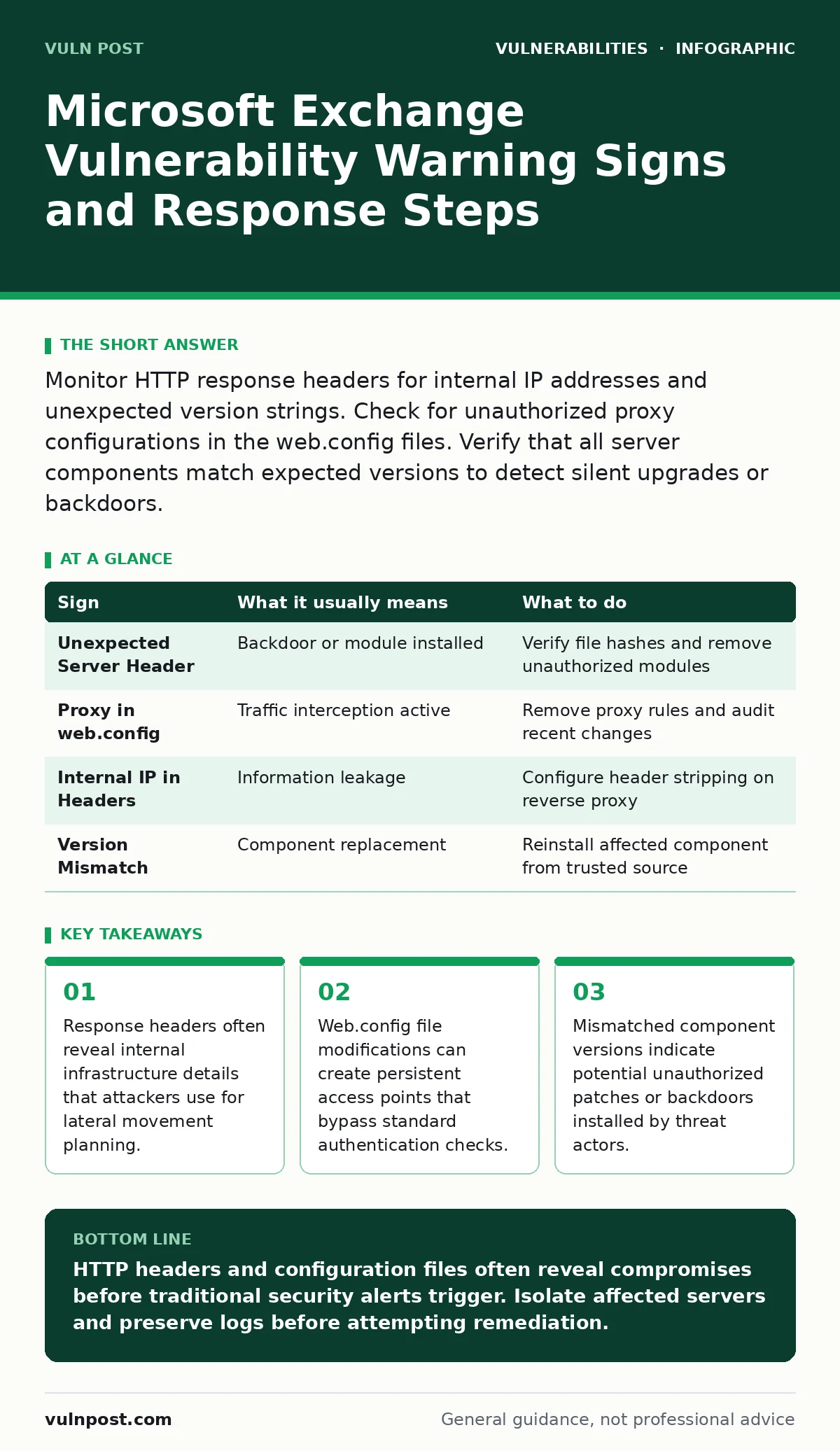
| Sign | What it usually means | What to do |
|---|---|---|
| Unexpected Server Header | Backdoor or module installed | Verify file hashes and remove unauthorized modules |
| Proxy in web.config | Traffic interception active | Remove proxy rules and audit recent changes |
| Internal IP in Headers | Information leakage | Configure header stripping on reverse proxy |
| Version Mismatch | Component replacement | Reinstall affected component from trusted source |
Immediate Containment Steps
When you detect these signs, you must act quickly. Isolate the affected server from the network to prevent further data exfiltration. Do not shut it down immediately, as this may destroy volatile memory evidence.
Capture a memory dump for forensic analysis. Preserve all log files, including IIS logs and security event logs. Compare the current state against your secure configuration baselines to identify all deviations.
Refer to CVE identifiers when reporting the specific vulnerability to your management team. Understanding the CVSS environmental scores helps prioritize remediation efforts based on your specific network topology. For related infrastructure issues, see our guides on router vulnerabilities and VPN appliance vulnerabilities.
Key takeaways
- Response headers often reveal internal infrastructure details that attackers use for lateral movement planning.
- Web.config file modifications can create persistent access points that bypass standard authentication checks.
- Mismatched component versions indicate potential unauthorized patches or backdoors installed by threat actors.
HTTP headers and configuration files often reveal compromises before traditional security alerts trigger. Isolate affected servers and preserve logs before attempting remediation.
Frequently asked questions
How do I check for proxy rules in Exchange?
Review the web.config file in the Exchange website root directory for any system.webServer/proxy entries that point to external or unauthorized internal addresses.
What is session fixation in this context?
Session fixation is an attack where an attacker forces a user to use a known session ID, allowing them to hijack the session. Monitor for unexpected session ID changes.
Do I need to worry about side-channel attacks?
Side-channel attacks exploit physical implementation details. While less common in remote Exchange exploits, ensure your hardware and firmware are updated to mitigate timing or power analysis risks.
How do CVE identifiers help?
CVE identifiers provide a standardized way to reference specific vulnerabilities. Use them to track patch availability and compare severity ratings across different systems.
How this guide was produced: written by the Vuln Post editorial team with AI assistance, checked against the public references listed below, and reviewed when the facts change. See our editorial policy or report an error.