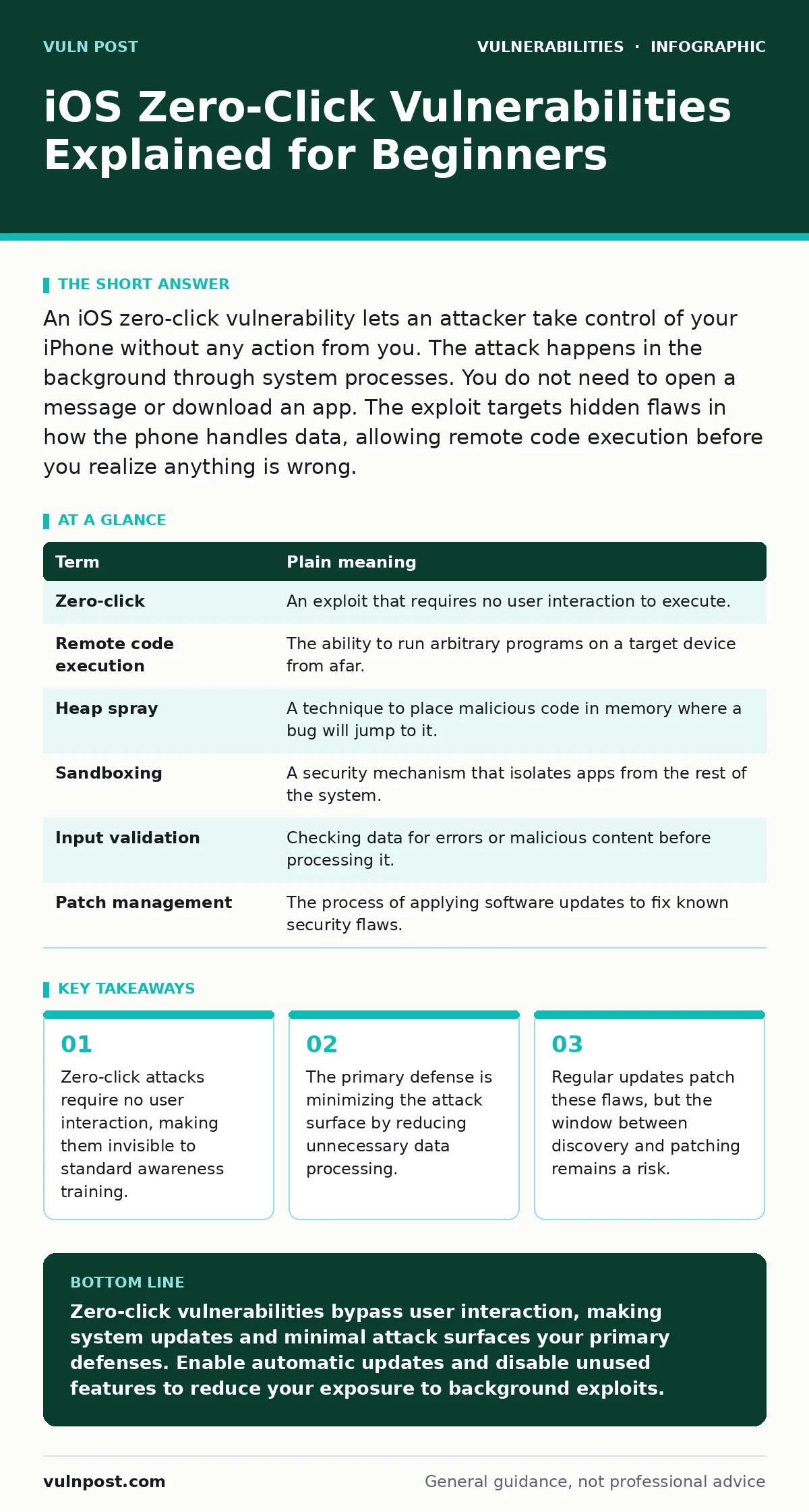
An iOS zero-click vulnerability lets an attacker take control of your iPhone without any action from you. The attack happens in the background through system processes. You do not need to open a message or download an app. The exploit targets hidden flaws in how the phone handles data, allowing remote code execution before you realize anything is wrong.
The Locked House Analogy
Imagine your iPhone is a house with a high-security door. A standard attack requires you to open the door for a thief. A zero-click attack is like a burglar who slips a note through the mail slot. You never open the door. You never see the thief. The house remains locked from your perspective, but the burglar has already entered through a flaw in the mail delivery system. This analogy helps you understand why user behavior alone cannot stop these attacks. The vulnerability exists in the system that processes incoming data, not in your decision to open it.
Defining the Attack Mechanism
Zero-click vulnerabilities exploit bugs in software that runs in the background. When your phone receives a message, it must parse the data to display it. If the parsing code has a flaw, an attacker can send specially crafted data that crashes the parser or hijacks its memory. This allows remote code execution, meaning the attacker can run their own programs on your device. This concept is similar to zero-day vulnerabilities, where the flaw is unknown to the vendor. The term "zero-click" refers to the lack of required user interaction. You do not tap a link. You do not view an image. The attack executes automatically upon receipt.
Key Terms for Security Teams
Understanding the terminology helps you discuss these risks with technical teams. The table below defines the core concepts used in vulnerability analysis.
| Term | Plain meaning |
|---|---|
| Zero-click | An exploit that requires no user interaction to execute. |
| Remote code execution | The ability to run arbitrary programs on a target device from afar. |
| Heap spray | A technique to place malicious code in memory where a bug will jump to it. |
| Sandboxing | A security mechanism that isolates apps from the rest of the system. |
| Input validation | Checking data for errors or malicious content before processing it. |
| Patch management | The process of applying software updates to fix known security flaws. |
Impact on Ordinary Users
For most users, the immediate fear is total device compromise. However, the reality is more nuanced. Attackers using zero-click exploits usually target specific individuals, not random users. The cost of developing these exploits is high, so they are reserved for high-value targets. If you are not a journalist, activist, or executive, the likelihood of being targeted is low. Still, the presence of these flaws means your device is not impervious. The risk shifts from "will I click a bad link" to "is my system updated." This changes how you think about security. You cannot rely on caution alone. You must rely on system integrity.
Simple Safety Habits
You cannot prevent a zero-click exploit through awareness alone. You must reduce the attack surface. This means limiting the services that process external data. Disable features you do not use, such as AirDrop or Bluetooth, when not needed. This reduces the number of entry points for an attacker. Enable automatic software updates immediately. This ensures you receive patches as soon as they are available. The window of vulnerability is often short, but it exists. If you delay updates, you remain exposed to known flaws. This approach is similar to router vulnerabilities, where delayed firmware updates leave the network gateway open to attack.
The Hidden Cost of Security
There is a trade-off between security and functionality. Every feature your phone offers is a potential vector for attack. Background syncing, instant messaging, and media processing all require complex code. Complex code contains bugs. The more features you enable, the larger the attack surface. Disabling features reduces risk but also reduces convenience. You must decide which services are worth the risk. For example, turning off automatic photo uploads may protect you from a flaw in the upload parser, but it removes a convenience. This decision process is central to threat modeling for applications, where you weigh risk against utility.
Why Updates Are Not Enough
Updates fix known issues, but they do not prevent new ones. Developers write complex code, and new bugs are introduced with every release. A zero-click exploit discovered today may be patched tomorrow, but it may also be used before the patch is released. This is why defense in depth is necessary. You need multiple layers of protection. Encryption protects your data if it is stolen. Sandboxing limits the damage if an exploit succeeds. Monitoring detects unusual behavior after an attack. No single measure provides complete protection. This mirrors the challenge of WordPress plugin update policies, where delayed updates leave sites vulnerable despite available fixes.
Beyond the Device
The risk extends beyond the phone itself. If an attacker gains access to your device, they may access connected accounts, emails, and cloud storage. This can lead to lateral movement within your personal or professional network. Understanding the scope of a breach requires looking at the entire ecosystem. This is similar to how unauthenticated remote code execution in one system can compromise a wider network. You should consider the impact of a compromised device on your other accounts and devices. Use unique passwords for each account to limit the spread of damage. Enable two-factor authentication wherever possible to add a layer of identity verification.
What to Try Now
Take these three steps to reduce your exposure to background processing flaws.
- Enable automatic iOS updates to ensure you receive security patches immediately upon release.
- Disable unused connectivity features like AirDrop and Bluetooth when you are not actively using them.
- Review your app permissions and restrict access to microphone and camera for apps that do not need them.
Key takeaways
- Zero-click attacks require no user interaction, making them invisible to standard awareness training.
- The primary defense is minimizing the attack surface by reducing unnecessary data processing.
- Regular updates patch these flaws, but the window between discovery and patching remains a risk.
Zero-click vulnerabilities bypass user interaction, making system updates and minimal attack surfaces your primary defenses. Enable automatic updates and disable unused features to reduce your exposure to background exploits.
Frequently asked questions
Can a zero-click exploit steal my passwords?
Yes, if the exploit grants access to keychain or saved credentials, an attacker can retrieve stored passwords and session tokens.
Does turning off my phone stop a zero-click attack?
Turning off the phone stops active processing, but an exploit may have already executed and planted malware before you power down.
Are older iPhones more vulnerable to these attacks?
Older devices may not receive the latest security patches, leaving them exposed to recently discovered flaws that newer versions have fixed.
How do I know if I have been hacked by a zero-click exploit?
Detection is difficult, but signs include unusual battery drain, unexpected data usage, or apps crashing more frequently than usual.
How this guide was produced: written by the Vuln Post editorial team with AI assistance, checked against the public references listed below, and reviewed when the facts change. See our editorial policy or report an error.