
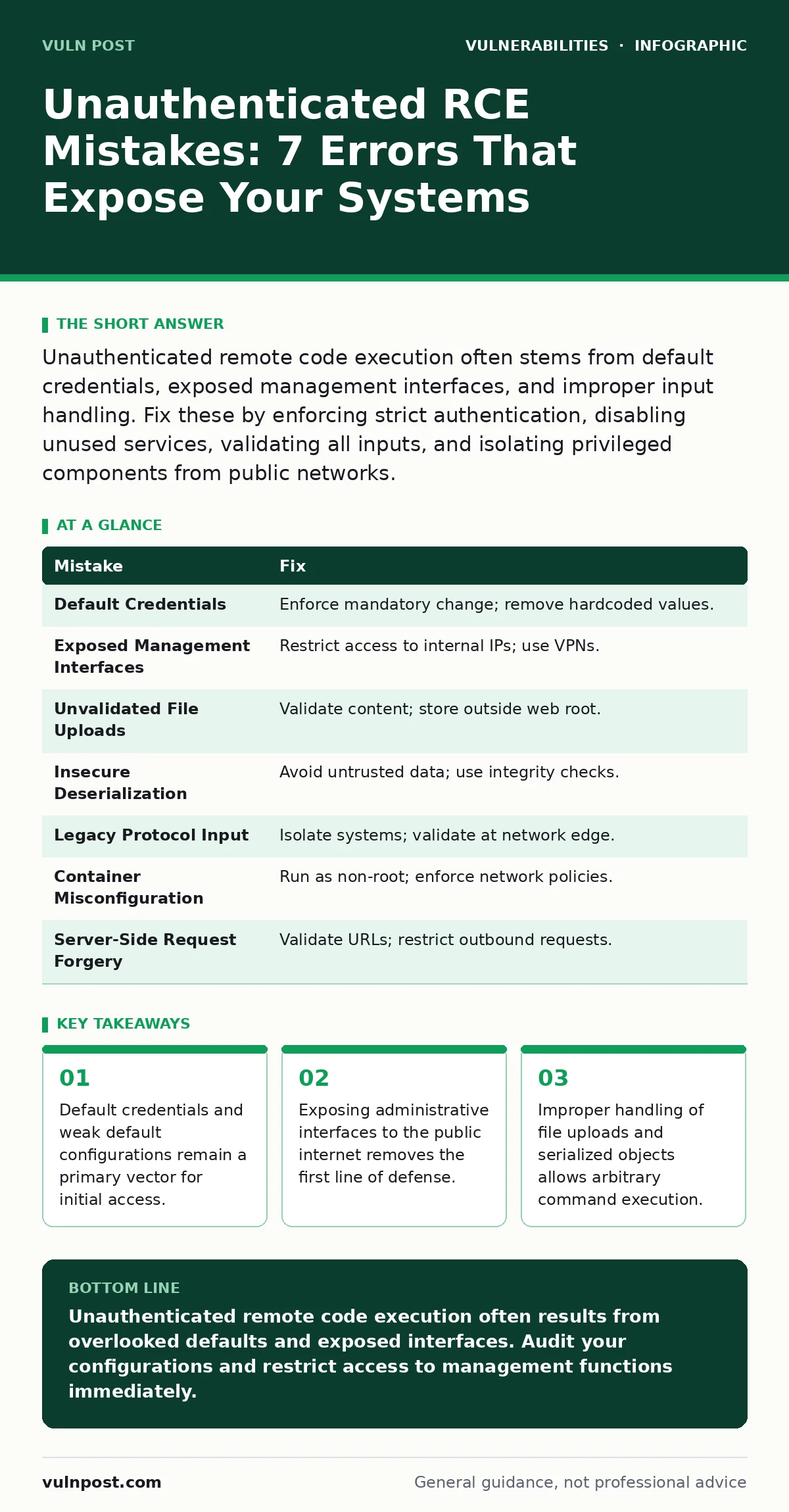
Unauthenticated remote code execution often stems from default credentials, exposed management interfaces, and improper input handling. Fix these by enforcing strict authentication, disabling unused services, validating all inputs, and isolating privileged components from public networks.
Mistake 1: Leaving Default Credentials Active
Why it hurts:
Manufacturers often ship devices with well-known default usernames and passwords to simplify initial setup. These credentials are documented in public manuals and online databases. An attacker scanning the internet can identify the device type and immediately log in. This grants full administrative access without needing to exploit a software bug. The system assumes the administrator changed the password, which is a dangerous assumption.
The fix:
Enforce a mandatory credential change during the initial configuration process. Disable the ability to revert to default credentials. Implement account lockout policies after a few failed attempts to prevent brute-force guessing. Remove any hardcoded credentials from the application code itself. Store credentials in a secure vault rather than in configuration files. Regularly audit for any accounts that still use factory defaults.
Mistake 2: Exposing Management Interfaces Publicly
Why it hurts:
Administrative panels, debug endpoints, and configuration APIs should never be reachable from the public internet. When these interfaces are exposed, attackers can interact directly with the system’s core functions. Many of these interfaces lack the rigorous security testing applied to user-facing pages. They often accept commands or parameters that execute on the server. Even if authentication is required, the attack surface is significantly larger than the primary application.
The fix:
Place management interfaces behind a network firewall that restricts access to specific internal IP addresses. Use virtual private networks to ensure only authorized personnel can reach these endpoints. Disable remote management features if they are not strictly necessary for daily operations. Implement multi-factor authentication for any administrative access, even if it is internal. Monitor logs for any connection attempts from unexpected sources.
Mistake 3: Trusting File Uploads Without Validation
Why it hurts:
Applications that allow file uploads often assume the file type is safe based on the extension or MIME type. Attackers can rename malicious scripts to have benign extensions. If the server processes the file without strict validation, it may execute the code. This is common in image processing libraries that fail to sanitize content. The result is direct command execution on the server where the file is stored. The attacker gains the privileges of the web server process.
The fix:
Validate file content, not just the extension. Use strict allowlists for permitted file types. Store uploaded files outside the web root directory to prevent direct execution. Rename files upon upload to remove any original metadata or executable extensions. Use a dedicated service to process and sanitize files before they are stored or displayed. Ensure the web server is configured to deny execution in upload directories.
Mistake 4: Using Insecure Deserialization
Why it hurts:
Serialization converts objects into a format for storage or transmission. Deserialization reconstructs the object. If an application deserializes untrusted data without verifying its integrity, an attacker can inject malicious objects. These objects can execute code when reconstructed. This flaw exists in many popular programming languages and frameworks. It is particularly dangerous because it often occurs deep within the application logic, making it hard to detect. The attacker does not need to inject code; they inject data that becomes code.
The fix:
Avoid deserializing untrusted data whenever possible. Use safer alternatives like JSON or XML with strict schema validation. If deserialization is necessary, implement integrity checks using digital signatures. Use allowlists for permitted classes during the deserialization process. Keep libraries updated to patch known deserialization vulnerabilities. Monitor for unusual object creation patterns that may indicate an attack.
Mistake 5: Failing to Validate Input in Legacy Protocols
Why it hurts:
Legacy protocols often lack modern security features like input validation and encryption. They assume the network is trusted. Attackers can craft packets with malformed data that crashes the service or executes commands. This is common in industrial control systems and older network devices. The protocol may interpret certain byte sequences as commands. Without proper validation, the system processes these sequences as legitimate instructions. This allows remote code execution without any authentication.
The fix:
Isolate systems using legacy protocols from public networks. Use protocol gateways that translate and validate traffic before it reaches the legacy system. Implement strict input validation at the network edge. Disable unused services and ports that use legacy protocols. Regularly update firmware to address known protocol vulnerabilities. Monitor network traffic for anomalies that suggest protocol abuse.
Mistake 6: Misconfiguring Container Orchestration
Why it hurts:
Container platforms like Kubernetes provide powerful abstraction layers. Misconfigurations in these platforms can lead to privilege escalation. Running containers as root users allows an attacker to escape the container and access the host system. Incorrectly configured network policies may allow unrestricted communication between pods. This exposes internal services to external attackers. The complexity of orchestration tools often leads to oversight in security settings.
The fix:
Enforce non-root user policies for all containers. Use minimal base images to reduce the attack surface. Implement strict network policies that limit communication between services. Regularly scan container images for vulnerabilities. Use admission controllers to enforce security standards automatically. Audit configurations against established security benchmarks.
Mistake 7: Ignoring Server-Side Request Forgery
Why it hurts:
Server-Side Request Forgery allows an attacker to force the server to make requests to internal resources. This can expose internal services that are not directly accessible from the internet. If the server processes the response and executes code based on it, the attacker can inject commands. This is often combined with other vulnerabilities to achieve remote code execution. The server acts as a proxy for the attacker’s malicious requests.
The fix:
Validate and restrict URLs that the server can fetch. Use allowlists for permitted domains and IP addresses. Disable automatic content processing for fetched resources. Implement timeouts to prevent denial-of-service attacks. Monitor for unusual outbound traffic patterns. This relates to authentication bypass vulnerabilities where internal trust is exploited.
| Mistake | Fix |
|---|---|
| Default Credentials | Enforce mandatory change; remove hardcoded values. |
| Exposed Management Interfaces | Restrict access to internal IPs; use VPNs. |
| Unvalidated File Uploads | Validate content; store outside web root. |
| Insecure Deserialization | Avoid untrusted data; use integrity checks. |
| Legacy Protocol Input | Isolate systems; validate at network edge. |
| Container Misconfiguration | Run as non-root; enforce network policies. |
| Server-Side Request Forgery | Validate URLs; restrict outbound requests. |
Key takeaways
- Default credentials and weak default configurations remain a primary vector for initial access.
- Exposing administrative interfaces to the public internet removes the first line of defense.
- Improper handling of file uploads and serialized objects allows arbitrary command execution.
- Lack of input validation in legacy protocols enables injection attacks without user interaction.
Unauthenticated remote code execution often results from overlooked defaults and exposed interfaces. Audit your configurations and restrict access to management functions immediately.
Frequently asked questions
How do I detect unauthenticated RCE attempts?
Monitor for unusual outbound connections, unexpected process creation, and abnormal resource usage. Look for access to management interfaces from unknown IPs.
Does a firewall prevent unauthenticated RCE?
A firewall can block direct access to management interfaces but cannot stop attacks on exposed services. You must secure the applications themselves.
Are zero-day vulnerabilities the main cause?
Most unauthenticated RCE incidents stem from misconfigurations and known vulnerabilities that were not patched. Zero-days are rare compared to configuration errors.
How does this relate to broken access control?
Broken access control often allows unauthorized access to sensitive functions. Unauthenticated RCE is a specific case where no authentication is required to execute code.
How this guide was produced: written by the Vuln Post editorial team with AI assistance, checked against the public references listed below, and reviewed when the facts change. See our editorial policy or report an error.